No, I have lots of space.
I’ve gotten that “download error” when downloading shows recorded from OTA channels that don’t come in well at my house. Tablo Player seems to stop and throw that error message at the point in the recording when the signal got particularly bad and the video was garbled.
I’ve tried re-downloading those recordings with the “Transcode to H.264” option turned on, and that generally worked. Tablo Player didn’t show any errors, but the quality of the recording wasn’t great, due both to the poor signal quality and the lower quality that the “Transcode to H.264” option normally produces.
Thanks for the information, that may be the issue. I just downloaded a different movie and it worked fine. This is the first time I have seen any errors downloading anything. I bet I’m seeing the issue you are talking about.
Again, Thanks for the info and help …
Regards
Steve
1 Like
Is it possible to add a radio button on live tv page to export m3u of current channel and stream only.
Can you make the app listen on http for requests to change channel?
Is there any way to automatically delete downloads on the Table with this app? If so, how?
Tablo Player does not provide a way to delete videos from your Tablo. You would need to use the regular Tablo app for iPhone, Android, Roku, etc. to delete videos you no longer want.
Recently, when I select a show for viewing, the Tablo desktop player has been reporting that the VLC media player has failed to start. Then, after a long pause of about 10 seconds, the VLC media player starts and the video plays normally (the failed to start error remains on the screen). When I first started using the desktop player, the videos started immediately with no error.
This is not a big deal because everything still works, but I was wondering if anyone else is seeing this, and if there is anything I can do to eliminate the error. This might have started happening after a windows upgrade, but I am really not sure about that.
Kind of what I thought, just wanted to make sure I wasn’t missing something. Thx
hey @Scandy , just curious - if you start VLC before Tablo Player does it still do that?
(also I am assuming Windows? Mac users have reported VLC sometimes takes longer than expected to start for awhile)
@senke7su , Yes I am using Windows 11, version 25H2.
In my previous post, I failed to mention that this only happens the first time that I select a program to watch. After closing the first video that had the error, the second, and all subsequent videos all start up immediately with no error.
If I start the VLC player first, everything works normally, and there is no delay before the video starts. However, I noticed that if I restart Windows, and then select to start the VLC player, it takes the VLC player about 10 seconds to start up the first time. After that, it starts up quickly.
I guess that is what I am seeing when I select the first show to watch with the Tablo player.
NEW RELEASE: Tablo Desktop Player v2.1
Hi All, update now available at the same Mega link. For most of you, this one probably isn’t too exciting, the only major new functionality is the ability to delete recordings from the app (@joelgilb)
For others, we now have CLI functionality that will let you automatically connect/start/play live OTA streams. Command line options are below
Automatically connect to a Tablo:
    --tablo=<ip address of target Tablo>
Automatically tune to a channel (note, if you specify a channel that doesn't exist it will print a list of valid channels):
    --channel=<channel #>
Automatically start VLC playback (do not show Tablo Player UI/Window):
    --playback-only
Tune channel and show stream URL, but do not playback or show UI:
    --no-playback

Example:
    C:\>Tablo Player.exe --tablo=192.168.1.100 --channel=2.1 --playback-only
Since it’s packaged, finding the binary/executable paths can be a bit tricky:
Default Windows Path: C:\Users<username>\AppData\Local\Programs\Tablo Player
macOS Path: /Applications/Tablo Player.app/Contents/macOS/
Linux: you’ll need to do --appimage-extract and then run the ./tablo-player binary from wherever you extract to
3 Likes
This s amazing work!! One minute to install and I’m pretty sure it’s all I will be using from now on!!! Tablo should hire you.
On Linux Mint 22.3 -
Downloading TV shows to PC Didn’t Work with Tablo Desktop Player version 2.1.0 - Got a Red Stop Sign error.
Checked to see if the VLC version was 64 bit and it was.
Temporary solution:
I downloaded the older 2.0.1 Version AppImage file and it worked for downloading TV shows like expected!
Why doesn’t version 2.1.0 work for downloading?
Here is where I got the program:
Download Page for older Version 2.0.1:
I’m still having trouble getting this to run correctly. I’ve had trouble on both Ubuntu Linux and also Windows. I’ll talk about Windows first since that is what I used the most.
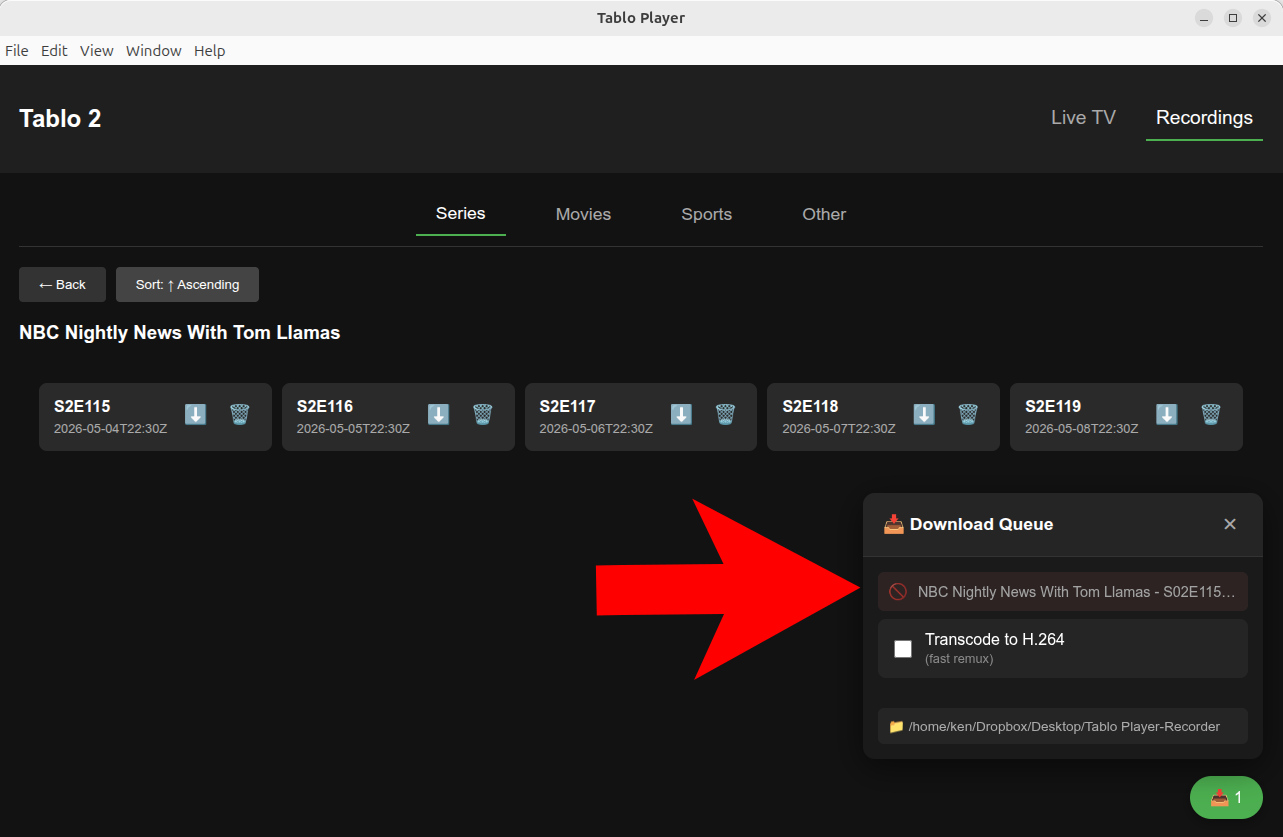
With help from everyone on here, I got it running on Linux. I was able to watch live programming without too much trouble. I was also able to watch recordings. However, I could not download recording. It looked like it would start, but only for a second. I could not find the downloaded filed, and the screen showed a red circle with a slash through it.
Is this the same issue that dmerc00 was reporting?
So, I decided to try it on Windows. Switch OS, downloaded the Windows version and ran it, but all I got was a blank white screen with a menu bar.
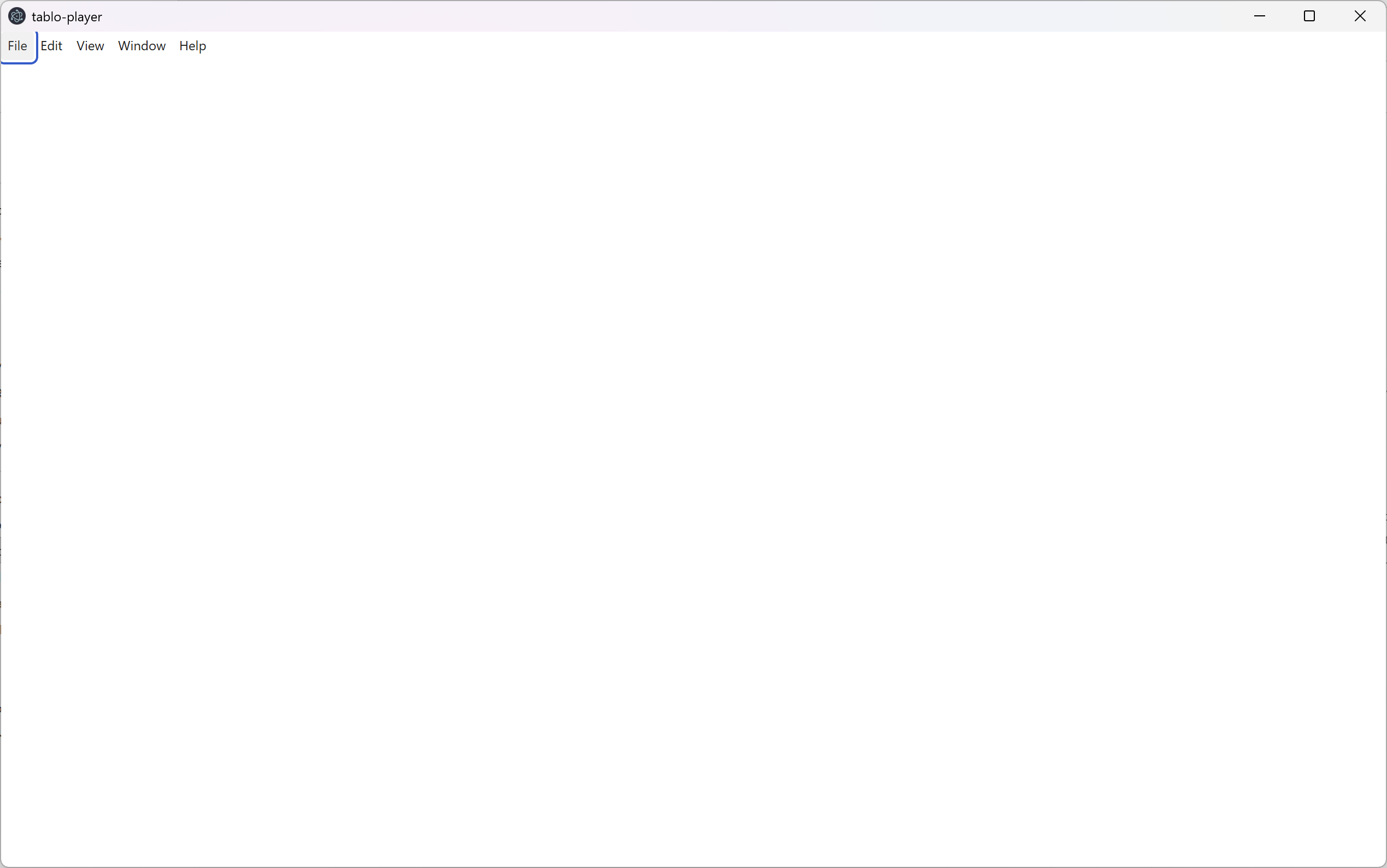
Any advice on either of these issues?
I have the player loaded on windows and initially had the white screen problem. I was running an old version of VLC. When I upgraded to the latest 64bit version everything worked fine.
I will give it another try.
I also tried dmerc00’s suggestion of running the earlier version in Linux, but got a different error with ffmpeg.
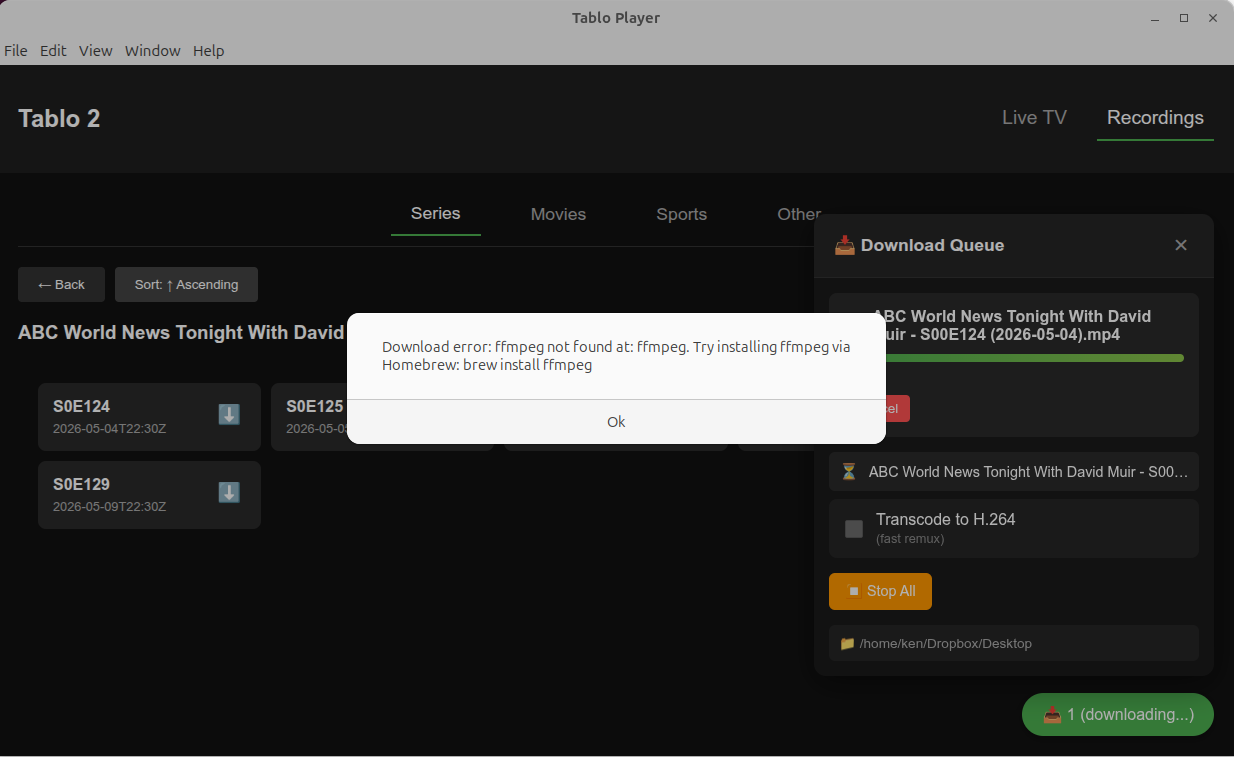
Still wrestling with it…
Looks like you have the same problem I had.
Maybe there is a solution in my notes or not, just sharing.
Here are my notes on the Linux Install:
To check the installed version of FFmpeg on Linux Mint, open a terminal and run the command ffmpeg -version . The output will display the version number on the first line, such as ffmpeg version 6.1.1
Download ZIP File: Tablo Desktop Player.zip
Extract Folder To Downloads Folder
Move folder to Home directory
make the AppImage file executable:
chmod a+x /home/user/“Tablo Desktop Player/Tablo Player-2.1.0.AppImage”
Run from Console:
/home/user/“Tablo Desktop Player/Tablo Player-2.1.0.AppImage”
All I got was a Menu and a white window.
Reason: Error: VLC not found on system. Please install VLC media player.
Installed VLC from Software Manager
Run from Console Again:
/home/user/“Tablo Desktop Player/Tablo Player-2.1.0.AppImage”
It Worked!
All the available OTA channels were listed in the window
and I could click on a channel to play it live in VLC.
Also I could click on Recordings Tab and watch recordings.
According to the release notes for version 1.5.0, the app uses ffmpeg to remux the raw MPEG-TS stream into an MP4 container on the fly rather than waiting for the broadcast to finish. For example, a 30-minute recording can be saved in approximately one minute on a test system, though actual times depend on your hardware’s ability to run ffmpeg and whether your Tablo is connected via Wi-Fi or Ethernet. The queueing feature allows you to line up multiple downloads and walk away, with the app processing them sequentially at maximum throughput
Downloading TV shows to PC Didn’t Work.
Got a Red Stop Sign error.
Checked to see if the VLC version was 64 bit and it was.
To verify if VLC is 64-bit on Linux Mint, open the terminal and run one of the following commands:
Using the file command:
Run file $(which vlc). If the output includes “ELF 64-bit” and “x86-64”, the installation is 64-bit.
Using the package manager:
Run dpkg -s vlc. Look for the line “Architecture: amd64”, which indicates a 64-bit package.
Note that on a standard 64-bit Linux Mint installation, the default VLC package installed via apt is typically 64-bit.
Finnaly Success!
I downloaded the older 2.0.1 Version AppImage files and it worked for downloading TV shows!
Note: I had to make it executable just like the newer one.
P.S. Tablo Player-2.0.1 Also Works on Windows 11 but I had to upgrade VLC to 64 bit.
On Windows the new 2.1.0 will now work too after VLC 64 bit upgrade.
For Linux Mint I just stayed with the old 2.0.1.
because downloading TV shows still fails with 2.1.0.
Here is the error from the console:
},
cause: Error: connect ECONNREFUSED 127.0.0.1:8080
at TCPConnectWrap.afterConnect [as oncomplete] (node:net:1637:16) {
errno: -111,
code: ‘ECONNREFUSED’,
syscall: ‘connect’,
address: ‘127.0.0.1’,
port: 8080
}
}
[IPC] vlc:stop called
[VLC] Stopping
[VLC] Command error: connect ECONNREFUSED 127.0.0.1:8080
[IPC] vlc:stop called
hey @dmerc00 and @KGBnut , i done goofed and messed up the path for the ffmpeg binary on the linux build. there’s a new linux appimage version at the link (v2.1.1).
Sorry for the inconvenience!
No worries! Thanks to everyone here, I got version 2.0.1 working just fine on Ubuntu once I got ffmpeg installed.
I will look again at 2.1.1, but it is working well enough for my no for my uses.
Thanks again!
So I downloaded 2.1.1 for Linux
Made it executable:
chmod a+x /home/user/“Tablo Desktop Player/Tablo Player-2.1.1.AppImage”
Ran from Console:
/home/user/“Tablo Desktop Player/Tablo Player-2.1.1.AppImage”
Found that it would play TV shows but still not download them, still get the Red Stop Sign.
2.0.1 still works though.