How to fix scheduling time problem? Schedule shows correct , but episodes show recording time an hour earlier starting
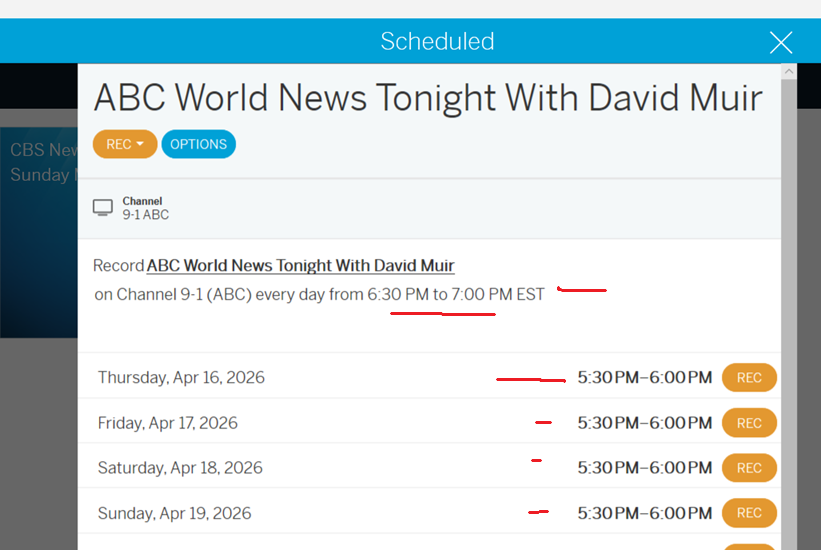
Out of curiosity, what time zone do you live in?
eastern standard time. the recordings are happening an hour earlier. daylight savings issue??
Eastern Standard Time this time of year is equivalent to Central Daylight Saving Time, so wouldn’t these times be correct? I am in central DST, and that show is on 5:30-6:00 PM each evening.
No as shown in the picture, when I schedule it, it shows the correct 6:30 start. But each program date shows 5:30 and records an hour early. I deleted the schedule and readded, but this is what it does for each day
When was the last time you ran a channel scan or manually updated your guide? Maybe do a channel scan and then clear cache on the app.
ran a channel scan. no change. Guide is updated.
no matter what i schedule to be recorded from the guide, it then shows each episode as starting an hour earlier than what it was scheduled for. This must be a known bug???
So i have both legacy app and also enabled 4th gen app access to my legacy device with 2.2.58. Maybe some conflict. Also. in the new app, after the 2.2.58 update, it had all these shows scheduled to record that I never setup. I had to delet them all. As I wondered where I was getting these recording from that I never setup. Wierd.
Network router have correct time?
Beyond network time, it might also be handy to check your streaming device and/or TV time.
1 Like
This is from 2017, so Legacy. @TabloTV is it the same for the Gen4 device?

my live tv guide shows correct time. I ran scan. It doesn’t fix scheduling. Issue came about after 2.2,58 update
Hi @wysiwyggin,
The 4th Gen Tablo reaches out for the current time via your ISP’s servers.
Does your viewing device, that the Tablo is connected too, show the correct time?
yes. Time is correct on several different apps (firetv, android app, windows app)
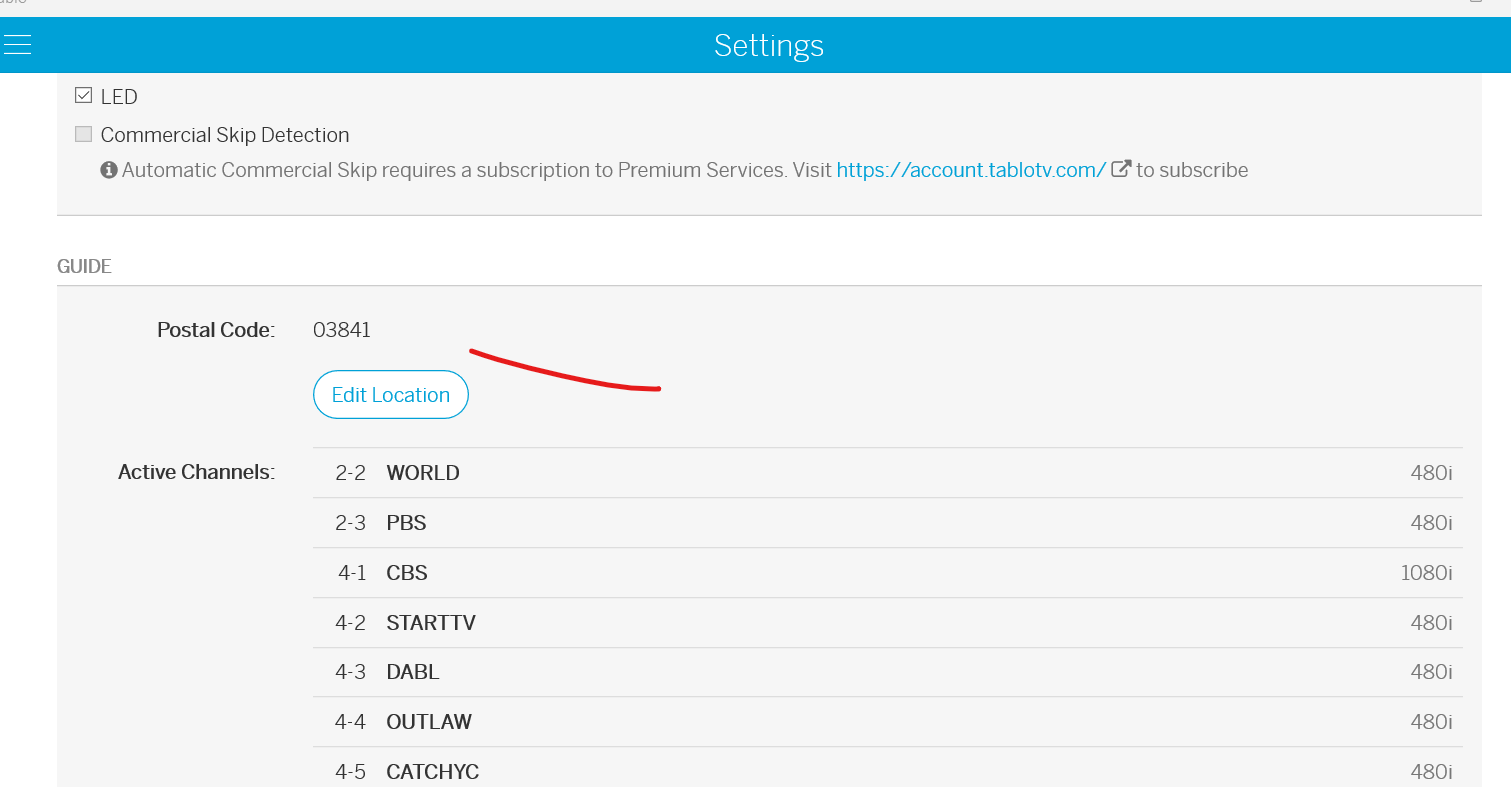
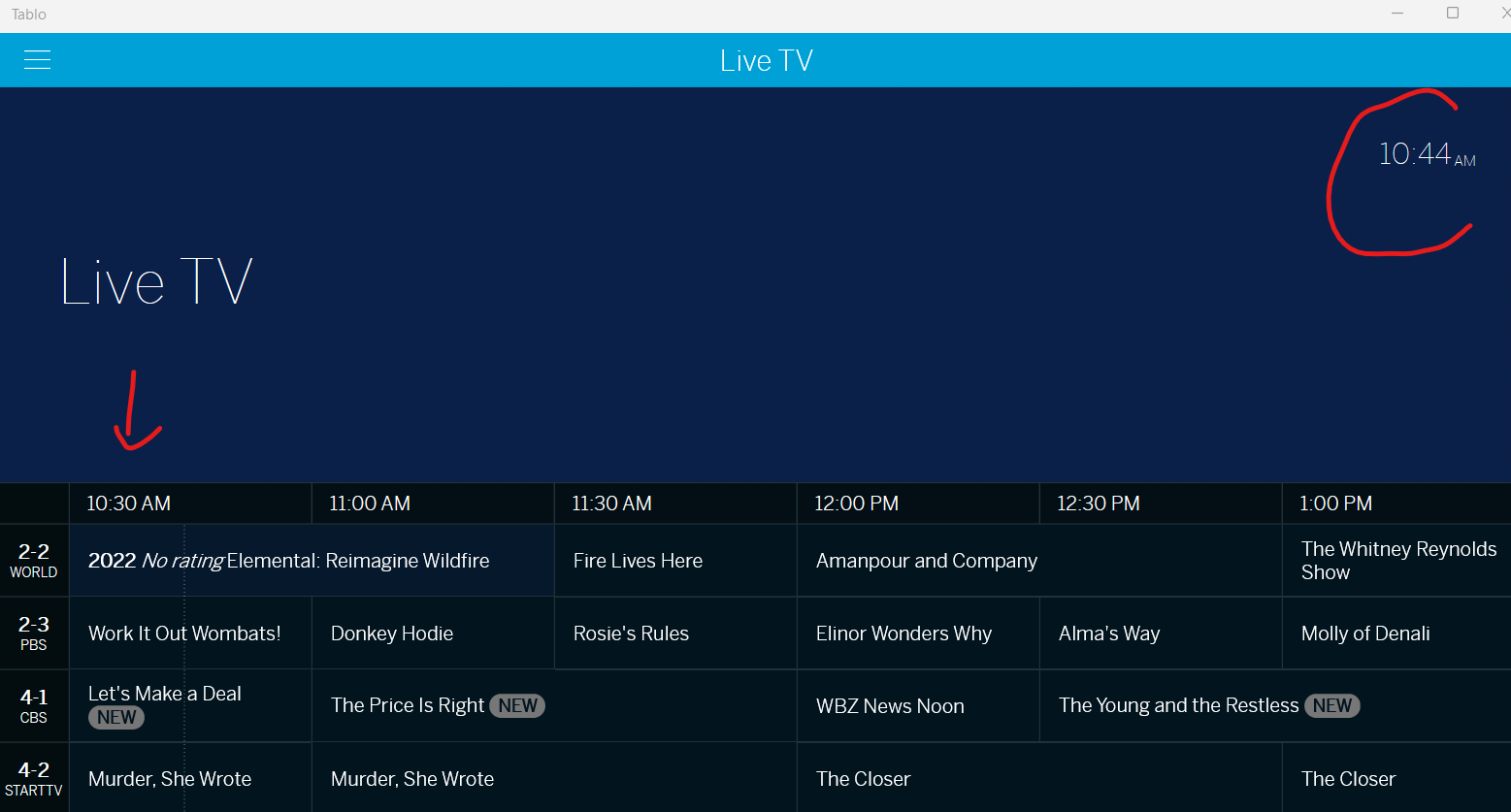
i select a show to record
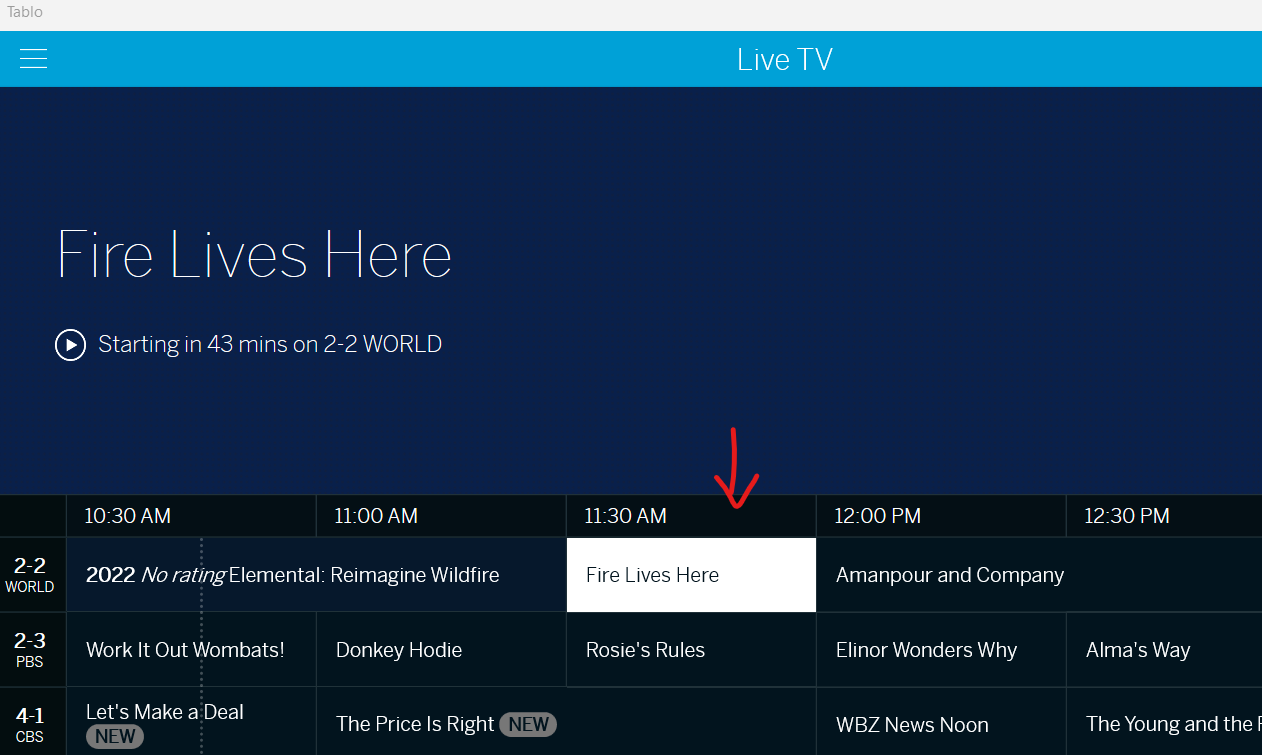
It shows the time to record , but then save and go back to view scheduled and shows episode an hour recording earlier
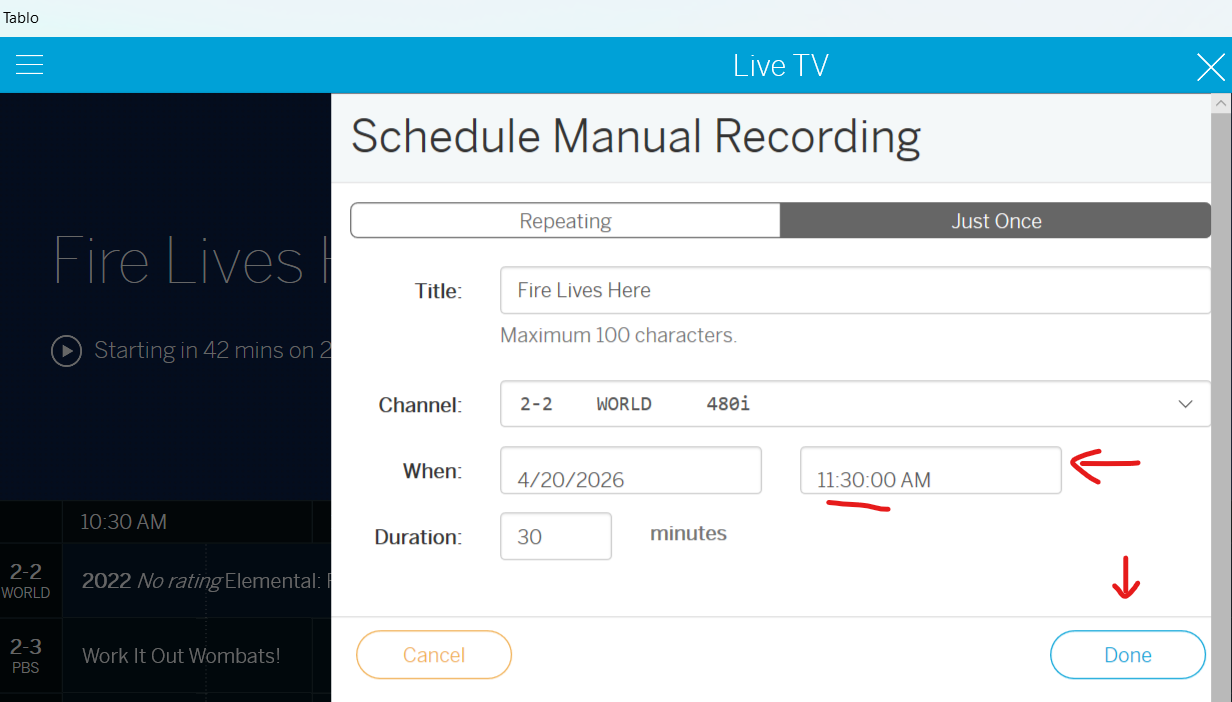
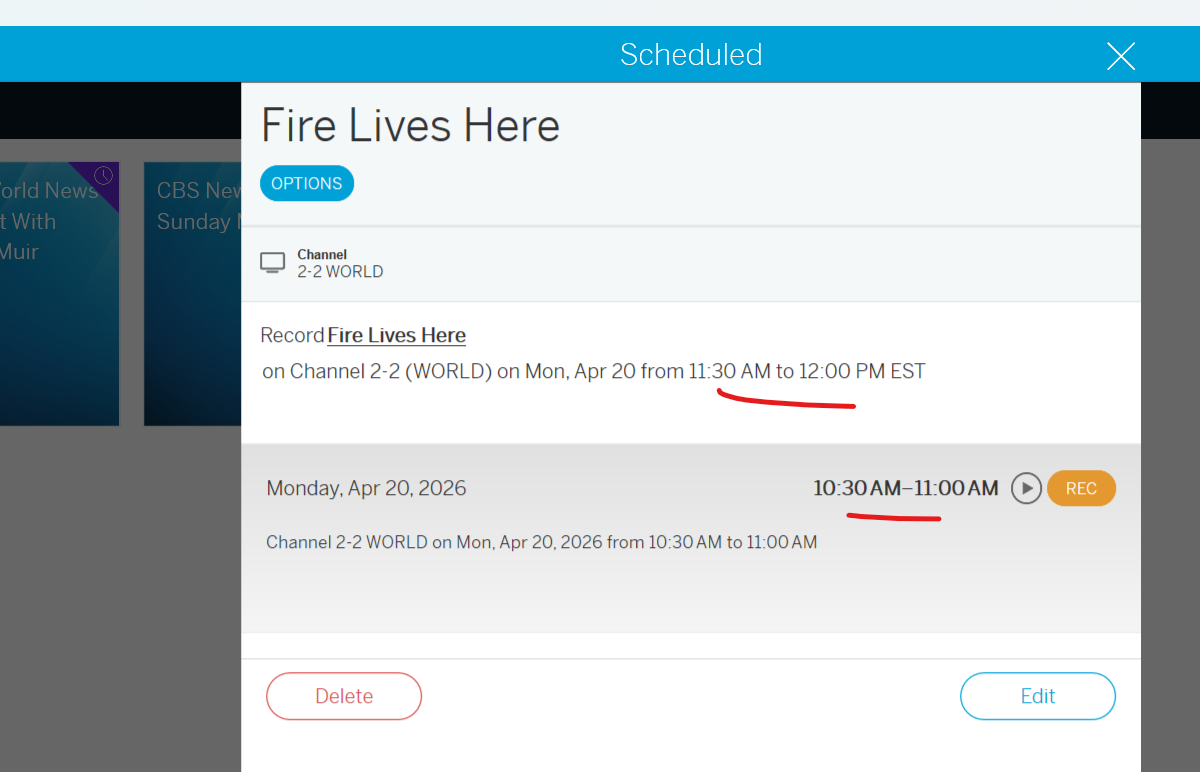
As a workaround, if I edit my scheduled recording and move the start time up an hour (i.e 12:30pm), then the episode updates to the correct time (showing 11:30am) and starts recording at the proper time.
I have both a Legacy and 4th Gen Tablo. I updated the Legacy firmware to 2.2.58 last month and immediately noticed this same scheduling problem. Tried it numerous times with the same result, so I tried the same ‘work-around’ as mentioned above—adjust the time settings by one hour. I’ve also checked and re-checked time settings on the Legacy and they’re correct.
I schedule recording of Premier League football on Telemundo each Sunday. Match times vary, so in order to cover it all I want to record from 7AM until 1:30PM. But when I put that time in, it shifts to an hour later, the same as you. So when scheduling I set it for 8AM to 2:30PM, but the program actually records as I want it to, starting at 7AM. I need to do Manual Recordings because I no longer pay for the online guide in my Legacy—but it wouldn’t matter anyway. I receive 7 OTA channels (including Telemundo, Bounce, Cozi, Laff and others) that are available to watch live, but these 7 channels don’t have program details in the guide on either the Legacy or 4th Gen. (I’ve contacted Tablo about this, but received untrue replies.)
I never had this problem until I did the upgrade, so I asked for & received instructions on how to back down to 2.2.42. I did as instructed, but this time scheduling problem didn’t revert back, so I’m just living with it now on the ‘old version.’
The email I received today about another firmware update (2.2.60) seems to say that it’s required to update by May 25, 2026? If this happens automatically and causes more issues—such as not being able to set Manual Recording, I guess my Legacy will make a nice paperweight?
IMO, the new 4th Gen with an included program guide would be just fine—it they would include listings for all OTA stations, and/or provide a method for Manual Recordings. But, I don’t see that taking place…