I hear you, that’s what I made this for originally. I work from home and like to have stuff on in the background and would play my legacy on my personal pc. When I upgraded to 4th gen I lost that, so built it for windows. (and because I hate the new app layout)
1 Like
TY I will let you know ow it turns out.
Excellent work porting it to Linux! It runs great on Ubuntu 26 and Pop!_OS COSMIC. I’ll get around to testing it on Linux Mint and Fedora eventually, but I don’t expect any issues.
I work from home too, so I understand the need to keep things running in the background. My job involves analyzing events with worldwide impact, and a little background noise keeps me from going stir-crazy. It’s great to see Linux support, since I’m mostly free of Windows and use inexpensive Dell OptiPlex Micros running popular Linux distros with all my TVs and monitors.
Thanks again for all your time, effort, and excellent work!
1 Like
Well, I’m a Director of IT, started off as a Unix developer back in the dark ages (35 yrs ago), started off on VAX/VMS and then onto HP-UX. Now I just dabble for fun, try to come up with projects to keep me busy. Think I’ll have one more update and will probably be done other than fixing crap people find along the way. Then onto the next project.
1 Like
@joedv I sure hope you check in on this project once in a while to see how it’s going. It sure works well, and thank you. I’ll be using it on Windows, and Linux as well.
Not a Mac guy myself as far as super user, but I did get Safari to open TabloView and the log in page. 99% sure I have the right password but it gives: " Logn-in failed: Email and/or password does not match our records. For customers with an existing legacy Tablo account, you will need to create a new username and password." Almost like the first time set up of the 4th Gen on phone. Unfortunately when I logged off the phone I could not log back in with what I thought was correct password. At this point don’t want to change password on all devices to get this to work. Maybe later.
@wysiwyggin oh I just meant I’m not going to be looking for any new features after this next update. Think it’s in a good place, has a few bells and whistles, and so far does what I wanted it to. This next release is going to have one of my wants, which is a split screen to show two channels at once and will have a picture in picture option as well. After that, I’ll let it be out there for a while, see if people have issues to fix or additional updates. Not going anywhere.
1 Like
Ok, the release is ready in the store. As mentioned, this will likely be the last feature release for a while. If you have bugs, issues, or requested enhancements, just hit me up here!
TabloView 1.1.7: watch two channels at once
Two channels at once
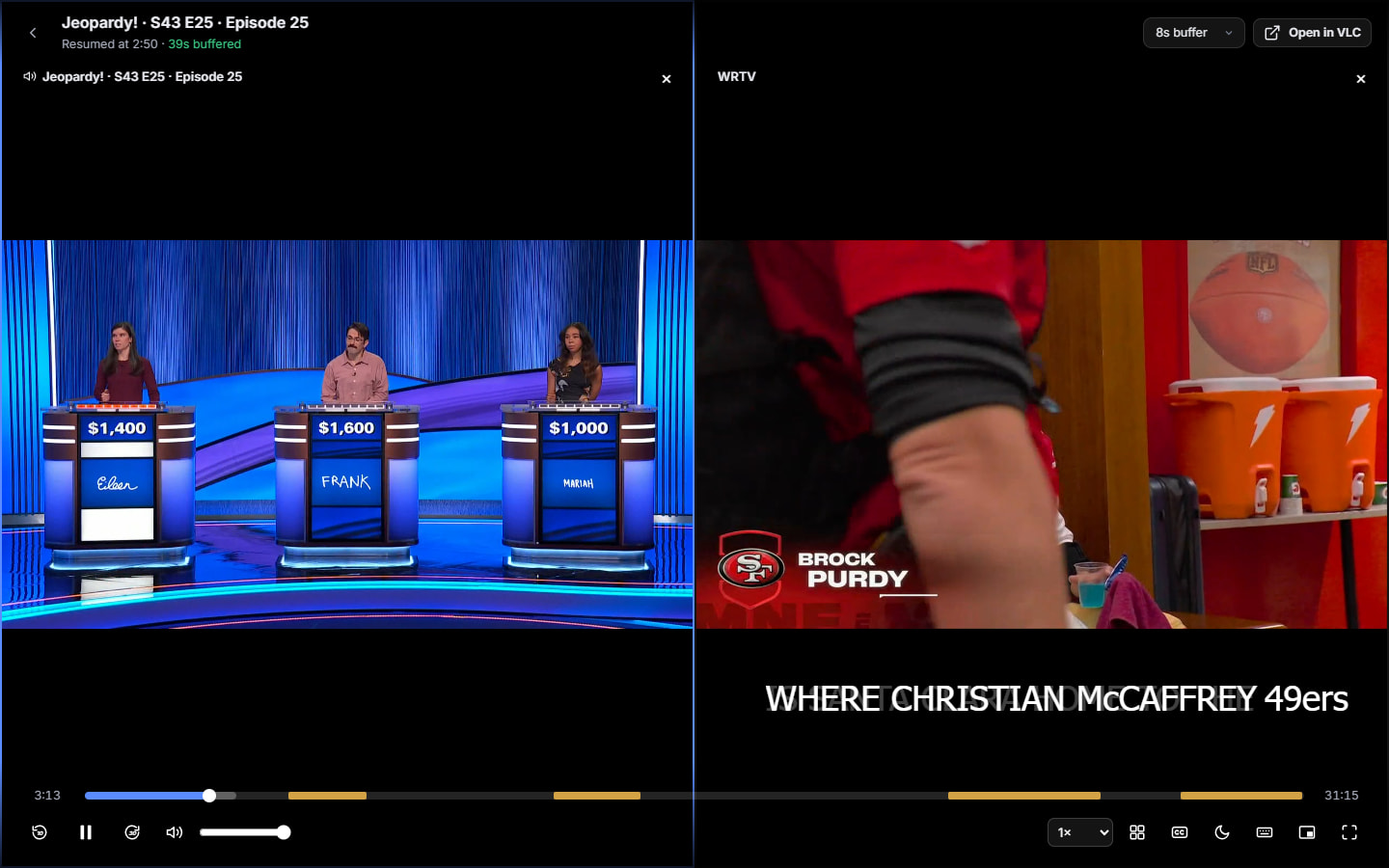
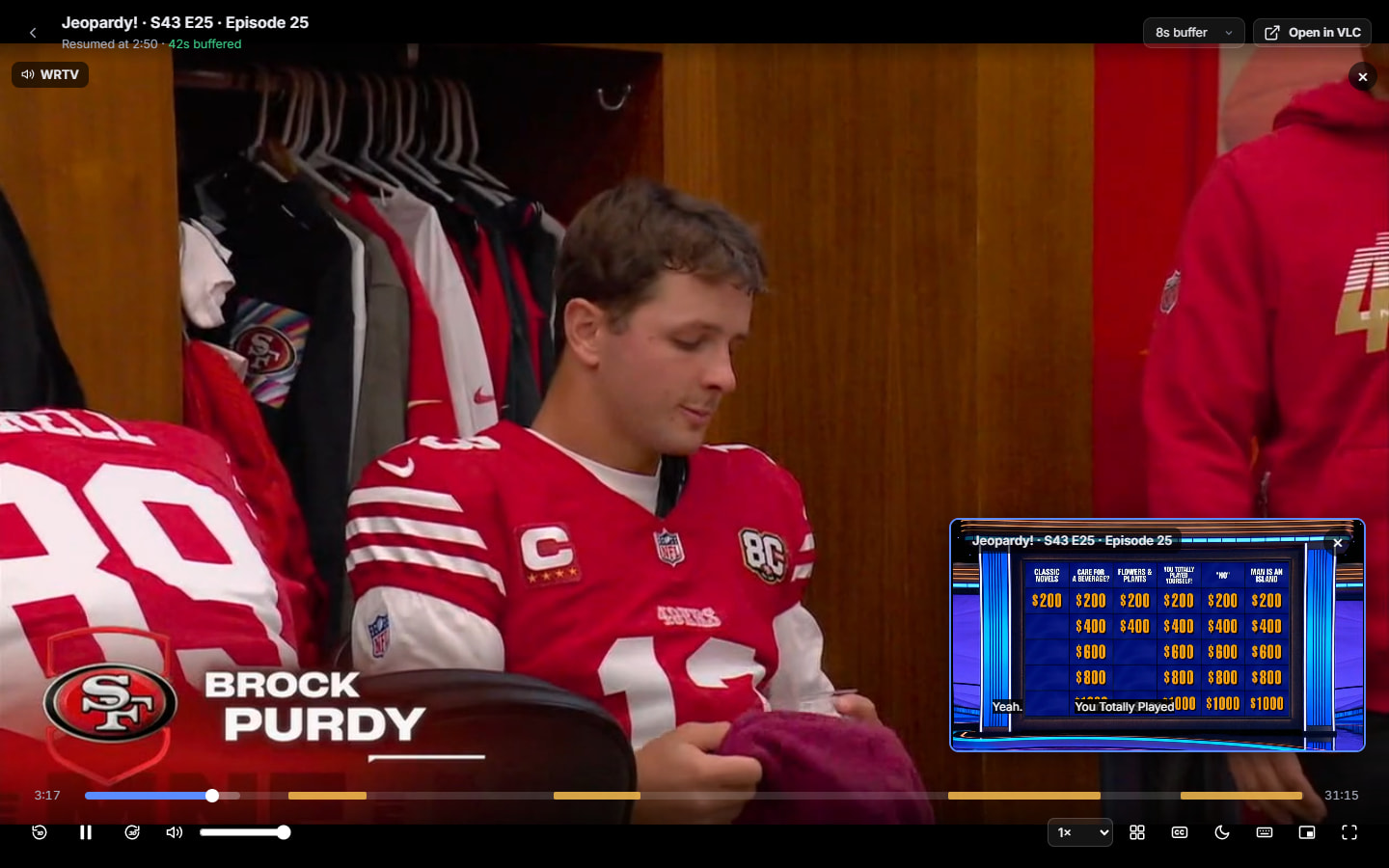
Watching a recording but don’t want to miss the game? While anything is playing, click the two-rectangles button (or press 2) and pick a live channel. Choose side by side, big and small, or full screen where Tab flips between them. You hear one channel at a time: click a picture or press Tab to switch. The silent one shows captions, and its border flashes when something big happens (a crowd roar, an announcer going wild), so you know when to switch over.
A recording plus a live channel uses just one tuner.
Signal health
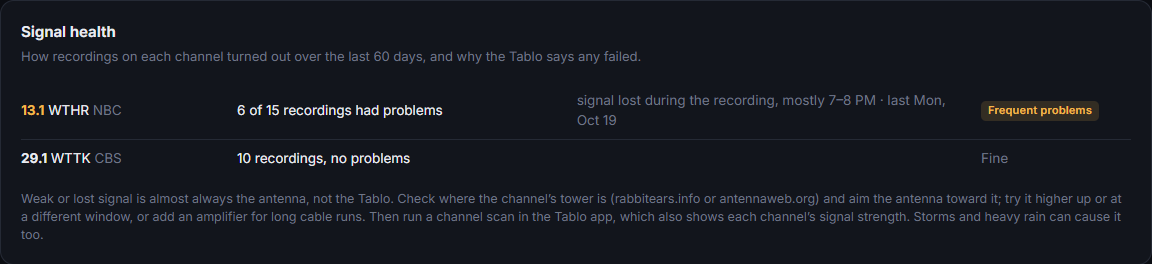
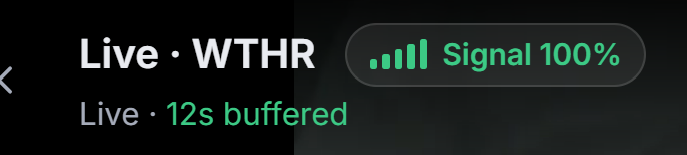
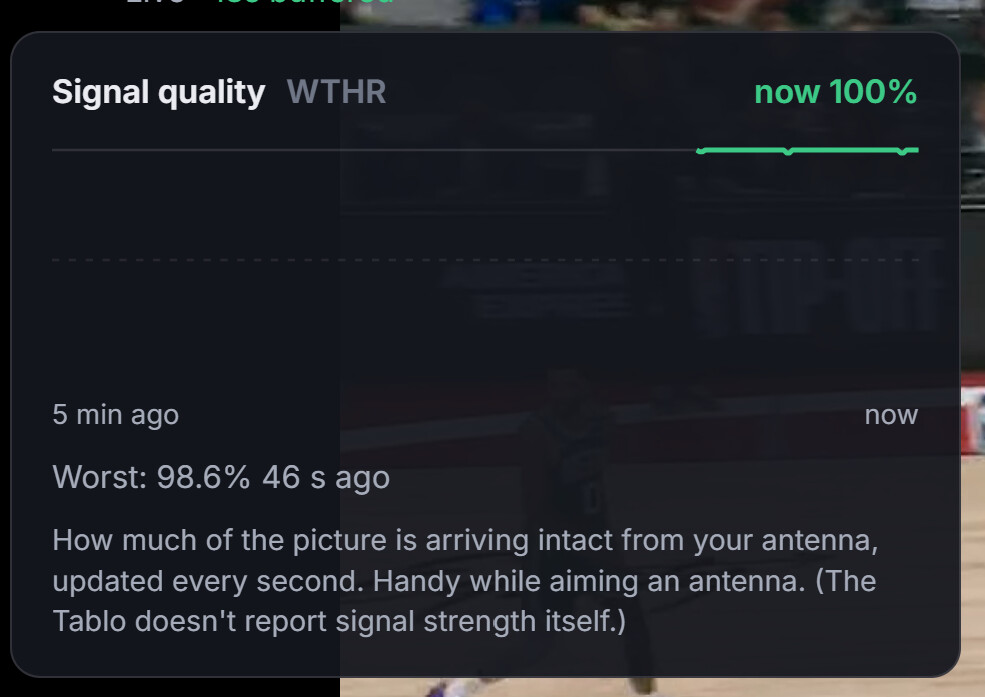
Ever had recordings fail and wondered why? The Tablo records the reason (weak signal, couldn’t tune, signal lost), and TabloView now keeps that history per channel. Device → Signal health shows which channels have trouble and when, with antenna tips. You also get a notification if a channel keeps failing. In my case it pointed straight at one NBC station dropping out in the evenings, while CBS was perfect.
Also new
-
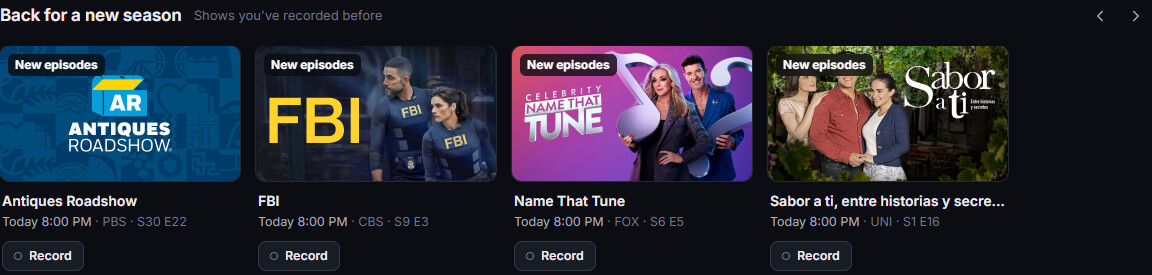
Back for a new season: shows you’ve recorded before that are coming back, on Home with a Record button, plus a notification.
-
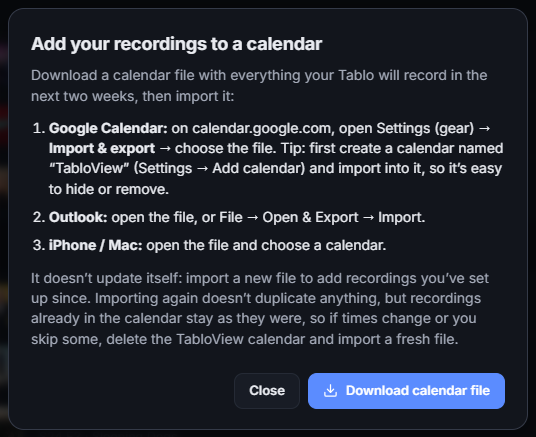
Add to calendar: your upcoming recordings in Google Calendar, Outlook or Apple Calendar (Scheduled → Upcoming recordings).
-
Check for updates in the tray icon, and the Store version now tells you when an update is waiting.
-
Live TV frees the Tablo’s tuner when you close it. Before, the Tablo could keep tuners reserved for a while after you stopped watching.
How to get it
- Microsoft Store: TabloView for TabloTV - Free download and install on Windows | Microsoft Store (updates on its own, or Store → Library → Get updates)
- Windows installer: Microsoft OneDrive , file TabloView-Setup-1.1.7.exe
- Linux (test): same folder, TabloView-1.1.7-linux.tar.gz (setup in LINUX.md inside)
2 Likes
Hey the 1% doubt about password led me to remember correct one. Got Laff Tv streaming right now. Awesome work!!! Will play around with it and let you know how it works on Mac.
@Chazbury I put a 1.1.7 mac release out in the release folder (one drive link above). It’s completely untested, has the source plus some instructions, but since I don’t have a mac, it’s a total blind release. But, if you can get it to work, the code has the latest updates.
You have successfully completed many of the outstanding Feature Requests that were on the Tablo Gen4 wish list.
And quickly as well. Thank you.
I’m curious if you are using GNU license or anything similar. So someone could get the source and branch it off?
Or the Tablo Community could take up maintenance.

@CarbonCompound Yes, the plan all along was to test it with you fine folks first, get it to a stable level, then open the source up and make it publicly available on the Microsoft store. At that point, people can port it, enhance it, whatever.
1 Like
(Disclaimer: I installed on a crap Celeron Windows 10 laptop)
I did notice something about the tuner controller…
I was channel surfing and got a message that no tuner was available and another message later (when I kept pounding the buttons) that the tuner wasn’t available possibly due to a channel view recently ended. (Wait or watch anyway)
What is really cool is my Tablo Gen4 is only a two tuner device. So I brought up a show on my LG TV and then used the PIP side-by-side view. Three OTA programs are playing?! Woot!
Edit: appears you have to view one channel on two devices and then a second. The LG hung up when I changed PIP channels. Restarted the LG and a PIP hung. So it plugs into the feed for each tuner. Groovy.
@CarbonCompound Thanks for testing it.
“No tuner available” while channel surfing: after you leave a channel, the Tablo keeps that tuner reserved for a while, so on a 2-tuner Tablo a couple of quick channel changes can use both. TabloView warns you rather than letting a tune fail. I’m working on making channel changes release the old tuner first, so surfing goes more smoothly.
Three programs on two tuners: nice find! When two devices watch the same channel, the Tablo shares one tuner between them. That’s how you got three pictures. A third different channel needs a tuner of its own, and with none free the Tablo took the shared one, which is why the LG hung. I’ll make sure TabloView warns you before the second picture’s channel change does that.
Playing a recording never uses a tuner, so on a 2-tuner Tablo they could have three programs without sharing:
- LG TV: a live channel (tuner 1).
- TabloView: play a recording, then add a live channel alongside it (tuner 2).
One limit in TabloView: the second picture is always a live channel. So it’s “recording + live” or “live + live”, not two recordings side by side.
Tip: recordings don’t use a tuner. In TabloView, start a recording and add a live channel next to it, and you’ll only use one tuner, leaving the other free for the TV.
1 Like
Ok, I thought it over and there is really no reason to wait. (well, had to wait on Microsoft to approve it)
TabloView: now searchable in the Microsoft Store, and the code is public on GitHub
Two pieces of TabloView news:
1. You can now find it by searching the Microsoft Store.
Until now you needed a direct link to get to the Store listing. Now you can open the Microsoft Store and search for TabloView. You can also use the link: TabloView for TabloTV - Free download and install on Windows | Microsoft Store
The Store version updates itself automatically. If you installed from the setup .exe instead, that’s fine too: right-click the tray icon and choose Check for updates.
2. The source code is now public on GitHub.
- Downloads: the Releases page has the Windows installer plus Mac and Linux downloads. The Mac and Linux versions run from source, and the MAC.md and LINUX.md guides walk you through setup.
- Bugs and ideas: open an issue on GitHub or keep posting here. Many of the features so far came straight from this forum.
- Privacy: TabloView runs entirely on your own PC and talks to your Tablo directly. Nothing about you or your recordings is sent anywhere. The full details are in PRIVACY.md in the repo.
Coming in the next update: by request from @wysiwyggin, you’ll be able to choose where MP4 exports are saved (Device → Playback → Save exports to).
Thanks to everyone who has tested, reported bugs and suggested features!
3 Likes
Well I guess if you don’t use Agile Development, daily stand up meetings, and a Scrum Master who last worked at a coffee shop you can do real development.
The only last thing that is really bad about the gen 4 apps is that the sports menu “All Sports” doesn’t aggregate and categorize sports into individual leagues. Just a huge linear list.
well I don’t have to listen or pay attention to 100 different people complaining on various forums and social media all day either, so there’s that.  Nor do I have a backlog to worry about or management up my butt all day. lol
1 Like
Even with these ‘roadblocks’, a good team of developers can get these things done. I was always surprised by my team completing things and delivering ahead of schedule. Although, we only loosely used these dev systems. You still need to know what you’re doing.
- Tested and confirmed working on Ubuntu 26.04.1 LTS, Pop!_OS COSMIC, and Fedora 44—including Kinoite, Fedora’s immutable edition.
- Video playback note on Fedora/Kinoite: Playback in the built-in web-browser player didn’t work for me, but using the VLC playback link worked fine.
- Linux Mint testing is next when I walk into my home gym, but is expected to work because of the core Linux base.
- VLC video downloaded playback: Yesterday, I had to open VLC first and then select the downloaded video to avoid playback errors. Today, it’s working normally. There are still some unknowns, and I’ve seen another thread discussing playback issues.
- Feature reboot request for the future: A remote reboot option for the 4th-gen Tablo would be great. Every few months, I run into a hiccup where the only fix is physically pressing the device’s reboot button. Since the Tablo developers have said they won’t add this to their app and there’s no known way to do it, I may add a workaround to my Python code that uses a cheap smart switch from Amazon to power-cycle the Tablo. *Sigh*

Again, excellent work and thanks for the fish! (including posting to github)