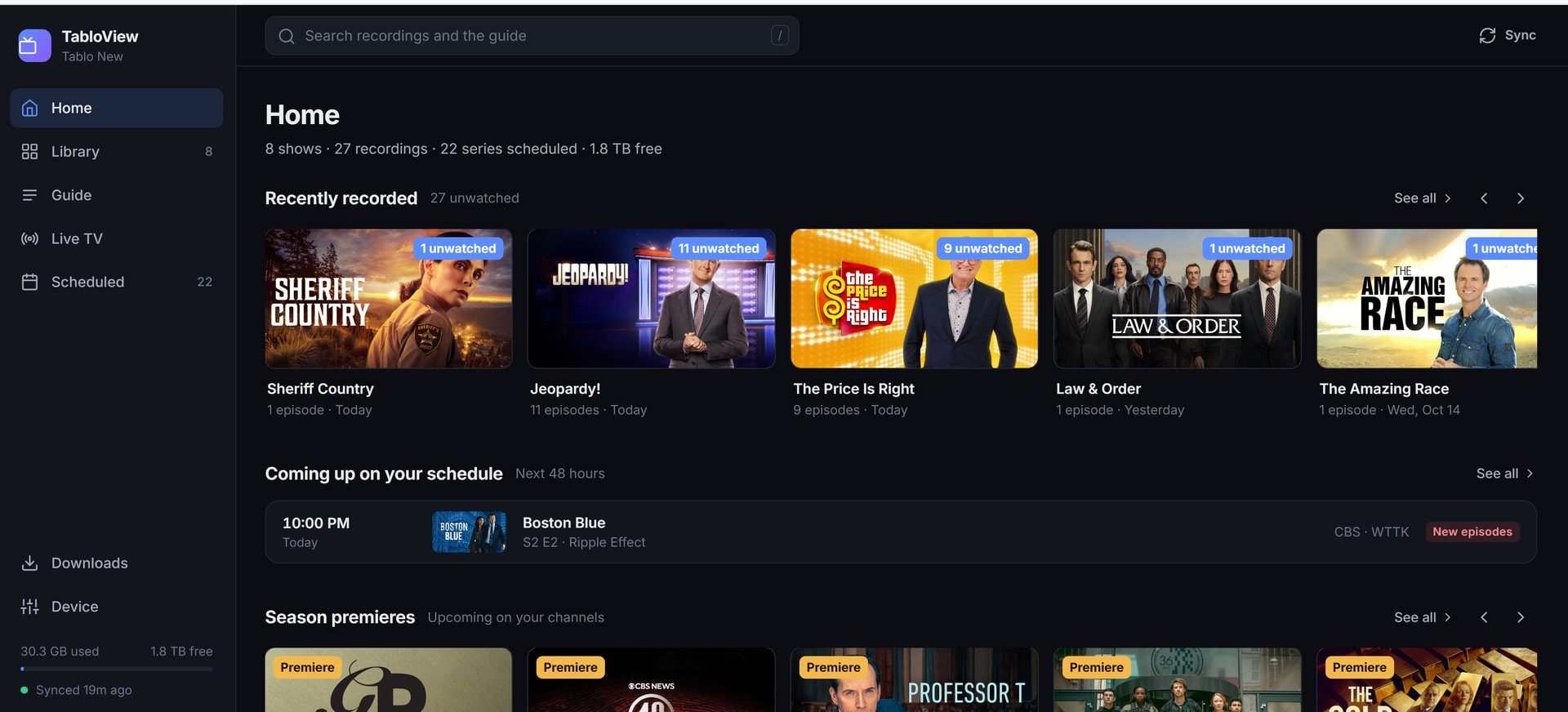
Home screen: recent recordings with unwatched counts, what’s recording in the next 48 hours, upcoming season premieres, and new primetime episodes.
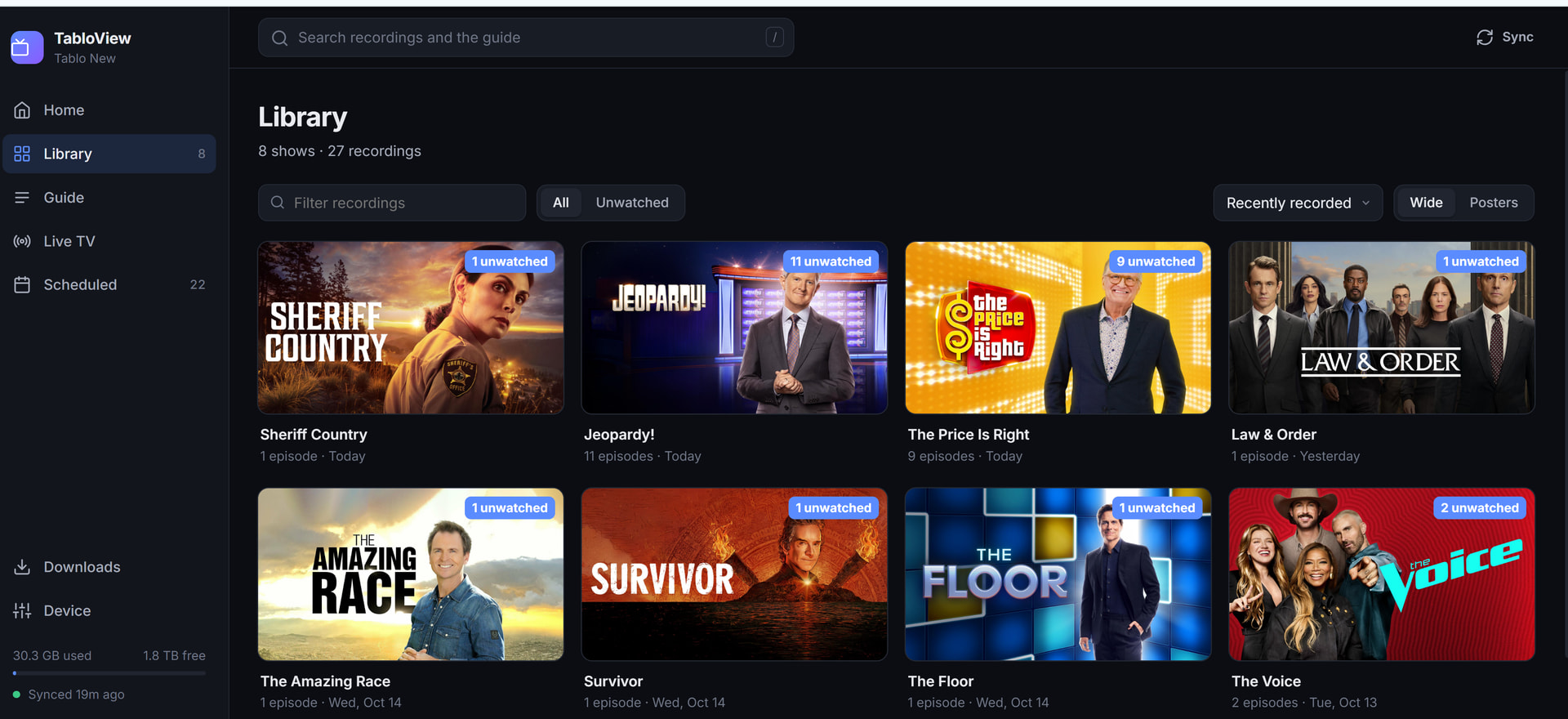
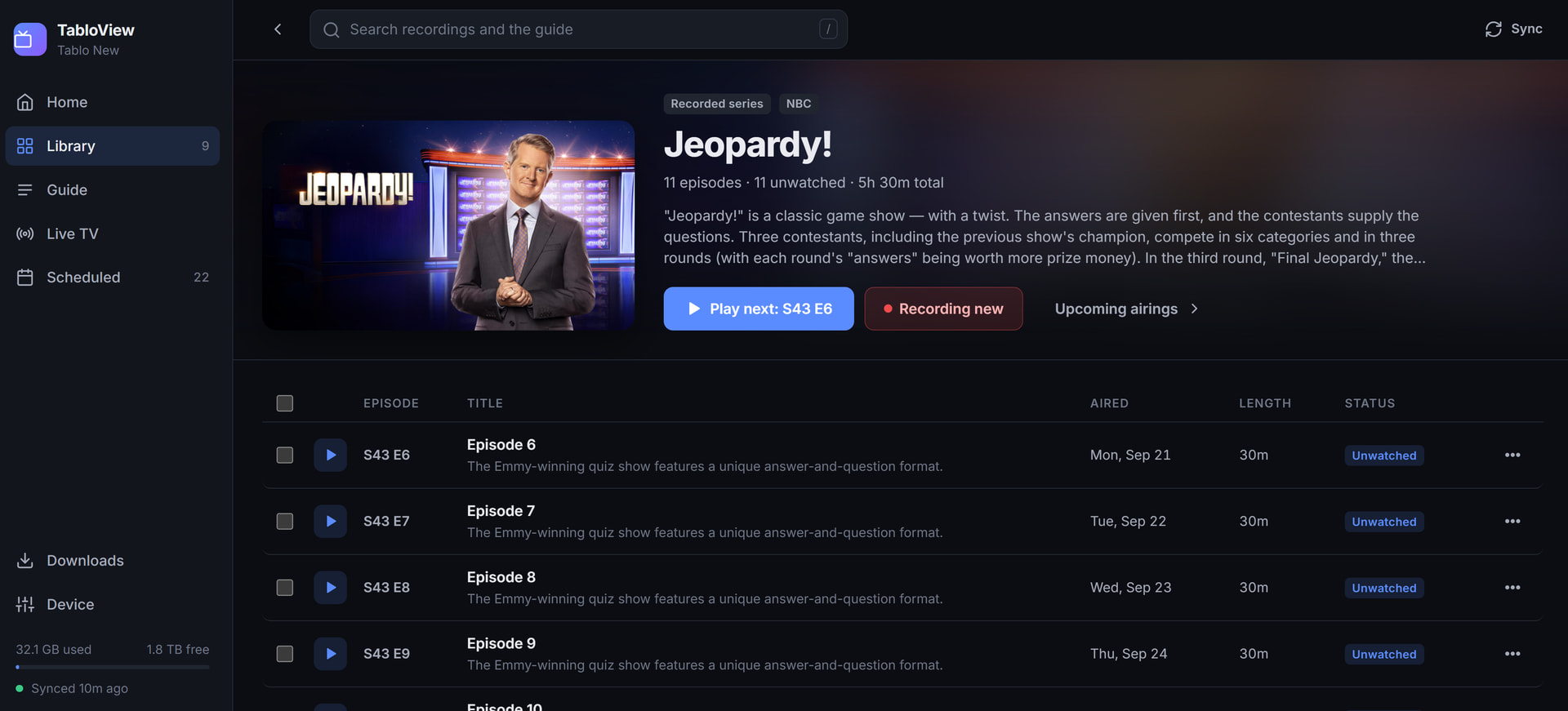
Library: play recordings in the browser or open them in VLC, export to MP4, and delete one episode, several at once, or all watched episodes of a show.
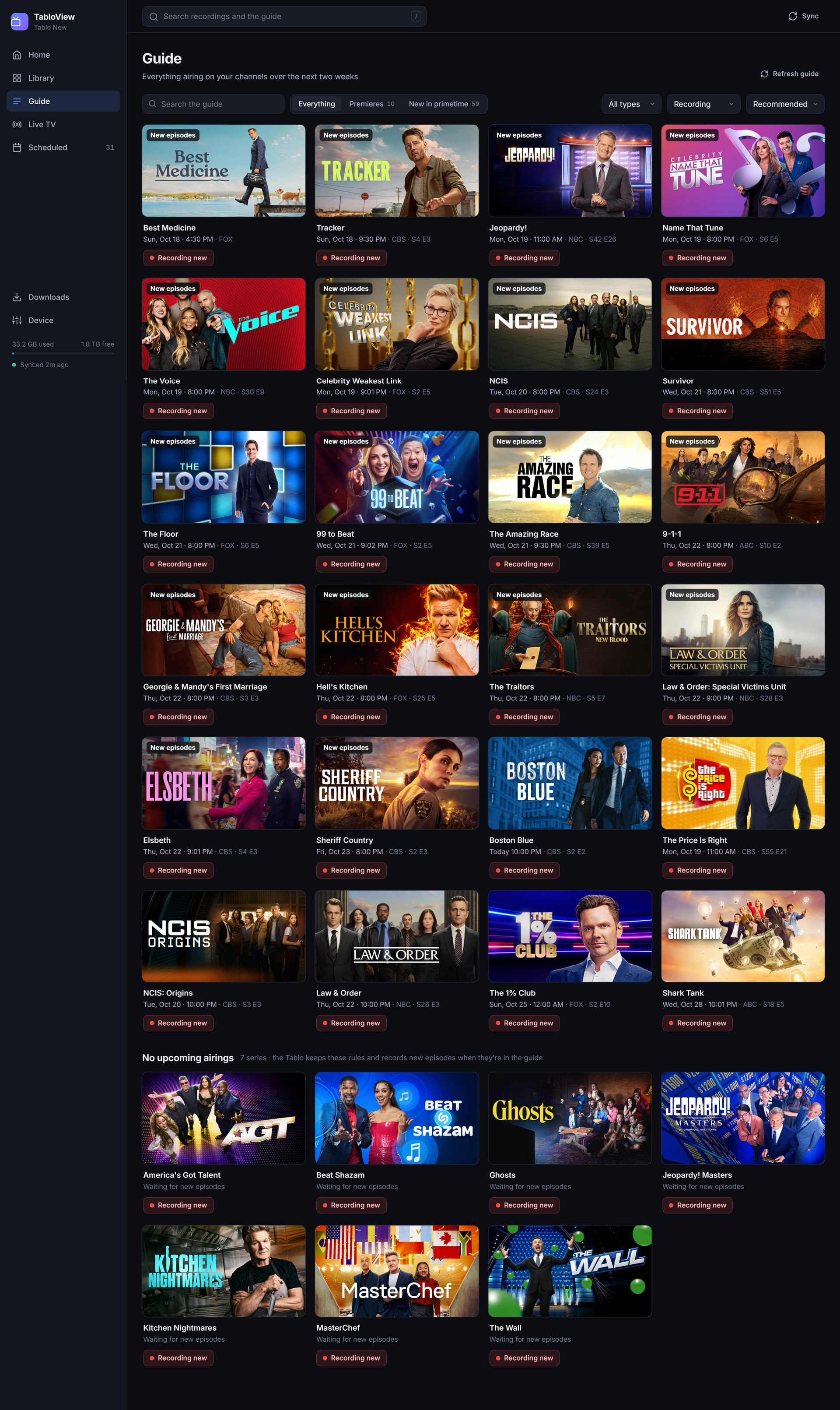
Guide: search everything airing in the next two weeks and record a series (new or all episodes) or a single airing.
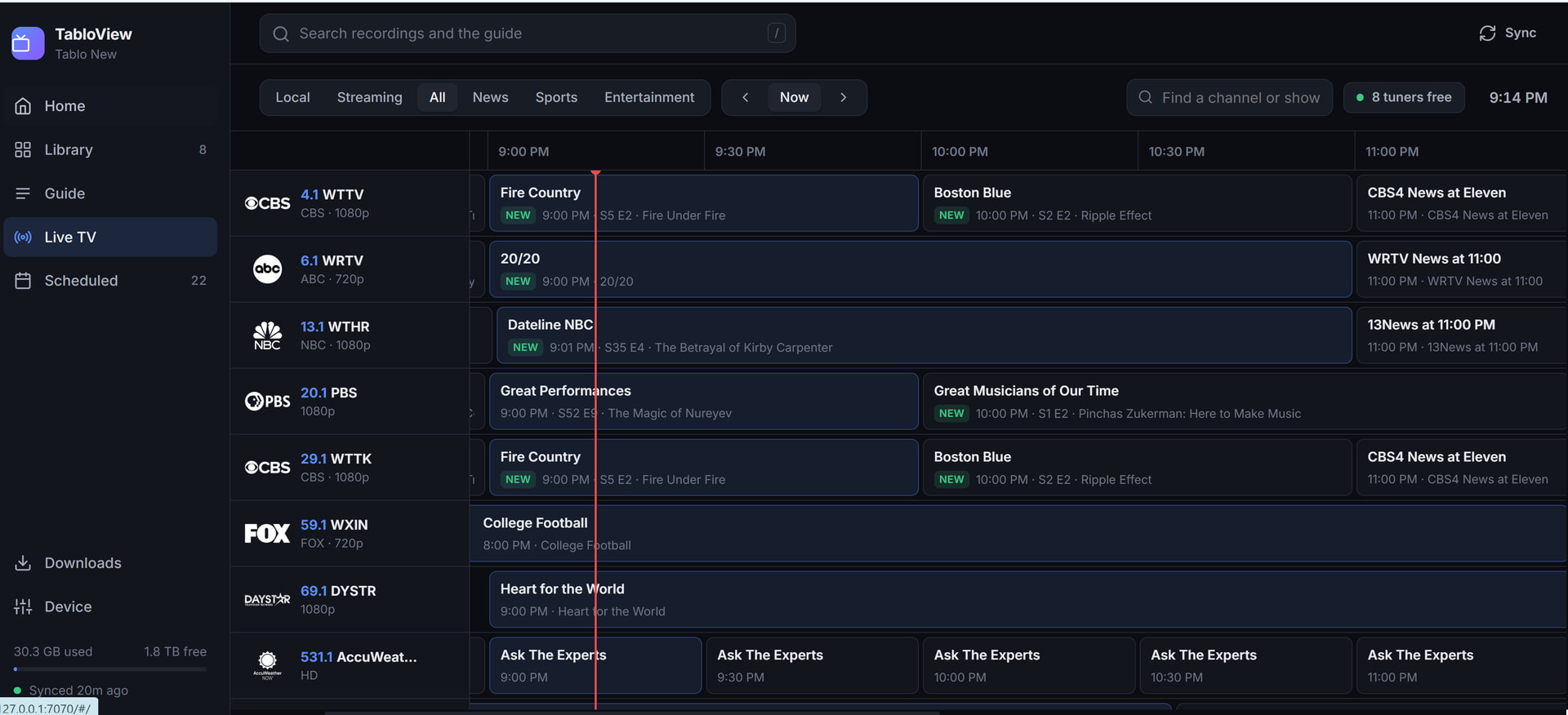
Live TV: a classic channel grid for local and streaming channels, with one-click tuning. It shows what’s recording right now and what’s set to record.
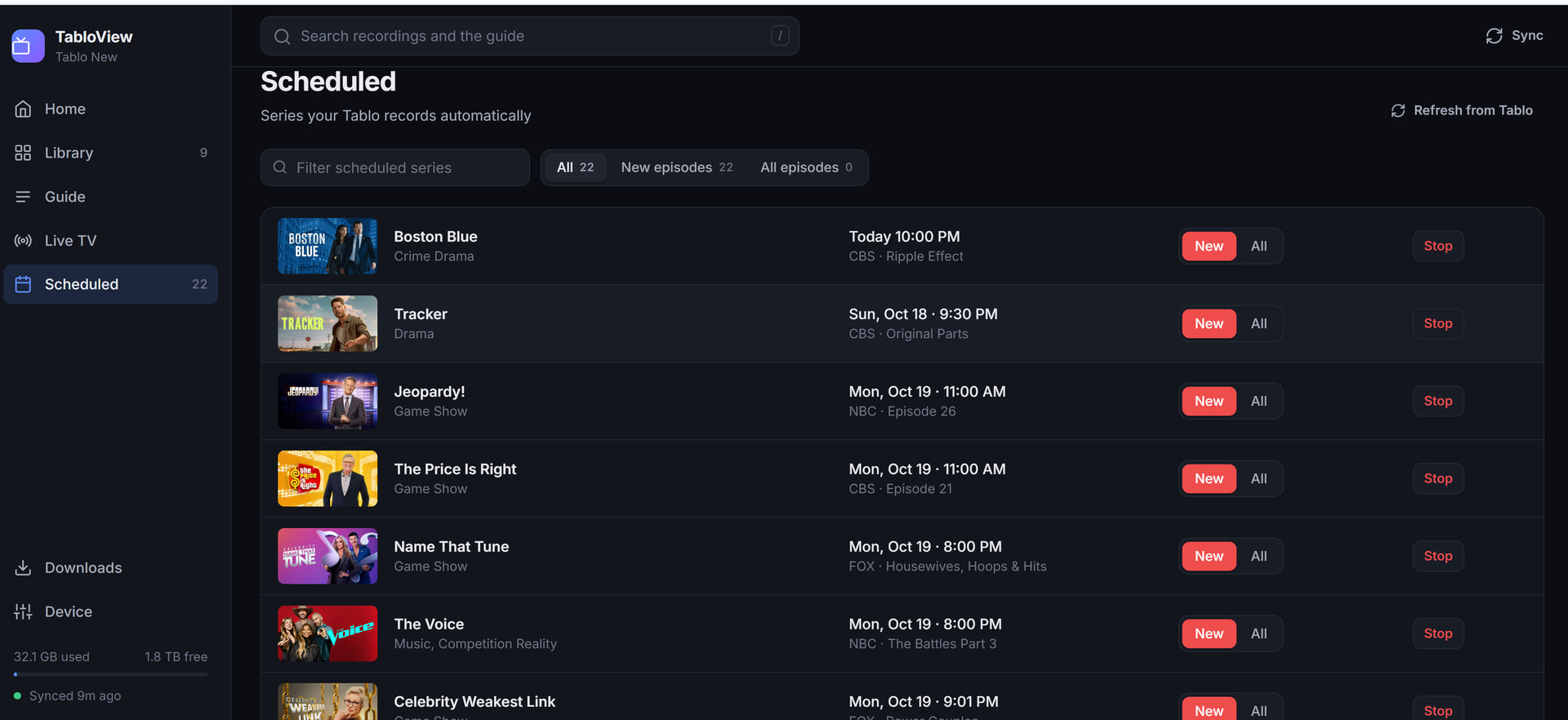
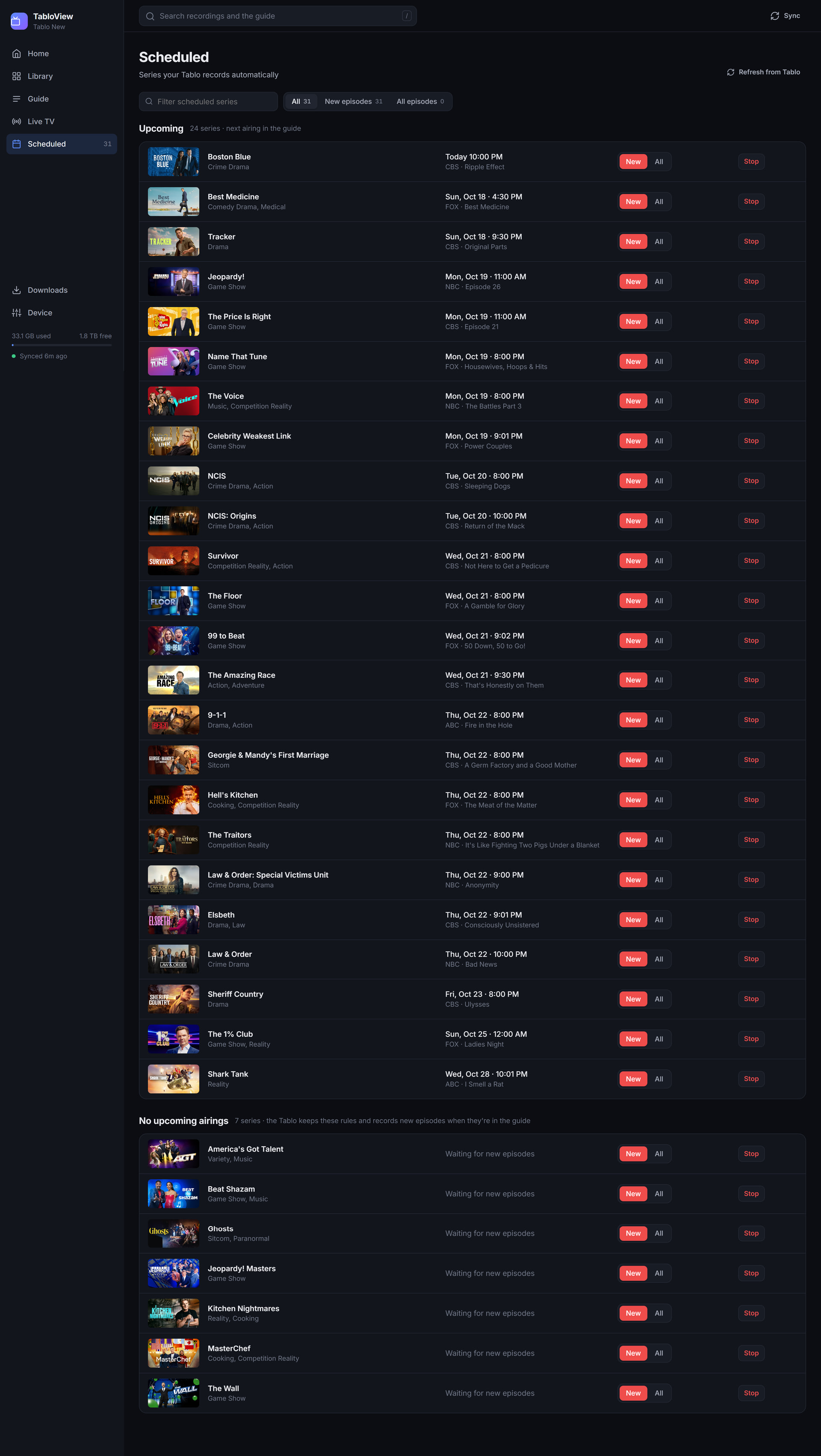
Scheduled: all your series recordings on one page, with quick switches between New and All, or Stop.
One search box covers your recordings and the guide (press /). It also shows tuner use (e.g. “OTA 1/4 · Stream 0/4”) and storage space.
Sign in with your own Tablo account. TabloView finds your Tablo automatically.
Privacy and security
Your password goes only to Tablo’s sign-in service and is never saved.
Everything runs on your own PC. There are no TabloView servers, accounts or tracking.
By default only the PC running it can open it. You can allow phones and other devices on your home network in the settings if you want.
Good to know
4th Gen Tablos only. Legacy models aren’t supported yet.
Windows only. It runs in the background with a tray icon by the clock.
Unofficial. It isn’t affiliated with Tablo or Scripps and uses the same local API as the official apps. A Tablo firmware update could break it until I update it.
Device settings (LED, auto-delete, etc.) are still done in the official app.
Feedback and bug reports welcome!
Things to know:
Local channel names: the News category on Live TV matches some Indianapolis call signs, so for people in other cities it may catch fewer channels. Again, I wrote this for me, so enhancing it will be a “later” thing.
Very cool - the images look good and I like the font contrast in the grid. I’ll check it out further on down the road - once it’s more stable. Thanks.
? - can it see and does it work with the Legacy device too? I notice you have 8 tuners available. Does that mean you have a 4-tuner Legacy and a 4-tuner Gen4?
Honestly, not sure why it says that, I noticed it too. The tablo is a quad and it reports 8 tuners. Maybe they use them internally for streaming or something. Either way, I’ll put that on the list of things to fix.
I don’t believe it will work on the legacy, however, I do have one but I don’t have a drive. I’ll have to see if I fire it up if I can still play with it.
Just looking at the screen shots it appears that the app properly separates recording from what is scheduled. If so ship the code to tablo so that after over 3 years the gen 4 apps can be fixed to do what every other DVR product does.
Scheduled is more like scheduled - upcoming. Which is what is scheduled over the next 13 days.
Depending on how you want to use your app the hole is the maintenance of shows that have no upcoming episodes. The show could be on summer break or canceled.
I think I see what you mean, so made a change. Shows that have no airings scheduled will be split in the Guide and Scheduled section so you can see they’re still set to record if/when episodes return.
I don’t have two so it’s untested, but if you go into the device tab on the left (make sure you grab the latest from the MSFT Store, link in the first post) you should be able to chose which one you want assuming they’re both 4th Gen.
Also, you have to use the link to find it in the store. Since I consider this to be in beta/testing, it’s only available to those in this forum through that link.
opens the browser and starts the server, on that Mac only
Again, not tested since I can’t, so winging it if you want to give it a try. Also, not paying to be an Apple developer for a free app and one I can’t test
A new version of TabloView, my unofficial Windows app for the Tablo 4th Gen, is available. If you installed it from the Microsoft Store, it updates itself (usually within a day; or go to Microsoft Store → Library → Get updates). If you used the installer, TabloView shows an “Update available” banner. Download the new installer and run it over the old one, and your sign-in and settings are kept.
What’s new
Episode thumbnails: each episode shows a frame from the recording itself.
Auto-play next episode: when a show ends, a 10-second countdown to the next unwatched episode. You can cancel it, or turn it off under Device → Playback.
Space by show: Device shows which shows take up the most room on your Tablo’s drive, with a one-click “Delete watched” for each.
Start with Windows: optional. TabloView starts quietly in the system tray when you sign in (Device → Desktop app).
Notifications: a Windows notification when a recording fails or stops early, or when more shows are set to record at once than you have tuners. On by default; you can turn it off in Device.
Clearer recording problems: episodes are tagged Short, Partial, Signal problems or Failed, and library cards flag shows with incomplete recordings.
Protected recordings show a lock, and “Delete watched” leaves them alone.
Live TV Favorites filter, using the favorite channels you set in Tablo’s own apps.
Playback from the start begins where the show starts, not a few seconds before.
It needs a Tablo 4th Gen on your home network and your own Tablo account. Your password goes only to Tablo’s sign-in service and is never saved. As always, it’s a personal project and not affiliated with Tablo. Questions and bug reports are welcome here or by message (JoeDV).
The Store page is reachable only through that link (it’s hidden from Store search), which is why the post includes it.
Sorry for the multiple updates in one day, but it’s a weekend and I’m not busy
TabloView 1.1.5 is out
A bigger update this time:
Sharper playback. Your PC’s graphics chip now converts the video when it can. For sports, try Smooth motion (60 fps) in Device → Playback.
Real player controls. Skip back 10 s or ahead 30 s, change speed, picture-in-picture and full screen, plus keyboard shortcuts (press ? in the player).
Pause and rewind live TV, up to 30 minutes.
Change channels without leaving the player. Press C for a list of what’s on, or use Page Up / Page Down.
Recording management. Protect a recording from deletion (episode menu). On a show’s page you can choose how many recordings your Tablo keeps, or have watched episodes deleted automatically after a few days.
One-click conflict fix. When too many recordings overlap, TabloView finds another airing of the same episode to record instead.
Fewer “Tablo isn’t responding” interruptions. TabloView was asking the Tablo for too much at once when it refreshed the guide, which made the Tablo stop answering for about a minute. That’s fixed.
Installer:Microsoft OneDrive Download TabloView-Setup-1.1.5.exe. If you already use the installer version, TabloView will also show “Update available”, or you can use Check now on the Device page.
As always, feedback and bug reports are welcome here.