On October 18th, 2025 the Rocu Tablo App stopped working. My Rocu is using Software version - 14.6. The issue - When selecting the Tablo app icon, the app starts, but never connects to the Tablo. If I remove the app and reinstall it, it will connect to the Tablo. If I get out of the Tablo app and select the Tablo app a second time, the app comes up but will not connect to the Tablo. I have to remove the Tablo app, reinstall to connect to the Tablo, but will only work the one time until I leave the Tablo app.
The Tablo app was working fine until the morning of October 18th, 2025 on my Rocu.
I did reset the Tablo thinking it was something to do with the Tablo, made no difference. Its an issue with the Tablo App on version 14.6 of the Rocu, is what I’m thinking.
Check and make sure the Tablo and Roku are on the same network, and not the Guest network.
I have three Rocu’s and all three are having this issue. All three are on the same network, nothing has changed as far as the network goes. This all started this past Saturday (10/18/2025). The TABLO is wired to the access point. Its been working fine for the past 3-4 months when I installed it.
I can access the TABLO from the cell phone with no issues, that has not changed. Its just the Rocu’s.
Like I indicated, if I uninstall the TABLO app, and reinstall it, it works the first time. Once I close the all and reopen it, it will not connect.
Dont know if this matters or not, but I’m using the 4 tuner version of the TABLO. Thanks
I reset the network just to make sure there was no network issues. I still have the same issue. All other devices on the network work fine, except the Tablo using the Rocu. Same issue, uninstall the Tablo app, reinstall, it works, can access all tv programming, can stream with no issues. Close the Tablo app, reopen the Tablo app, will not connect to the Tablo. Again this all started this past Saturday (10/18/2025). Before that date all was working fine. Somethin must have happened about that date, an update maybe …
A little more info - The Tablo is recording TV Shows from both the Antenna and Network with no issues, telling me that the Tablo is having no network issue as far as recording goes. All non-Tablo app loaded on the Rocu are working fine, no issues. Its just the Tablo app as I indicated in other postings.
Thanks
This is weird. Have you submitted a Tablo Support Request?
Hi @Stevew ,
Would you contact Tablo Support and DM us your email and/or the ticket number?
We’ve brought this up to them, and they’d like to take a look
When my Tablo was relatively new it would do this once in a while. If it wouldn’t open on my Roku, I found that if I tried to open the Tablo app on my Android smartphone it would then open on my Roku…like the Android was “waking up” the Tablo. It only did it a few times and gave me no trouble after that.
Thanks for the info, I will give that a try. How do I open a ticket ?
Thanks
New Info about the issue I’m seeing - I tried the test where I access Tablo from my Apple Cell Phone and start the Rocu Tablo app at about the same time. This did not affect the issue, still have the problem where the Rocu Tablo app will not connect. I uninstalled the Tablo app on the Rocu, reinstalled it, was able to connect to the Tablo, but this time things are getting worse, the menu on the left side of the screen is missing. All I get is the home page. The controls on the Rocu remote no longer work with the Tablo app.
I’m starting to think this is not a Rocu app problem, its the Tablo. I’m wondering is I’m seeing the Tablo dying a slow death. Very frustrating …
One other observation, the app on my apple cell home is starting to act up, the screen will flicker when I scroll through the items on the screen. This did not do this yesterday.
Any ideas ?
Thanks
Contact support by clicking the link provided by @TabloTV above.
Just submitted a request, will see what happens.
Thanks to everyone for your help …
I received n email back from Tablo after filling out a detailed description of the issue I’m seeing. I included Firmware versions, App Versions, the details of what I’m seeing to include what I have been experiencing. What doe I receive from Tablo support. An email saying they are sorry for the problem, and please send them details of what the issue is. Come on …
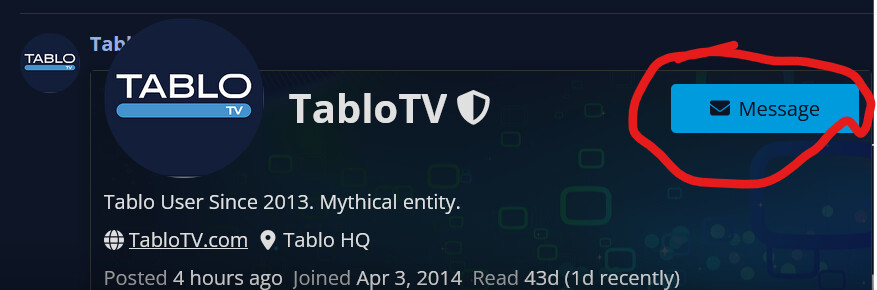
DM your ticket number to @TabloTV. Click on their username and use the Message button on their User Profile page.
I’m having the same or very close problem. I have done what you have reset network reset tablo it’s the same or close. Mine after I remove and re add my tablo ap to Roku It finds the tablo, but it only brings up the side menu and I get the spinning disc forever after. My Roku is at software version 14.6.4 Build 9916 my Tablo firmware is 2.2.54-2433716. I also have a quad receiver tablo
Sounds like the same issue, I have the same version numbers as you. The more I dig into this issue I’m thinking its the Tablo device, not the Rocu app. I have a new 4-tuner Tablo on order and should receive it by Saturday. If this fixes the issue, then its the Tablo, if I still have the issue, then its the Rocu App.
I have contacted Tablo, no Response from them at all. I have reached out two times but only crickets. I will post what I find once I install the new Tablo.
What is “Rocu”? Do you mean “Roku”?
You are correct, Roku. Sorry about that …
I’m running network logs on the Roku, will post my findings when I have more info on this issue.
Thanks everyone for all your help !!!
Found the issue - It was the Tablo device that was causing the network issues with the Roku app. I replaced the problem Tablo with a new one of the same type (4-tuner), issue solved. The Roku app is all happy again.
Now I have another issue that maybe someone here can help with. I have almost 4 terabytes of content recorded on an external hard drive. The new Tablo does not see the content in the library menu. How do I fix this issue ?
Thanks for all the help !!!
The content on an external hard drive is paired only to the specific Tablo device with which it’s configured and cannot be migrated.
You can reconfigure the hard drive on the new device, but all the content will be deleted.