This appears to be a mimic of a plex feature. But I haven’t wasted any time comparing if it’s the same categories. One of the reasons I use tablo is because it isn’t plex.
With the 2.0.1 update, the app on Amazon Fire TV should now retain your Live TV view preference across sessions.
We are still waiting on Android TV to approve this new release.
A post was merged into an existing topic: Tablo Roku App (4th Gen) Update (v. 1.2.1)
I noticed we have 2.0.1 this morning and the Guide view preference is now persistent.
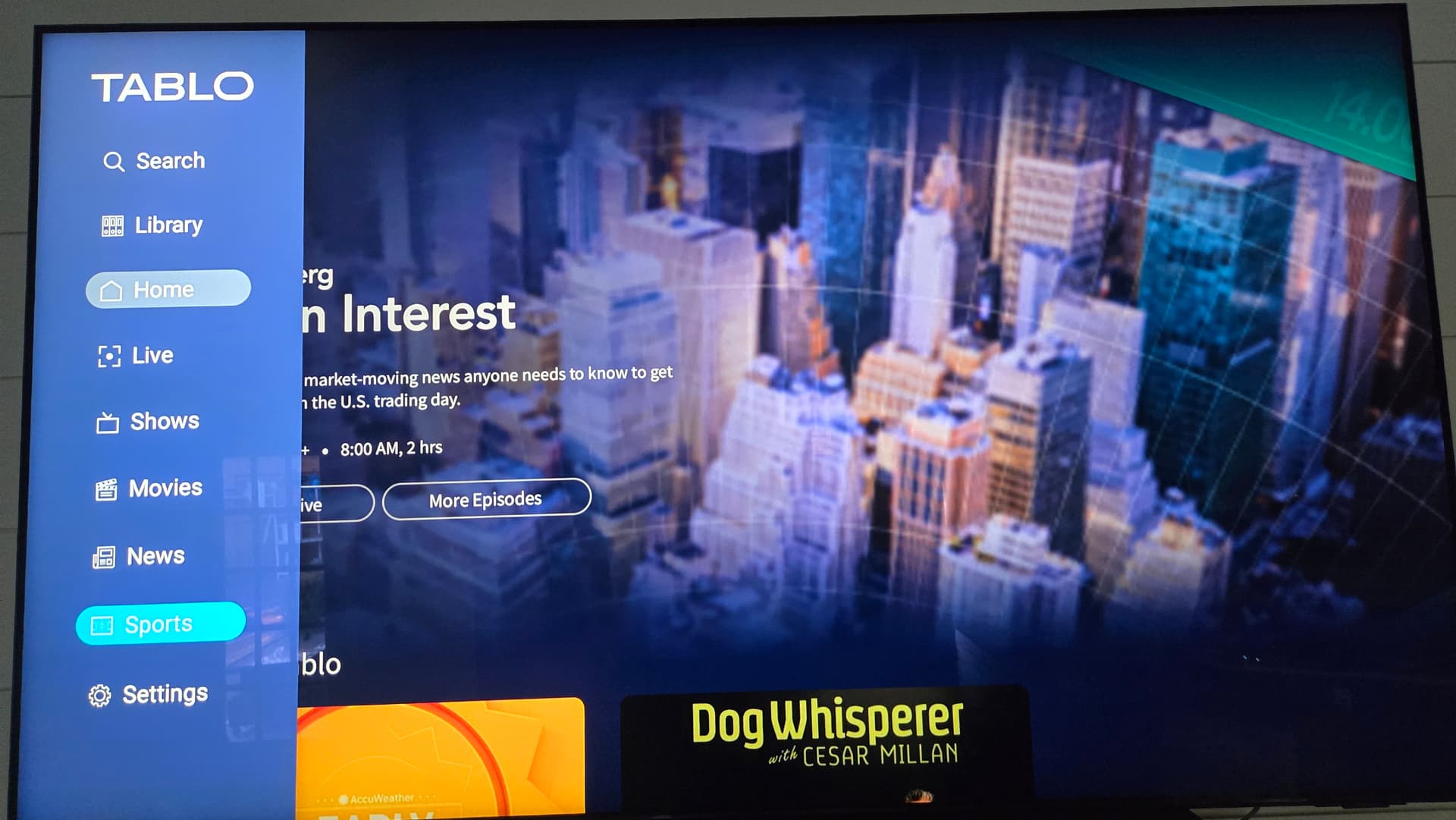
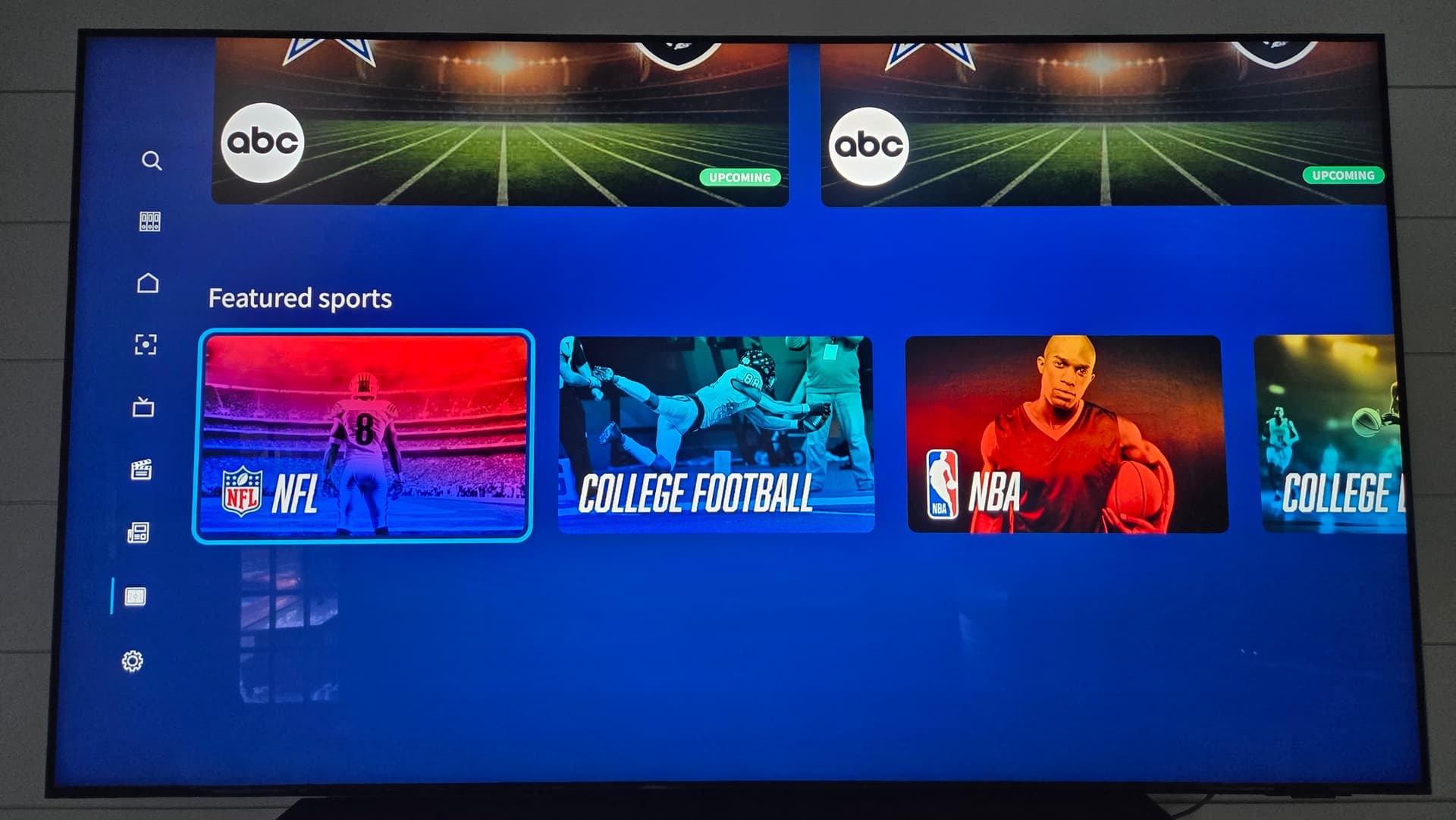
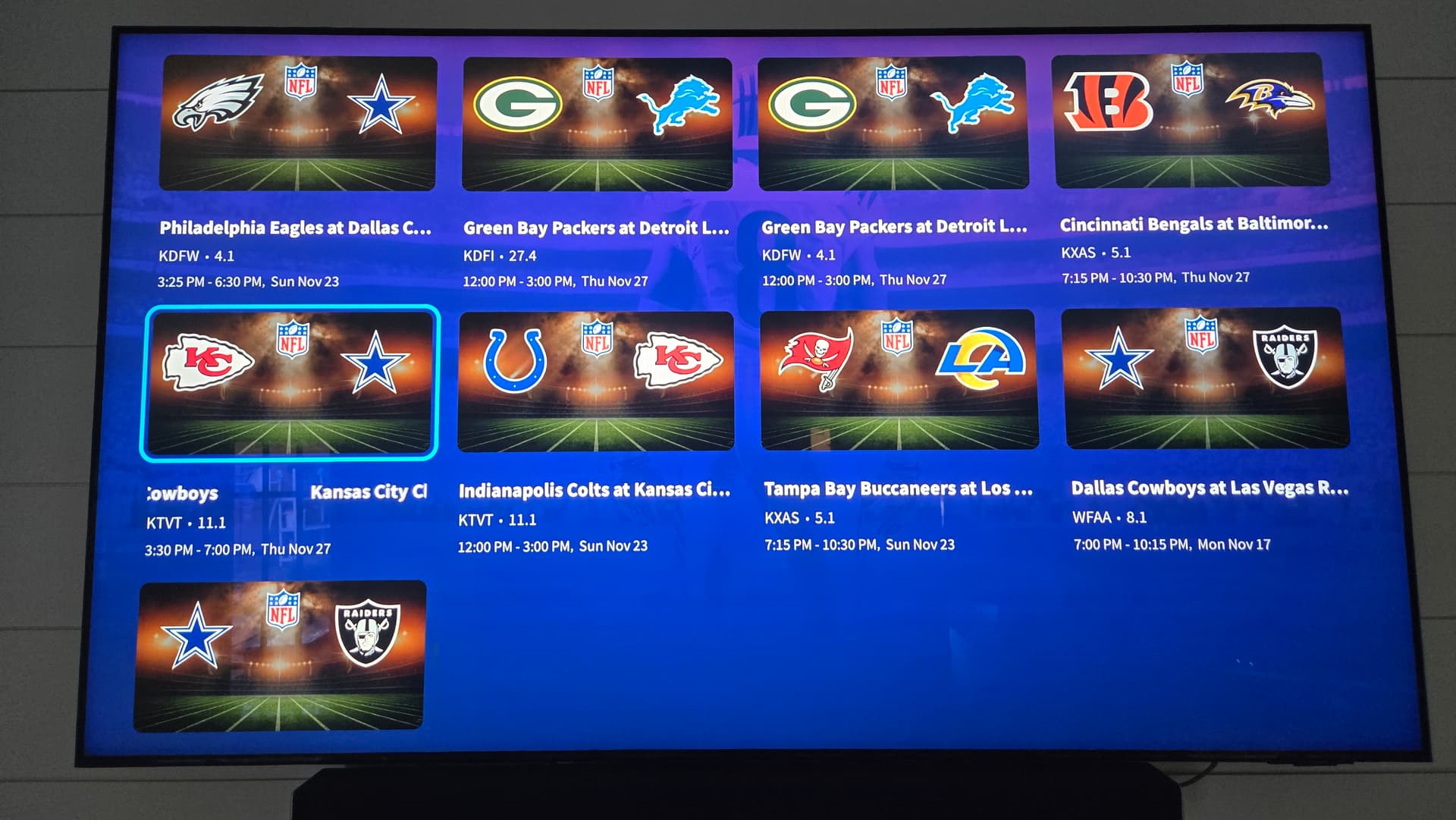
One other thing I noticed about selecting the Sports category in the sidebar menu - when active, it shows Networks, Upcoming sports, and Featured sports. Clicking the NFL entry under Featured sports shows all the NFL games but they’re in no order. Can this be sorted by Date and Time so that the next airings show up first?
It appears to be the same for Networks and Upcoming sports tabs too.
1 Like
We’re glad your guide view is now persistent.
Thanks for your feedback on the sports sorting. We’ve let the product team know.
1 Like
My Fire TV Tablo app auto updated today, with the guide “Categories” option as the default. Now, every time I open it up, I have to switch from “Categories” to “channels”. Is there a way to select “Channels” as the default instead of “categories”?
I know this is a “first World” problem but it’s an extremely annoying step backwards in terms of usability and convenience.
1 Like
Yes, it’s a hassle for us too. I think they’re working on these bugs. It could be a while, though.
My Fire TV Tablo app auto updated today, with the guide “Categories” option as the default. Now, every time I open it up, I have to switch from “Categories” to “channels”. Is there a way to select “Channels” as the default instead of “categories”?
I know this is a “first World” problem but it’s an extremely annoying step backwards in terms of usability and convenience.
1 Like
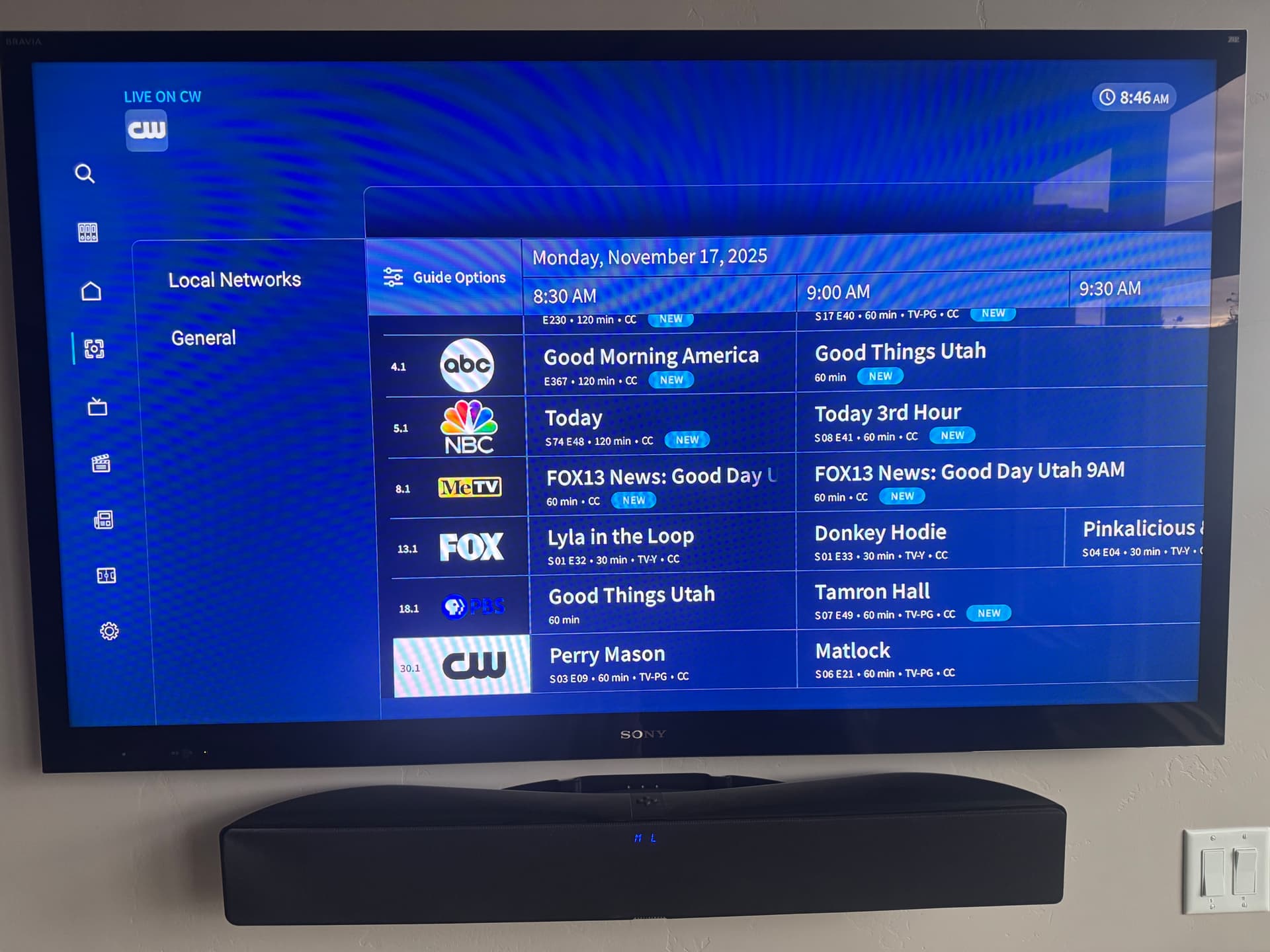
Guide channel list vs program grid is still not sorting correctly. Switching between channel view and category view crashes the app. Sorry, but your developer QC is very weak. I see these issues as soon as I test. App version is 2.0.1. Guide update does not fix the issues.
This is category view. MeTV, FOX, PBS, and CW programs don’t line up.
The v. 2.0.1 updated should have resolved this.
Is this the version your Tablo Fire TV app is on? Are you still running into this problem?
Well, it updated to 2.0. Do I have to delete it and then get 2.0.1 from the Amazon app store manually?
EDIT: Just tried - when I go to the Amazon app store and try to installe the current (?) version available, it doesn’t install, just runs the existing app on my firestick.
Just to add a few tidbits that might help your developer run this down:
-
Channel guide has always worked fine for me in the past, and still works fine on my 2 Google TV systems. This issue is directly related to the recent FireTV app update that added Category view to the guide.
-
I only have 7 channels selected from my scan. Six of them are local affiliates of major networks (ABC, CBS, NBC, FOX, PBS, and CW). The 7th is MeTV.
-
The “sorting” bug seems to come up on MeTV which is about 1/2 way down the list. The sort is correct to that point.
-
MeTV is not noted as a “local channel” in the Tablo world. All of the other 6 entries are “local channels”.
-
There are 2 OTA transmissions of MeTV in my area. One is a 480i/2.0 subchannel on the main ABC transmitter that shows up as 4.2 (ABC is 4.1). The other is a 720p/5.1 main channel on another RF transmitter that shows up as 8.1. Both show in my Tablo channel scan. I only select the better quality 8.1 version.
-
I don’t know if the MeTV stuff is “tripping up” the Tablo app guide sorting when toggling between Category and Channel views, but I am suspicious.
-
One other interesting behavior: If an improper sort is being displayed in the guide, a guide update from the settings menu fixes it. However, toggling between Category and Channel guide view either screws up the sort again, or crashes the Tablo app.
Hopefully, some of this might help the developer sort out the sorting problem.
The guide selected seems to hold now. However all the other documented issues remain. I verified 2.0.1 is installed and did a full rescan.
None of the categories contain the correct station/program in the listing. “Kids” perhaps should not have The Walking Dead… I’ve already provided screenshots for each category except for Drama. I can’t take any more… Drama.
Thanks!
I am such an idiot… I’m using a Fire Stick 4k. There. I’ve said it. I’m not ashamed.
Okie Dokie… I found my thumb and did a little test. When using the categories guide, selecting the first one, it displays all of the favorites. I have many.
Select the next category and all kinds of stuff appears. Same on the next category until you run out of categories.
BUT if you go the other way by selecting the channel and go one by one down the list, it changes categories on the left.
So that means there’s not enough channels/programs to fill the screen real estate.
Residual channels remain onscreen even though it’s a new category. I noticed that there is one category with only one channel yet the screen is full.
Once the array is populated it doesn’t get refreshed for a new display category.
General category appears to be a dump for everything that is not tagged properly.
You’re welcome.
For some Fire TV Stick 4K problems it might matter if it’s a gen 1 which runs android 7.1 or a gen 2 which runs android 11.
Can you take a look at my stick and tell me what you think?
Fire TV Model AFTKM
Android OS 11.0
Thanks for being a pal, Zippy.
Go to settings - my fire tv - click on about and the device type will explicitly state gen1 or gen 2. And I have a gen 1 running Fire OS 6.7.1.1
But I use Roku over Fire TV OS. I don’t like the amazon UI or the tablo UI. I leave all the drama to others.
My firestick is a 4K Max (2nd Gen). I am unable to download the 2.0.1 app from the Amazon app store (I have v2.0.0)
Go into the FireTV Stick settings and click the My Fire TV tile, then scroll down and click the Restart item to see if that helps. Our install prompt would only pop up while we were watching something.
Nope, no joy. The FireTV app version in the Tablo settings says 2.0 (no suffix) so I don’t really know if its 2.0.0 or 2.0.1
It didn’t prompt me to update the app - it updated automatically to the version with “Categories” a couple of days ago. And the behavior is the same on 3 Firesticks that I am using in my home.
Why don’t you go to settings - applications - manage installed applications and scroll down to the tablo app and check the version number