@TabloTV - I definitely understand and, although I don’t like it, I knew this day would come and my wife is totally using the Gen4 app anyway.
As others have stated earlier in the thread, the technology has changed and it’s become a business decision to deprecate and retire the OG Legacy app. This should allow Tablo to concentrate development on the single Gen4 platform (and maybe a ATSC 3.0 device).
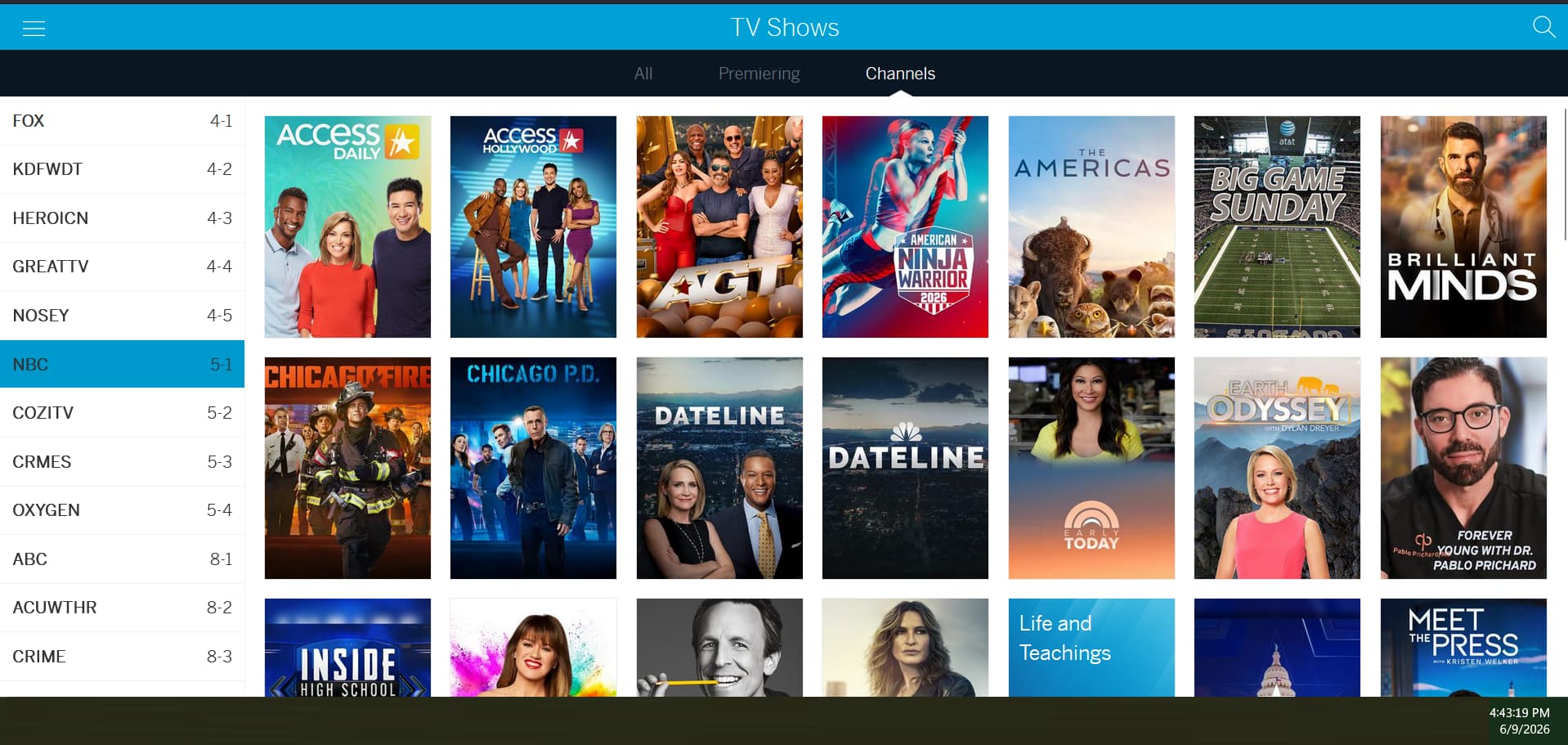
Our only gripe about the Gen4 app is that we can’t scroll through programs by Prime Time or by All, Premiering, or Channel, like on the OG app.
If you’d add this feature, I think it’d be useful to many
i still have a brand new legacy quad HDMI still in the box i guess i need to hook it up and get any updates it may take, and the one i am using on my home theater,all i hope is that the tv tuner in these boxes keep working regardless if the app stops working,and we can still record because these legacy tablo’s have not taken any update in years and are still working fine and what happen when support ends in Sept because i pay for guide and commercial skip so then what no support then payment stops, i also had bought 2 of the 4th gen tablo’s and i have to say what a downgrade they where horrible the software on them sucked what a joke from my legacy tablo to the 4th gen waste of money glad i bought on amazon and was able to send them back so i guess you guys will be losing a lot a customers over this and a lot of returns when people see how bad those 4th gens are
@TabloTV can you explain the customer experience of the OG Legacy app after Sep 1, 2026? What can we expect? Will the app continue to work? Will the guide still update? What should be our expectation over time. Will all Legacy apps eventually be delisted?
I would like to request that when something changes and negatively affects OG app users, that there be some type of communication prior to the change.
I have an HDMI Legacy. Will I continue to get the 2 week guide and other “premium” features as long as I continue my subscription? Or will that be shutting down, too?
Well said Doganieri, except their new and improved product doesn’t last long, mine just die the other day and didn’t even last me a year! there’s clearly something wrong with their 4th generation Tablo that they are not willing to admit, I have seen posts about peoples 4th generation tablos dying for quite awhile now and sometimes we just overlooked them because ours are fine, well it is something that does happen and very often.
They need to throw away those 4th generation tablos and make something that will last longer.
I will never again recommend to anyone to buy their new and improve product anymore.
Indeed. Used to be companies drove revenue by providing their customers value that they wanted to pay for. Now the only model is to to try to lock customers into paying for what they don’t want, and taking away as much control and freedom of choice as they can possibly get away with. No manual recording? Free streaming channels? For Pete’s sake, I bought an OVER THE AIR DVR to record things on my own terms. I don’t need yet another way to stream the same free internet slop I get on every other device. Tablo: You are greedy and disgraceful. You COULD have rebuilt your platform on new technology and still included the same features. Don’t blame your anti-consumer choices on tech debt.
In general that should be the case. The row on 4th Gen is limited to major networks and I believe doesn’t include PBS, although it could be added. We’ve asked the team to take a closer look at the discrepancy.
There is the Premiering row on the Home page although it seems to be misbehaving at the moment. You can also browse by network from the TV Shows screen.
As long as your TV Guide Data Subscription remains active, you will continue to receive the extended guide data and DVR features within the HDMI interface and compatible apps.
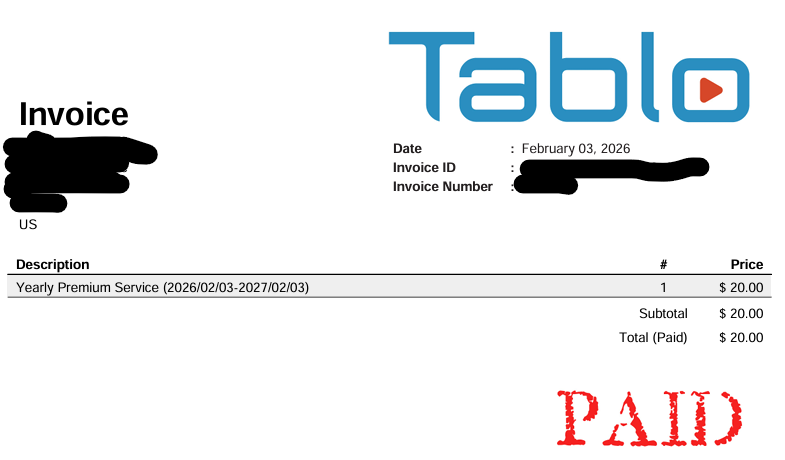
Yes. We’ll be sharing more information later this year about winding down the Automatic Commercial Skip service, including pro-rated refunds for annual Premium Service subscribers.
Here is a roku gen 4 app connected to a legacy dual 128 using empty internal storage.
With the onset of summer and the lack of programming I often unplug a unit until the fall. But to register the device I plugged it in and used a tablet to register the device. Since the guide is expired I usually first update the guide.
But when the gen 4 roku app connected to the dual 128 all I got was a home screen with a single row. No main menu on the left hand side. Rebooting the roku did not help.
I had to use the fire stick gen 4 app to get the main menu so I could request a guide update. Once the guide update was done the main menu appeared on the roku app.
@TabloTV@TabloSupport I agree with users that are saying the UI for Gen 4 is worse than the legacy. The issues outlined in their responses are ones that I have also consistently brought up in my survey responses. The Legacy app is far better than the newer version. It is easier to navigate, more intuitive, and each page has a specific function. While I understand the need to end support for the legacy app and that it should continue to function for a bit longer, I urge you to review the functionality and compare the actual data, not just agree that the intended purpose should be the same.
– Premiering shows - should be all shows regardless of network (OTA only is my preference) and should be limited to actual premiers.
– Items such as premiering shows should be on their own page. It’s much easier to scroll down by sets of 5 or 6 than to click the button EVERY time to move forward.
– Recordings menu show all shows scheduled, not what we have to remaining to watch. I’d like the scheduled menu back and the recordings to show only the recordings.
– There aren’t All options for TV Shows or Movies. There should be.
– Recording data doesn’t always show the actual length. It often shows the length that it should have been making it harder to purge duplicates, but keep the best version.
– Recording show “NEW” when they aren’t. They’re new to me, not new new.
– Cannot mark recordings as unwatched. This can be helpful when sharing a device.
– Cannot set manual recordings. I use this primarily to limit what I’m recording and save space. For example, the morning news is 2 hours long. I only care about the first 54 mins.
– The application always opens to the home page. The legacy app let’s us open where we left the app. I primarily use recordings, I’d like to have this option.
– Most annoying of all is the BLUE SCREEN OF DEATH. If the recording has an error, it’s impossible to skip forward. You have to start all over and hopefully you know where you were then try to fast forward past the error. Just skip forward or make the retry button jump back 5 seconds in the recording so we can skip forward. “Retry” is a joke and this is incredibly annoying.
Basically, please restore tried and true functionality before moving on to the cool new stuff. I know people want more channels and are upset about lost commercial skip and such, but I just want to be able to find what I want efficiently and correctly.
For me, the real problem is the lack of availability on the app stores; I’m planning to move to a new home that has new devices in it; I am going to bring my Tablo, but I’m worried that I won’t be able to get the old app installed in time at the new home.
Please consider keeping on the app stores for a longer period of time.
I’m most curious why you need to remove the Legacy Tablo app from the app stores, most of them will leave said apps alone till they change requirements so we know eventually it will be removed anyway. So I’m confused why you believe you need to remove them. Please make this make sense. The Tablo 4th gen app looks nice sure but is inferior as it currently is. I know you have been working on it for a long time but we still can’t use it if the internet goes down for more than a few minutes at a time, Yes I get that we wouldn’t be able to watch the internet based channels but we should be able to connect and watch over our antenna regardless as long as we didn’t power down either the tablo or the streamer since the internet went down.
What you broke in the 2.2.58/2.2.60 firmware update needs to be fixed. And I assume that means my Sept 1st.
You broke the channel scan and I opened a ticket. After the update a channel scan will select a low power 3 orange dot UHF translator station over the all green dot full power HI-VHF.
I can watch the all green dot full power HI-VHF station slide across the screen only to discover that the only selection available after the scan is the 3 orange dot UHF translation.
This has always worked properly before 2.2.58 and on the hdhomerun and the actual TV.
It’s NBC and all it’s sub-channels. It’s also and has always been just as screwed up on an actual gen 4. Maybe that’s why I don’t use my gen 4.