Support for Legacy Tablo Apps Ending Sept 1, 2026

Hi folks -

It’s been more than 12 years since the first Tablo OTA DVRs were shipped. We’re glad that our devices have helped you enjoy free over-the-air TV for so long.

However, many of the underlying technologies used by legacy Tablo apps and services are becoming obsolete and are no longer maintainable. This is why we are discontinuing support for all legacy Tablo apps on September 1st, 2026.
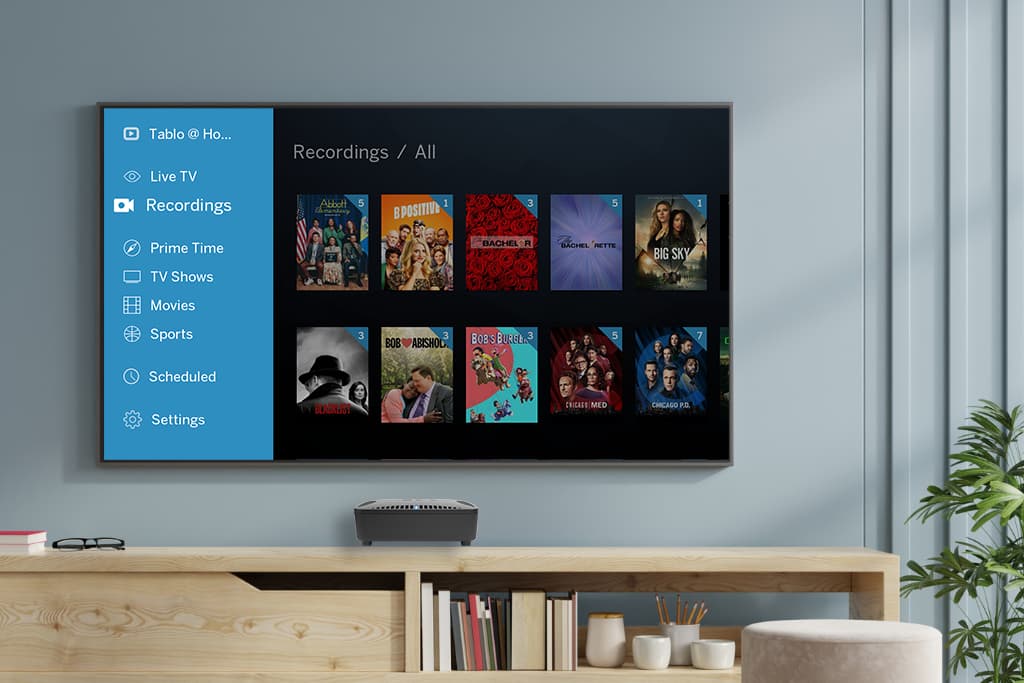
What this Means for You

These apps will remain accessible to current users but won’t be maintained or updated and won’t be available to download from app stores after that date.

If you have a network-connected legacy Tablo model and have not completed the Legacy Transition steps, we urge you to do so and begin using the newer 4th Generation Tablo apps.
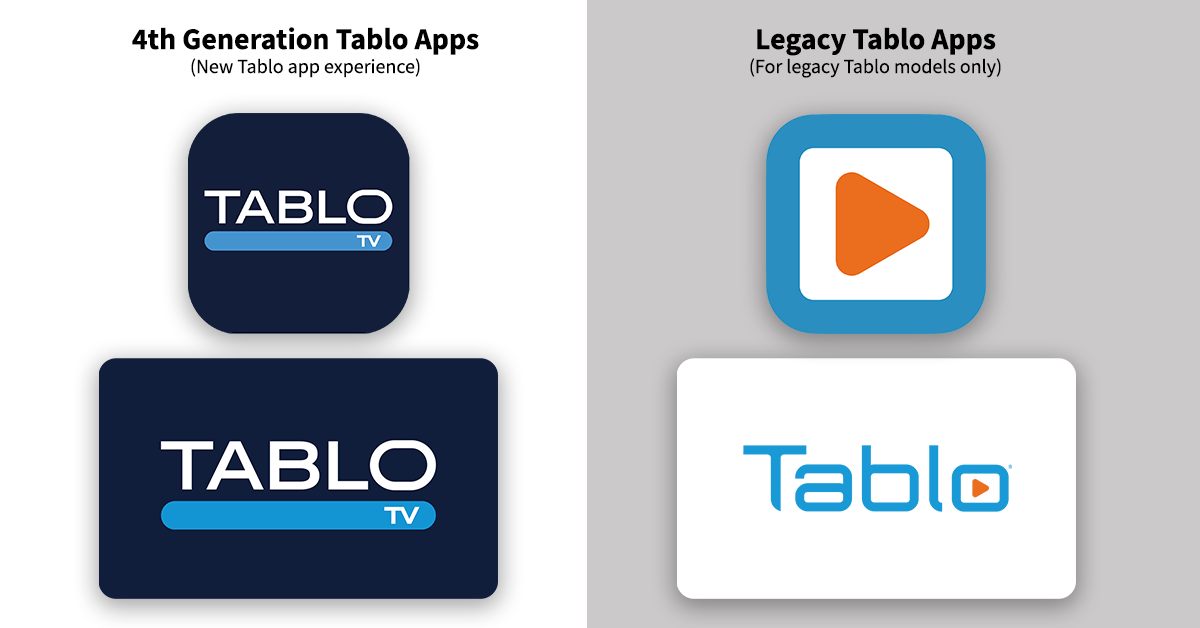
Benefits of transitioning to 4th Generation Tablo apps include:

  • A fully revamped and easy-to-use interface
  • Subscription-free TV guide data and DVR features, including the ability to set series recordings
  • Access to 60+ free streaming channels within the 4th Generation Tablo interface (US residents only)

Info for TV-Connected Tablo Owners (Tablo HDMI)
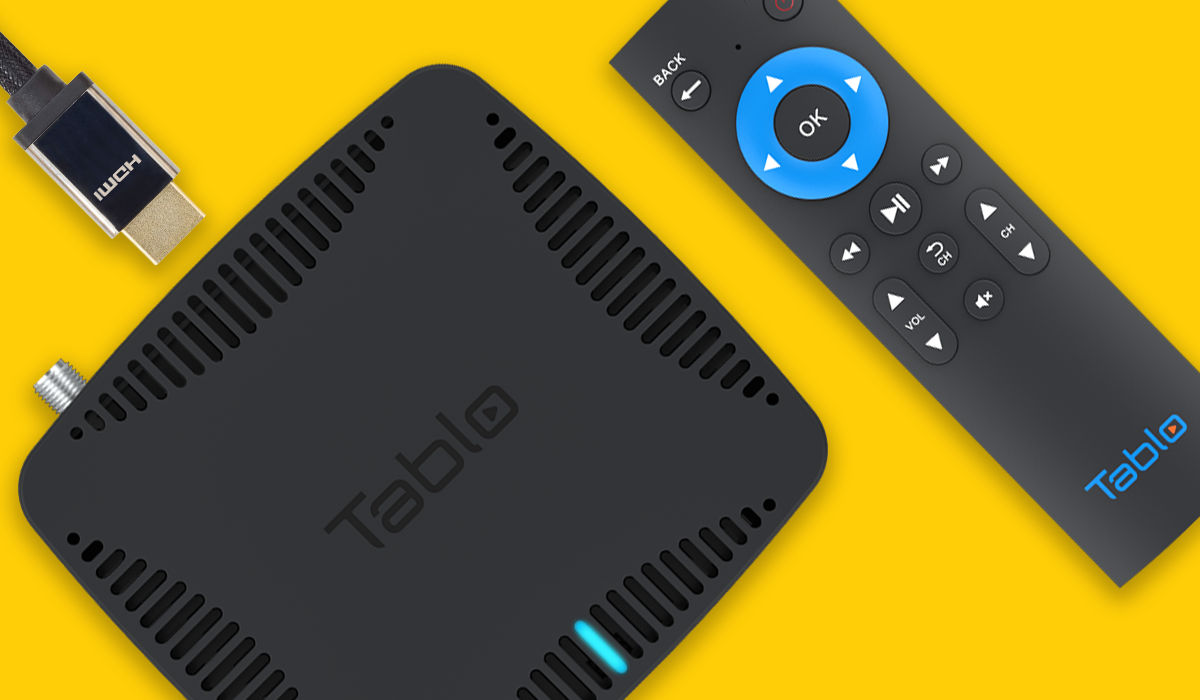
Your TV-connected Tablo device’s onboard interface and the legacy Tablo apps that support in-home streaming will remain accessible but won’t be maintained or updated. Legacy Tablo apps also won’t be available to download from app stores after September 1, 2026.

Since TV-connected legacy Tablo devices (Tablo DUAL HDMI and Tablo QUAD HDMI) cannot transition to using 4th Generation Tablo apps, it may be advisable to upgrade to a 4th Generation Tablo device if you would like to maintain long-term whole-home functionality.
FAQs

Why is Tablo ending support for legacy apps?

Technology has evolved significantly over the past decade. Major app platforms no longer support the fundamental building blocks that make legacy Tablo apps work. Apps that use outdated technology can be delisted unilaterally by major app platforms. For example, Google has already removed legacy Tablo apps from the Play Store for failing to meet the minimum Android build version requirements.


Can’t you just update the legacy Tablo apps?

No. The components legacy Tablo apps are built upon are aging and cannot easily be replaced with modern options. It would be like swapping out the stone foundation of a century home with concrete… Arduous, dirty, and with the potential to cause significant structural damage. Instead, we chose to build connectivity between network-connected legacy Tablo devices and 4th Generation Tablo apps, which are created with modern technology that’s easier to maintain.


How long can I keep using legacy Tablo apps?

You can continue to use legacy Tablo apps as long as those apps remain functional.

Before support for legacy Tablo apps officially ends on September 1st, there is a risk that additional app platforms may delist legacy Tablo apps from stores or that apps may develop fatal bugs.

However, we will not deliberately break legacy Tablo apps or proactively remove them from app stores before September 1st, 2026.

After that date, legacy Tablo apps previously downloaded to your smart TVs, streaming and mobile devices will remain accessible. If you delete a legacy Tablo app after September 1st, you won’t be able to re-download the app or add it to any additional compatible devices.


Does this mean I can’t contact Tablo Support for help with my legacy device?

You can continue to contact Tablo Support for assistance at any time. However, their ability to provide advanced support and troubleshooting around legacy apps will be limited after September 1st, 2026. All Knowledge Base articles and resources for older Tablo models can be found in the new legacy section at TabloTV.com/support.


If I switch to using 4th Generation Tablo apps full time, do I still need a subscription for my legacy Tablo?

4th Generation Tablo apps provide many of the same advanced features as legacy Tablo apps, but without any ongoing fees or subscriptions.

If you have an active TV Guide Data or Premium Service subscription for your legacy network-connected device and don’t plan to use legacy Tablo apps moving forward, you can save money by canceling your subscription/s.


I rely on legacy Tablo apps for out-of-home streaming with Tablo Connect. Will that feature be added to 4th Generation Tablo apps?

While 4th Generation Tablo apps don’t support out-of-home streaming today, the engineering team is exploring options that could enable that feature. If Tablo Connect becomes available for newer devices, support for legacy Tablo devices could also be added to the apps. We have no ETA for this.


I rely on legacy Tablo apps for the Automatic Commercial Skip feature. Will that be added to 4th Generation Tablo apps?

No. Automatic Commercial Skip will not be added to 4th Generation apps or devices. Premium Service Subscriptions, which enable this feature, are no longer offered, and the infrastructure that powers commercial skip processing is no longer being maintained. Existing users can continue to use this feature via legacy Tablo apps through the end of this year.


I have an older Samsung or LG smart TV that doesn’t offer a 4th Generation Tablo app. Will that change or do I need to buy a new TV?

No. While it’s not possible for the newer apps to be distributed to Samsung or LG TVs manufactured prior to 2019, you don’t need to purchase a new television. It’s easy and much more affordable to purchase and connect a compatible streaming stick or box to your existing television to access 4th Generation Tablo apps.


I primarily access my legacy Tablo through my laptop and there’s no 4th Generation Tablo app. Is Tablo planning to create a new app for PC/MAC?

There are no short-term plans to add a 4th Generation app for PC/MAC. These platforms don’t natively support the playback of over-the-air TV in MPEG-2 format. Unlike legacy network-connected Tablo devices, 4th Generation Tablo hardware doesn’t transcode video from MPEG-2 to a more streaming-friendly format before sending it over the network. As such, playback of content from 4th Generation devices would be limited without specialized player software. The engineering team is investigating the feasibility of adapting existing 4th Generation smart TV apps for this purpose in the future.


I have a Tablo HDMI where the app is built into the device. Will the interface stop working?

Your TV-connected Tablo device’s onboard interface will remain accessible but won’t be maintained or updated.


I have a legacy TV-connected Tablo model that I access often via Roku through the in-home streaming feature. Since my Tablo HDMI can’t be made compatible with 4th Gen apps, will I eventually lose that ability?

Tablo DUAL HDMI and QUAD HDMI owners can continue to use the Tablo’s onboard interface and the legacy Tablo apps that support in-home streaming from TV-connected Tablo devices as long as those apps remain functional. However, it may be advisable to upgrade to a 4th Generation Tablo device if you would like to maintain long-term whole-home functionality.

If you have any concerns or questions that arent’t covered in the FAQs, feel free to post them below or touch base directly with support.

2 Likes

I guess it’s worth while to get the plex lifetime subscription before the price goes up.

I appreciate the simplicity of the Legacy app, but as we all know, nothing lasts forever. It came a long way from the initial annoying white splash screen (on Roku).

@TabloTV do you forsee a sunsetting of Legacy hardware at some point (even if using the 4th gen app)?

@TabloTV @TabloSupport I can appreciate the reason this is being done, my question/concern is whether there will be 4th gen app updates that attain “app parity” between the legacy and 4th gen apps prior to the 09/01/2026 date?

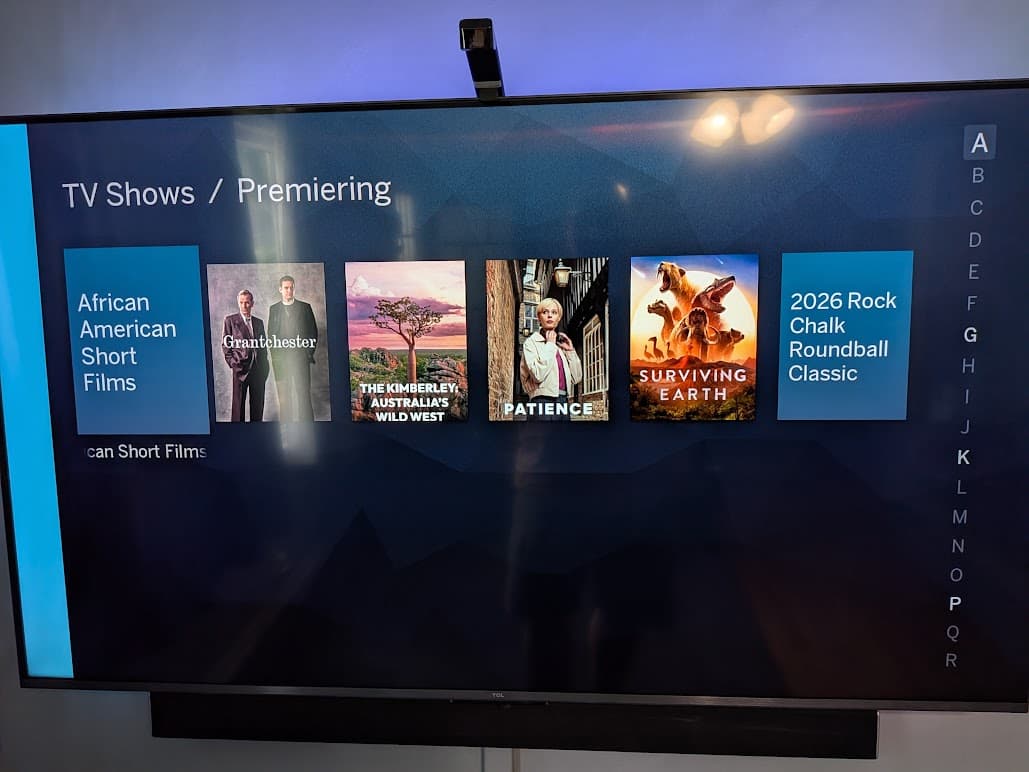
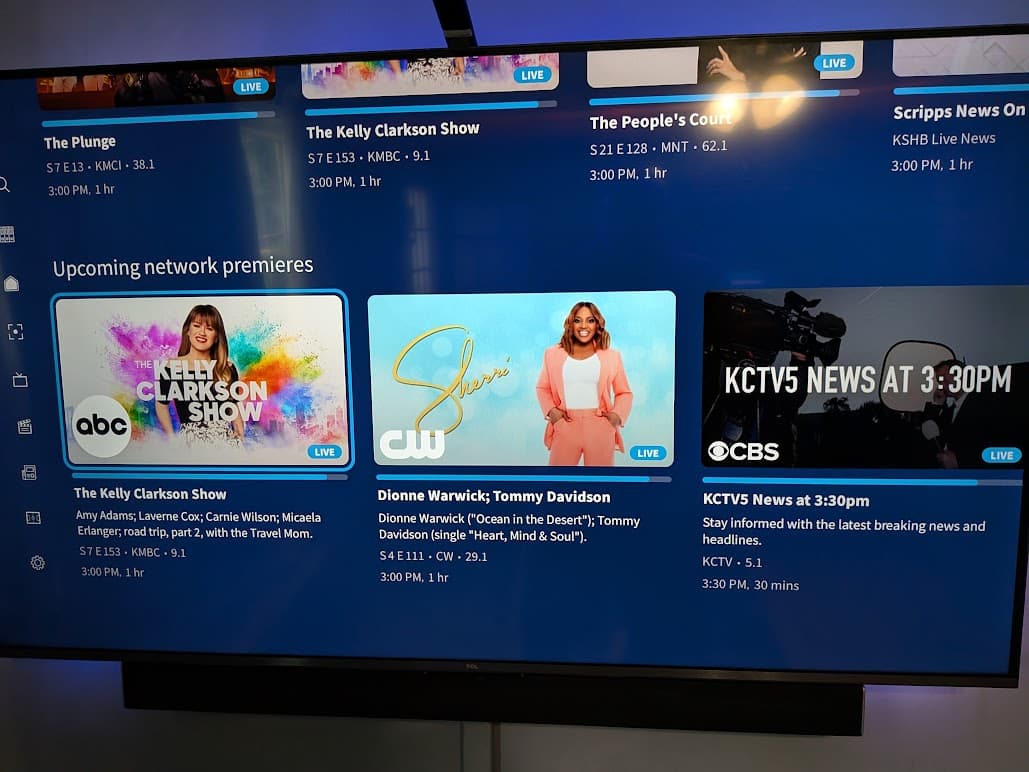
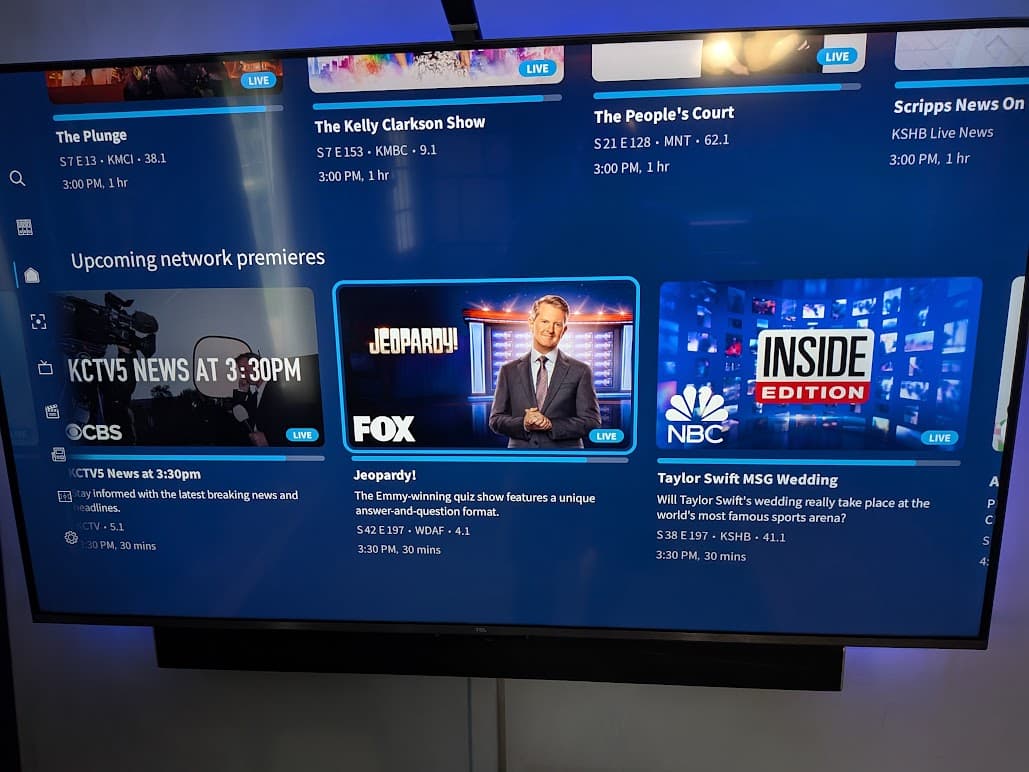
A specific example: as far as I know there is no equivalent “view” for the legacy Android TV/Google TV app TV Shows → Premiering view in the 4th gen app. That view displays any TV shows premiering in the next 2 weeks I believe it is.

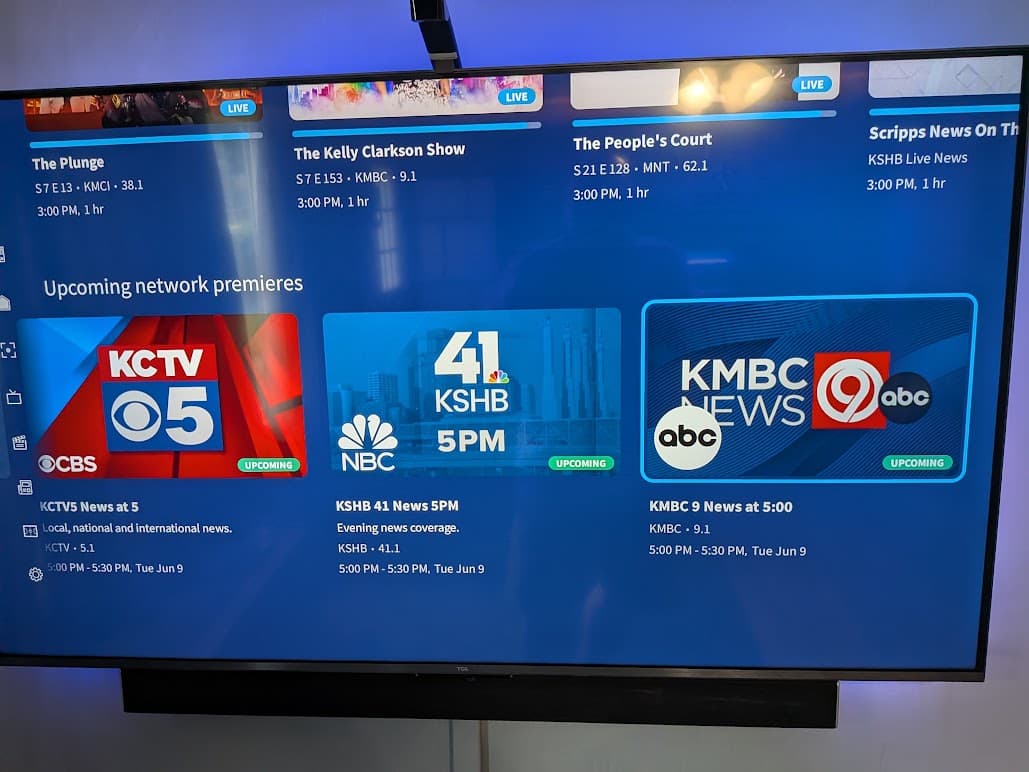
I know in the 4th gen Android TV/Google TV app there is a “Upcoming network premieres” row at the bottom of the home screen but that doesn’t appear to be the same thing at all, in fact it just shows data for today’s date for me.

5 Likes

I bought the tablo for the sole purpose of remote streaming. Now it will no longer be supported on the new App. Plus the new app sucks. That’s like buying a vehicle for long distance travel then the manufacturer says you need an update then restricts its range after 10 years. Well Tablo, I guess you shot yourself in the foot with this one. I will be researching other players for remote streaming.

5 Likes

So if our phone/laptop, etc. with the legacy app is lost/stolen or replaced, at some point our “out of home” ability to view goes away if we can no longer download the legacy app. Why not maintain it indefinitely (or until you enable the function for pre-4th gen devices using the 4th gen app?

3 Likes

OK, I did the update to the new client, expecting that I could still use the old client to access the box remotely. But after the update i find that the old client no longer can see the box either remotely or on the same LAN. Am I now SOL for remote access?

@mholly another option - I have been experimenting with Tailscale. It’s free for personal use and relatively easy to setup. For remote streaming you’d need either a strong cell signal or should be on Wifi on the remote end, or reduce your recording quality.

@T18C97 I loaded the new app and was trying it out earlier tody (main use via a Roku). Don’t have any problem running the old app so maybe there is something else happening with your setup.

My Status - Tablo TV must show that the legacy devices are both known AND registered.

The gen 4 app are FUBAR . I use the legacy apps. Since they had 2.2.60 firmware they were known but unregistered. So I just went registered all the legacy devices. Now I’m making sure all my spare STB’s can access the legacy devices using both the legacy and gen 4 apps. And amazon prime day has discounted STB’s.

I had to reboot the Tablo to get it working again. Guess I need to start looking for an alternative device since Tablo has said ever since the new hardware came out that they would look into adding remote viewing, but it’s still not here.

@mbellaire That’s just a remote access tool. It has no tuner or access to Tablo unless you have another computer running with the software open. Video and sound quality is crap on a setup like that. Might as well use remote desktop.

Not long ago I believe the people at Tablo indicated that the legacy app would no longer be supported and an update to the Tablo device was recommended to users of the legacy Quad tuner and others so it would be compatible with the new Tablo app. But I was assured that the legacy app would continue to work as it has. There would be no need to use the newer app if you were still happy with the old one and its two unique capabilities. One was the remote access to the Tablo away from home and two, those who chose to, and subscribe to, can still utilize the commercial skip (CS) feature.

Now, today I get a notice that the legacy app will be sundowned and the CS feature will go with it and they may or may not continue the remote access feature that many of us loved about the Tablo system. I personally was happy when I heard that the CS feature was to continue if one uses the legacy app that was “promised” to continue to work into the future if one so desired.

I’m extremely disappointed to find out that this will not be the case and that by the end of the year the legacy app itself won’t work. If and when this happens, I will be in the market for some similar device that will do what your device currently does now.

As far as the new Tablo app that I downloaded, I find out it doesn’t work nearly as good as what I feel the first one has worked. When I click on my library and want to see all the recordings in my Tablo quad unit, the circle in the middle of the screen, just spins and spins and never shows the recordings I made as a whole. It does show them in the day by day screen, but not when I want to look at all the episodes of the particular television show.

Companies who supply hardware and software that sundown their equipment and operating softwarereally get under my skin. Everything’s working just fine and I find there’s no reason to change it except for the sake of change itself and they stop the capability of the initial software because it is “obsolete”or “unsupportable“.

I say to you and the people that do this like the people at quicken and Microsoft and Adobe, I paid for something and as long as it works just fine I expect to be able to use it until it breaks on its own,after all, that’s why I paid for it. Why do you have the right to stop it from working? Then tell me I need to purchase new equipment or possibly software and then saying it’s much better than what I had when clearly it isn’t. And if I do follow your recommendation and purchase your newer products and software, I suppose at any time in the near future, you’ll make that obsolete and unworkable and forced me to buy another one of your newer, better versions of what I already had that was working just fine.

So at this time, if and when I can, I’m gonna look for another product that does similar functions that your product does and did. And they just leave me alone once it’s working.

Wayne.

6 Likes

Isn’t that pretty much ALL companies these days. I’m frustrated too but over time the cost to continue to support “legacy” things just becomes too much to be justifiable, particularly if the user base for that specific product is getting smaller and smaller.

The only “real” exception to this I can think of is NVIDIA and the original Shield TV from 2015, which is still getting updates.

I don’t use remote access a ton but a lot of us who do already use VPN to our home network to accomplish it on the 4th gen app. That doesn’t address your other valid criticisms of the 4th gen apps, just pointing out there is a “workaround” to continue to have the functionality.

There are lots of legacy devices still going strong after 10+ years. With the security updates in 2.2.58/2.2.60 and the 4th Gen apps, network-connected models should continue to function for many more years, barring any unanticipated surprises. That being said, there are no plans to devote engineering resources to additional legacy firmware updates at this time.


The Upcoming Network Premieres row on the home page is designed to show any series or season premieres happening in the next 14 days on major broadcast networks. It requires that you have those networks in your guide and that the appropriate metadata is sent over from Gracenote, of course.

It’s a pretty quiet period for premieres at the moment, which may be why your row is looking a bit barren.


That is still the case. You can continue to use legacy Tablo apps as long as those apps remain functional. After September 1st, they just won’t be maintained or downloadable if they’re deleted from your devices.

The new app is not a good replacement for the legacy app.

The legacy app has far better content searching options.

WIth the legacy app, you can filter movies by star rating. This lets you filter out all the low budget junk movies that are the bulk of what is shown OTA. This way you can more easily find the higher quality classic movies.

Similarly, the legacy app lets you see only “primetime” shows, an option not available in the new app.

It is really clear that the prior owner focused on providing users with a quality product. The current owners - focused on driving ad revenue. Not the same thing.

It is too bad that Sinclar has run a once great product into the ground.

2 Likes

It is true that you need a PC running on your home network to act as a Tailscale “access point” (I just used an old laptop). I then use a Tailscale app on my phone to connect to the Tailscale network, which allows me to get to my home network (via the “access point” - old laptop). Then I start the Tablo app on my phone as usual. I can also access other things while connected, like my router or VOIP adapter, etc.

@TabloTV

I would expect to be able to see the same shows on both apps then, correct?

I ask because when I compare the two right now I see this:

Legacy:

4th gen:

I skipped to the end of the Upcoming network premieres row for the last screen shot to show that it still only shows data for today.

4 Likes

I’ve tried the gen 4 roku app against the legacy device. Same old bugs only worse. I now have a “news” menu where the content for the networks under all networks is even worse then on an actual gen 4. Now my Fox MLB game is “news”. As is judge judy and a host of others. And if the device is doing a channel scan(initiated by tablo) and you go to the Live Grid you get an unknown error. Now my scheduled and actual recording are jumbled together in Library All. And it appear that to switch tablo units you have to get to settings.

I’ve owned a gen 4 since October of 2023 the apps never get better or fixed.

Does this mean the lifetime sub I bought just before the option was retired is now effectively useless. . . unless I want to stick it out on an unsupported platform and have to side load legacy apps on any new devices?

I fully understand at some point old platforms need to be retired when the future is a new one, but it’s a bitter pill to swallow to be pushed the lifetime sub that quickly became free for everyone and then be forced to make a choice to throw it away or stay on a dead platform.

1 Like