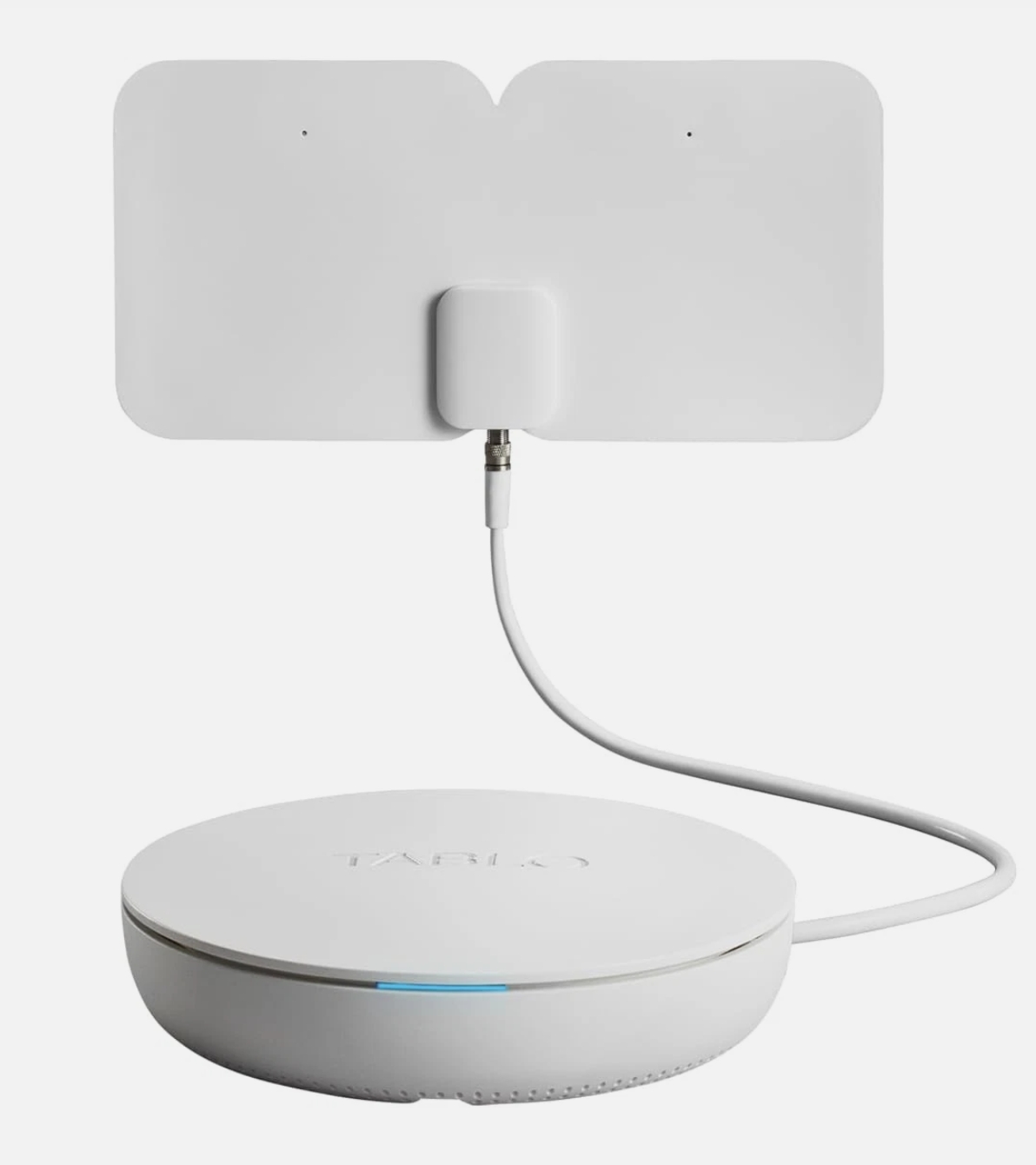
We have a 199 year old legacy Tablo. I’ve had it so long I can’t even remember WHEN we got it, just that it’s been in 3 cabinets, under a table and through at least 2 TVs so far. It’s a 4 tuner and I manage and program it through a Tablo app on my laptop computer - which is running Windows 11. I started out 2 laptops ago with Windows 7 and managing it through the chrome browser. The app crashes at least once a day, mostly if I minimize it and bring it back or when some time has passed, it can’t refresh and crashes but I will live with that. NO big deal.
The big deal is we bought a new TV and the app will not install on it. 55QNED82AUA
So now I can’t turn the TV on, change to the Tablo app and watch recorded shows via the TV. We can only use my laptop to watch recorded shows with my laptop connected wirelessly to the TV (a display option of Windows and the TV)
That gets tiring and ties up my laptop.
Since Tablo won’t allow the legacy device to be used with a new TV because their software won’t run on the latest LG WEB OS and that would be the ideal way to watch TV shows - I have considered a NEW Tablo - but -
Is there a Tablo app that will load on the LG TV we have now and interface with the new tablo device so one can watch recorded shows with the TV only and NO other devices??
Is there a Tablo app that can be loaded on a Windows 11 laptop that allows me to use that app to set up recordings and manage the device? with the prior TV my wife could be watching a recorded show using the TV remote and the app on the TV and I could use my laptop to record another show we had forgotten about.
Is there any way to get the Tablo app that will load on the 55QNED82AUA TV to manage our current Tablo?
Don’t tell us to go buy a roku or some other device - the TV HDMI spots are already taken. So no free HDMI and I don’t want to get yet ANOTHER remote to screw with and lose or replace batteries in and so on.
Do we stick with what we have as long as it works and then jump ship to an EASIER to manage DVR system that will load on our TV and allow my laptop to manage it at the same time? Gett8ng sick of having to use my laptop with the app to play back a recorded show and then have it mirror on the TV screen - makes my laptop hot, and ties it up for hours.
Or is there a way to use both?
I hate to move away from a device that has worked for so many years - I bet it’s been 5 years since we needed any support and it’s not even been reset or restarted in a very very long time - I can’t even recall the last time I had to reset it!
If you want to keep the Legacy Tablo you COULD make it work by getting a HDMI splitter to share one of the HDMI ports on your TV so you could use a Roku or other streaming device that will work with the Legacy Tablo. The splitters are about $20 on Amazon and use a button on the device that you manually press to switch between the 2 HDMI feeds. I used one of these devices on my last TV and it worked fine. But this just adds to the extra remotes and complication which you already said you wanted to avoid.
The other option is to just upgrade to the new Tablo which will work on your new LG TV. I upgraded to the new Tablo several years ago mainly because I liked the enhanced picture quality. Yes, it’s been a bumpy road at times, but with the continuous improvements that have been made it has worked well for me.
But the new Tablo does not support a Windows client. However, it works great on an iPad. I just setup my iPad next to my PC to watch Tablo. For that matter, the iPad will work anyplace you have a Wifi signal in the house to watch Tablo.
Are you sure you are loading the correct Tablo app on the TV? There are two versions of it, one for the legacy Tablo and the other for the newer Gen4 Tablo.
No. There is not and will not be a gen 4 app for Windows.
You will need to install the gen 4 app on your smart phone to set up the gen 4 Tablo. You can use the app on your phone to schedule recordings while your wife uses the app on the TV.
I seem to have lost some people last night.
I know about the two apps.
I know that the NEW app will not connect to my Tablo.
I know that the app that will connect to my Tablo will NOT load on our new TV.
I know that Tablo has dropped their first, original customers like a hot rock.
There have been NO updates to the app for Windows that works with our Tablo since 2018 7 freakin’ years.
Tablo has no intention of supporting the original customers like me who made it the company they are. That don’t give a damn about us - it’s evident in the fact that the new app won’t support Windows and the old app won’t load on a LG TV any more.
I was hoping for some way, but their own FAQs have shown me - we are left high and dry, swinging in the wind - the people who bought the product to give them money to keep alive - well, we’re just SOL.
NO apple products here, no tablets so that’s out. My wife loved to be able to record OTA shows that were on while we were gone, busy, or two one at the same time.
As far as HDMI, well, to pull the TV out from the wall every time she wanted to watch something - ain’t gonna happen.
Before she could choose input, choose the Tablo app, then right with the TV’s remote running the whole thing, Tablo and all, could watch a recorded show - NO other devices, no other remotes. One remote all in the TV itself which connected to the Table through our WIRED internet.
Now I find we can no longer do that, and there’s no way to operate the Tablo via the TV remote and app right on the TV. And I find if I upgrade to the new Tablo, I inherit 100 new problems and can’t manage it through my laptop.
I searched the FAQs for a couple of hours, and posts here, and wow, they have left the people who helped grow their company so it could be sold left hanging.
I believe Tablo intends to merge the two devices into the latest Gen4 app, which you’ll then be able to install and use that app for both the OG Legacy Tablo that you bought back in 2014-15 and the latest Gen4 Tablo. We just don’t know when that’ll happen.
We purchased the Gen4 in Oct 2024 after using the OG for 9 years, and my wife is used to the newer model now, even with all its reported and fixed quirks and errors - she seldom experienced these issues.
No, but as @Ron1 said above, you can manage it through your smart phone. In fact, the Gen4 requires you to use a smart phone to set it up anyway.
Absolutely - I loaded the ONLY app that will install on the new TV, and when I wouldn’t connect to our tablo, I read the FAQs here and found out why - the new app won’t work with our Tablo. I guess they don’t care and are trying to quietly make the legacy tablo owners go away in favor of a new generation.
I know only the light blue app will work with our Tablo but will not load on our TV
I know only the dark app will load on our TV but will not work with our Tablo
I know Tablo has totally dropped support for Windows and only supports Apple devices.
Perhaps time to dump Tablo since they have dumped me?
Well, I’ve said this same thing in the past, but you won’t find the features and convenience at a lower price. Not even close. Wait for a sale. They also sometimes offer the OG Legacy owners a $40 off coupon. Maybe ask if they have one coming soon.
68 with vision issues and essential tremor - managing anything through a tiny phone screen not easy at all.
So I’d have to go get my phone to manage the new Tablo? Are they going to keep supporting Android, or move even phone apps to all Apple? That seems to be their direction - dump Windows and TV-based apps and move only to apple.
At least that would be an OPTION - better than nothing at all!
My wife could manage it then.
Will the NEW dark tablo app made for the NEW generation of Tablo be supported on the LG TV for the foreseeable future?
I’m getting unhappy with Tablo - buyouts almost never work well, lead to no support, cheaper products (cheaper not in a good way) and often they just disappear.
By the way - who are those people supposed to be that appear in all of the new ads? My wife asked me - who is that supposed to be - I shrugged and said - heck if I know. Never heard of them!
Really? Maybe you have saved me some looking. I’m not really happy with how Tablo has just dumped their original customers and left us hanging, forcing us to buy new products when the old one has had NO ISSUES - not a singe issue, no lockups, no need to reboot. It’s been the most trouble-free electronic device I have EVER owned - and I worked government IT for years - it’s rock-solid, stable and just plain WORKS. I honestly can’t think of anything that has worked so well as our 10 year old Tablo! In fact, I forget about it much of the time and just use it, figuring it will be there until I die, working as intended for years to come.
It appears the new G4 app will install on your TV, so… another option is to sign up for the Legacy Beta test (if still open) .
New firmware is installed on your Legacy box so the the G4 app can access the Legacy .
I think the only thing you actually have to manage from a phone, is setting up you zip code for the guide.
Everything else is managed with the TV app.
Thank you - useful answers.
I loaded the new app on our TV shortly after getting the TV - that’s when I discovered, oh, dang - it won’t connect. Then came to the support and FAQ area and it looked like they just left us hanging. I tried to load the familiar light blue app - no go. Oops, we’re in deep doo-doo here.
Appreciate the step-by-step answer to my severe ADHD ramblings that probably lost a few people!
What a great idea. I think that doing so comes with some added work, right? There may also be a drawback in that you can’t go back to the OG firmware once you migrate forward.
Love it- man, if @TabloSupport will let me, I’m 150% in. I’ve beta tested corporate apps for Symantec in years past.
I just don’t want to break the best electronic device we’ve ever owned. The Tablo we bought about 10 years ago is an example for all other companies. It’s been flawless in operation (except you can’t watch recorded shows when the internet is down) Otherwise, no reboots, no lockups, it simply WORKS. The engineers that created this 4 tuner rectangular black box all deserve awards.
IF they can make Tablo record LG channels like 300 - my wife will be watching over my shoulders. LG TV, LOVE the LG channels, but NO way to record them!
Forgive me if I am misunderstanding. You have asked a number of different questions. I’ll see if I can help with a few.
Your wife wants to record more than one program at a time while you are away from home? The Tablo Gen4 will do that. How many depends on if you have a 2-tuner or 4-tuner version. You can also view different programs, either recorded or live, on multiple different devices at the same time. All the different TVs would need to have some sort of compatible streaming device (although many Smart TVs are directly supported, as well). You mentioned that she ran everything right off the TVs remote. Is it a Smart TV? If so, it may work?
As for connecting to your Tablo via Windows, no, that is not directly supported. However, there are a number of Android emulators out there that run on Windows and will work with Tablo. You can also run the Tablo app on most smart phones. That is where I do most of my programming.
Don’t get your hopes up about Tablo recording the LG channels.
Tablo only records programs received from an antenna, and ones they provide from the Internet (and my understanding is not all of them).