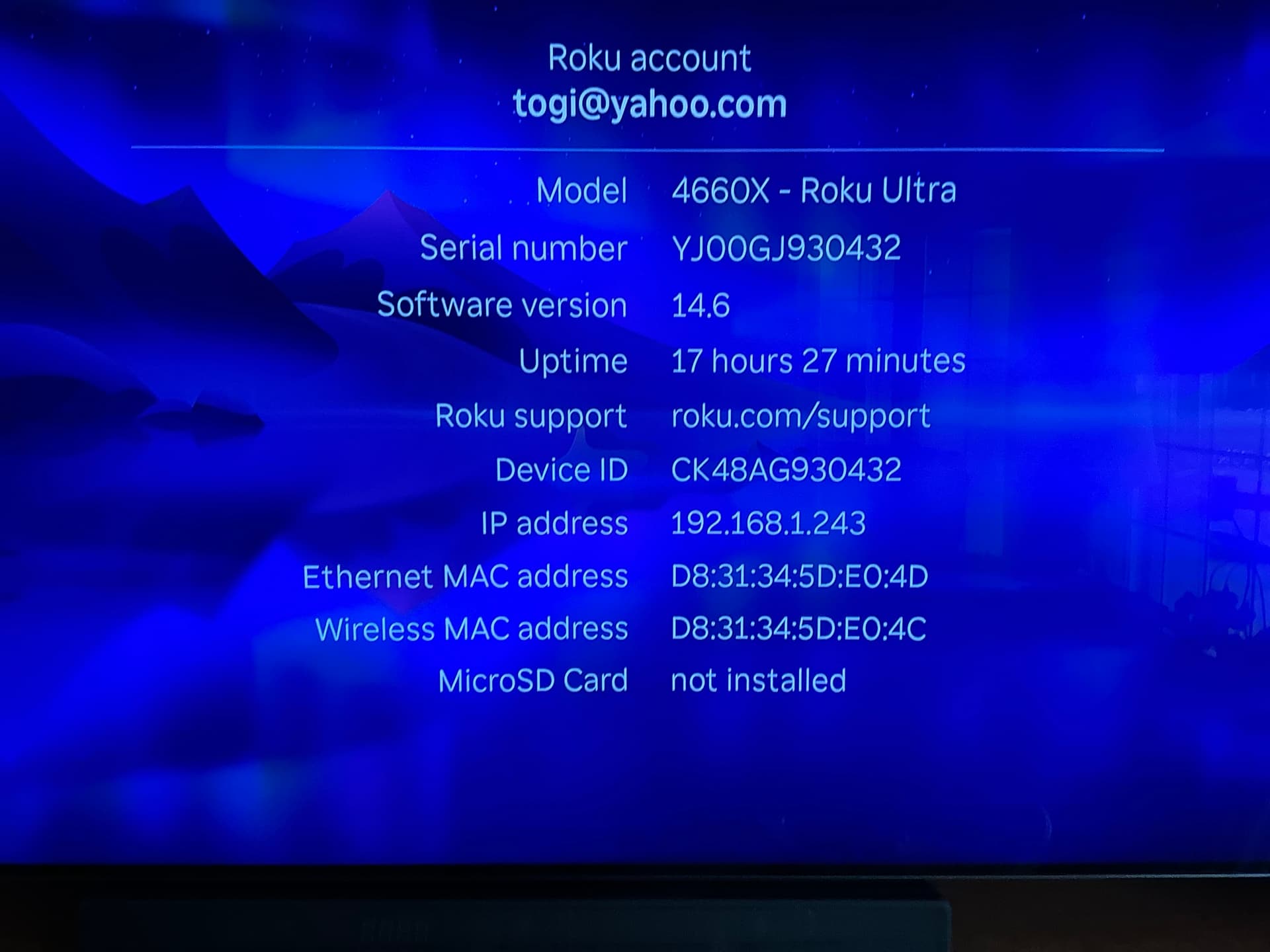
Affected by this last night during Sunday Night Football after not having the issue running two streams to 2 different Roku ultras on Saturday.
My Roku OS is 14.6.
Affected by this last night during Sunday Night Football after not having the issue running two streams to 2 different Roku ultras on Saturday.
My Roku OS is 14.6.
14.6.4
Roku 4630x
Interesting because I am running OS 14.6.4 on my Roku ultra 4670X With no problems at all
A couple times it happened to me while watching the Ryder Cup but it never happened during Sunday Night Football.
I was having the problem where my Roku would stop playing a recording last night and go back as if I had pressed the back button. It stopped doing that after a few times and everything was fine afterwards.
However, one time instead of going directly back as if I had pushed the back button it gave me a message that it was having a problem connecting to the servers and asked me if I wanted to go into “offline” mode. I didn’t try that. I had never seen that message before.
I did check my internet on another device when I got that message and everything was fine. I didn’t know we had an “offline” mode now.
That’s a pretty picture but I’m not sure what it means. It’s not the roku OS software version. that is found on software update page. And for a 4660x it should be 14.6.4 build 9914.
But roku often updates components without updating either the build number of last updated date. They update and use terms like releasing gravity locks or maximizing fun, etc.
Lets all say that again, so sad really
Opersdonald,
This is from the Roku About page not the Software update page, it does not show the build number like the software update page does.
From Tablo on post 1 of this thread:
press the Home button on your Roku remote, then navigate to Settings > System > About.
I could care less what tablo says on post #1. maybe that’s the reason the roku tablo app has so many problems. They don’t realize that different models have different builds. It’s only at the end of a update release where all the builds install on all models congeal to the same build. Even my 11+ year old 4200x now has 9914. Which means roku OS 15 is on the way.
So this is a known issue…Tablo blames Roku/Roku blames Tablo. Why don’t we all try to play in the same sandbox and get the issue resolved?
I have a 3820x - Streaming Stick 4K
The software version is 14.6
You Sir, are a real piece of work.
You chastise a poster for his screenshot, I point out that the poster did exactly what Tablo requested, and you reply that you don’t care what Tablo requested 
I draw comfort knowing that there is little chance we will meet in person 
Echo your thoughts! The build version does not show up on the System About, it only shows on the Software Update…Check Now setting. Tablo does not know that, I guess. Still no reason to chastise users for doing what they are told. 
So seem to miss the point. Tablo needs to asking for the correct information. If tablo is only asking for the major and minor number and not the update and patch level all is hopeless. And if the the user were to post on the roku forum they may want more then just the major minor number. If you follow their instructions for the information you might find that my 4660 is 14.6.4 build 9914-46
Using both the Roku Express 4K+ and Roku Streaming Stick Model 3810X with OS Ver 14.6.4 and experiencing this issue. Tablo Firmware 2.2.54.
The only temporary resolution I have achieved is to uninstall the Tablo app, reboot the Roku, and then reinstall the Tablo app. This works until the next time the problem appears.
I would go to the roku software update and manually check for updates. I got one from roku named warp drive engaged. It was a very quick install. I’ve been running live TV for 46 minutes with no burps. Before only 10-11 minutes.
Was it because of warp drive who knows.
Tablo firmware version 2.2.54.
JVC RokuTV version 14.6.4.
Previously video would freeze maybe once or twice during a 4 hour recording, audio would continue. Each time, I started from beginning, fast forwarded to previous place, continue. Annoying but I could live with this.
Just yesterday it did what you describe. Exit from the playback every couple minutes, back to library menu. I would then continue playback at the same spot. To make it thru a 3 hour NFL game, I needed to do this maybe a hundred times? Did same on multiple recordings. This I cannot live with.
Video signal is excellent when it plays so I know its not the antenna. WiFi excellent so that’s not it.
It just happened for first time yesterday, multiple recordings. Please suggest a solution.
Backstory: I got TabloTV mainly for NFL games. Now I am finding watching condensed games on youtube (and no spoiler either!) for free may be a better option. But I hope Tablo can fix it so I can use my Tablo and get the full game experience.
We believe we have found the source of the issue and are working on a hotfix for the 4th Generation app for Roku users. We expect the update will be available by next week at the latest. Thank you again for your patience and assistance as we work to resolve this problem.