NYC market, updated firmware to 2.2.56, Apple TV, tvOS 26.2
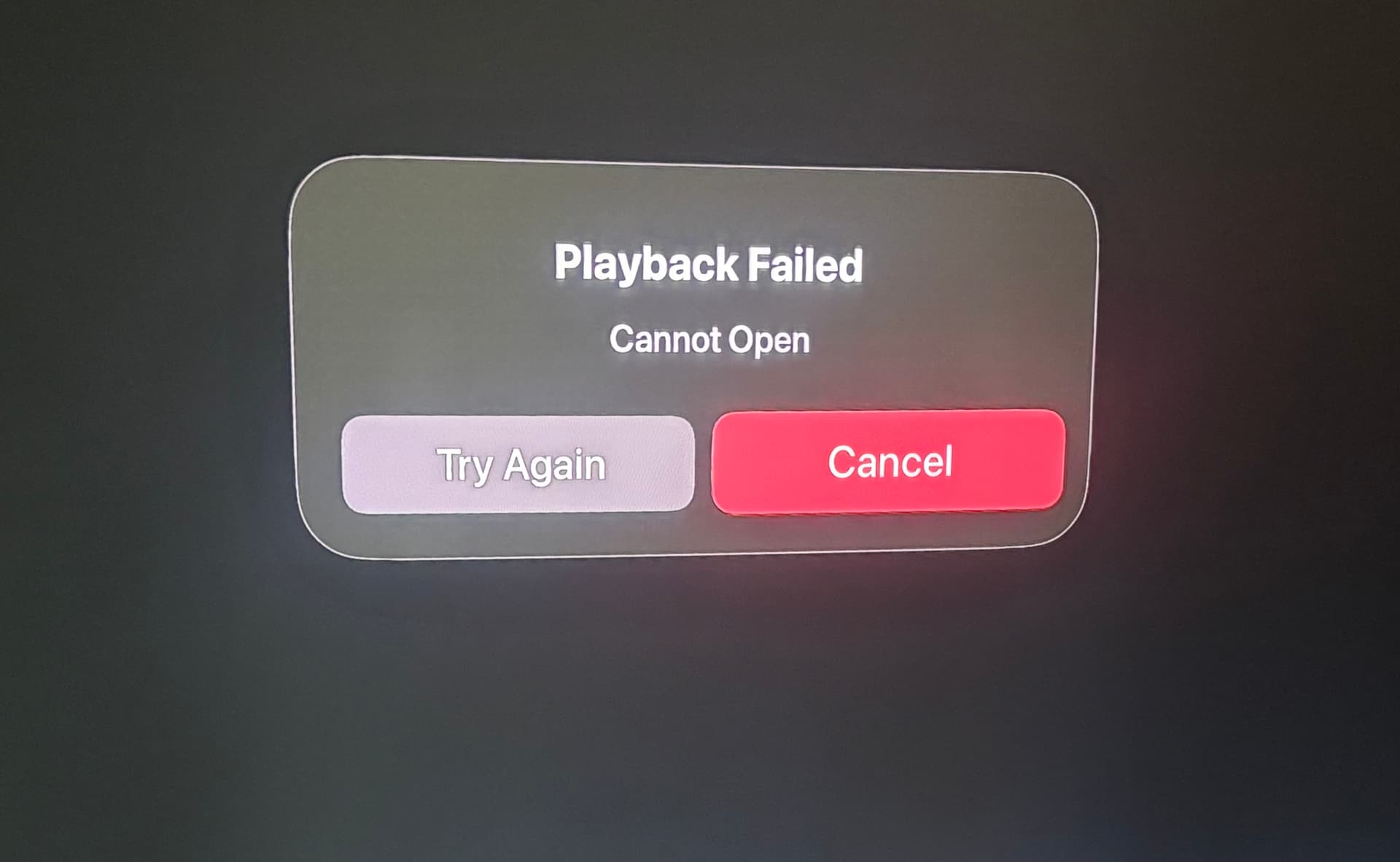
Does anybody know why I’m receiving this playback fail error this morning on Antenna TV and Rewind TV? I’ve reset the device. I’ve restarted the device. I’ve re-scanned the device and I still get this message. Any ideas? Thanks
UPDATE 1235P… I set up recordings on both problematic stations and both my recordings recorded and play correctly …BUT I still get the “playback failed” error when I attempt to watch either station live.
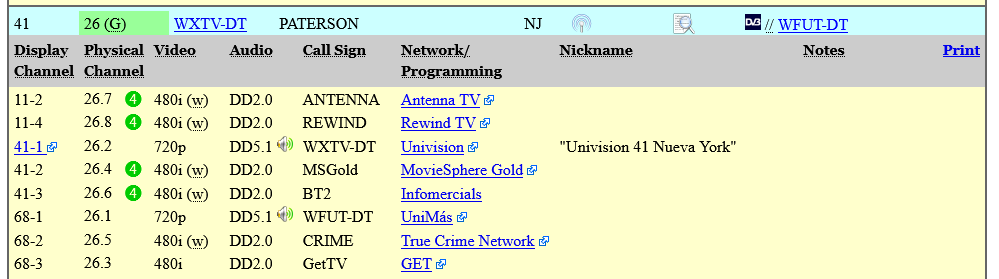
Does anyone here in the audience have an Apple TV box, the latest Tablo firmware (2.2.56) and an MPEG4 channel you can try watching live to see if you get the same error? To find MPEG4 channels, go to rabbitears.info’s list of stations for your area, click on ‘expand all’ and look for a green dot with the number 4 next to the RF channel number.
You know, you sound much more knowledgeable in this area than I do, but the last time I had problems with these same two stations was when I had an Amazon Recast and a TiVo Edge. I remember that Antenna TV and Rewind TV became “audio only” on the Recast while the TiVo managed to display both video and audio for both stations. When I was trying to figure out why that was, I recall somebody mentioning MPEG4 as the likely reason why Recast and TiVo were handling the station signals so differently.. Of course I didn’t understand it then and I understand it even less today😀
In the screen capture that Ron showed above, he is trying to get you to try viewing the channels that are flagged with the green 4 to rule out that possibility.
There already is a Tech Support ticket open and in their possession.
Conjecture and speculation are inadequate debugging tools.
But I agree customers should not be debugging to begin with.
I did test H.264 on Android phone, LGTV and Fire Stick 4k G2 and they all worked fine using the latest firmware version with MPEG4.
Usually they have no problem with playback of recordings. Those are H.264 anyway. On some devices they block the scan portion.
When you only get audio from OTA broadcast it’s a clue. It may be MPEG4 and the device isn’t decoding the video.
H.264 is the format - MPEG4 is the documented standards.
tablo had to jerk around the OTA signal format for the normal MPEG2 OTA sent to Apple TV since apple doesn’t support MPEG2.
I don’t remember ever seeing exactly what they did but have to assume some kind of transcoding to H.264. Or what happens when a user is using internal storage versus external disk can also be different since internal storage is in H.264 format.
So I would toss the ball over the wall to support.
Thanks for everyone’s input and since this is above my pay grade, I need to ask… if indeed the “playback failed” error is somehow connected to this MPEG4 /H.264 topic and Apple’s processing of that video, are any of you surprised that on Apple TV and on these two stations, that even though I can’t view a station “live” , I am able to view both stations by setting up recordings and watching those recordings as they record? Is the recording creating some kind of buffer that Apple’s OS handles more efficiently? Or?
And while I’m certain I’m not using the correct terminology. I hope my question is coming across. thanks all.
Thank you, I’m a big fan of Apple’s since the 1980s. But lately, I’m encountering more and more problems on the tvOS platform than I am on a platform like Fire OS. What I’m not sure about, however, is whether it’s the fault of Apple or the software developers, many of whom treat Apple like an unwanted stepchild. Either way I’m noticing many software issues not only on Tablo but also on apps like HBO Max and Netflix. Maybe Apple‘s relatively small base isn’t very attractive to software developers. I just don’t know.. anyway thanks again for your input.
People love Apple. Coders do not. It’s a closed system and they make their own chips, design stuff specifically to fail to protect their products. They have always been a pain. Apple used to create a lot of technology firsts and produce innovation.
Many of those developments became standards that are taken for granted today.
Today, we’re experiencing several Playback Failed errors and having to exit out of the live Tablo and reopen it to the channel we were watching. No restart of the app or Tablo was needed. Happened 3 times in the past 1.5 hours.
Ordinarily, I’d suspect weather changes in my neck of the woods but this seems to be happening in several locales. There was recently talk of a solar wind that might be f’ing up our reception is weak areas?
Remember that it’s the station owner who added the information in Gracenote. It’s their responsibility to insure the data is correct and to regularly maintain it.
I use Tablo with Apple TV. I just completed the update and once completed none of the OTA channels would work (decode error). I power cycled the device but no change. I did a channel scan and now all channels are working.
Well, watching 5.1 and it happened again and I had to exit to Home screen and reopen the channel to get it back. This is a hassle and we miss some of the live show. I’ve now restarted the device and switched to OTA-direct to bypass the Tablo for now.
Thank you for posting. Do you know if any of those channels use MPEG4 encoding? If you post or DM your zip code I will check rabbitears to see if there are any MPEG4 channels in your area.
 thanks all.