I’m interested in speeding this up too.
1 Like
It’s a staged rollout, probably by serial number. It’ll come when it comes. Firmware updates these days are usually two steps forward, one step back… I wouldn’t be in any rush!
1 Like
Thanks for the heads up. I hope I’ll be alive when it arrives. My Tablo4Chan doesn’t even have the 2.2.55 yet, let alone a 2.2.56.
wrong tv logo on Telemundo 33.2 Sacramento I get metv toons logo.
tu warner not working playback error occurred and no listing programming not available.
american country network programming not available.
Just got my update to .56. There was no notification but when I went to settings under firmware it said something like update available.
I have two 2-tuner Gen4 Tablos, and the older one was updated with the new 2.2.56 update just a few hours ago… Still showing not available for the newer unit..
I’ve only watched two shows with the new update, but no issues that I’ve noticed so far, and had no problem going back and forth between the two units, testing that… Looking good… Anyway, just my experience - so far - with the new update…
Thanks again sktn77a for the information. It arrived yesterday evening after I opened it. Perhaps the squeaky wheel gets grease. 
While watching a recording it stopped playing (froze). Unusual! My wife tried to back out of it and it crashed to the onn home screen. She restarted Tablo and it said an update was available so we let it install. No problems and she went on to watch the rest of her judge show recordings. I wonder if the pending update made it freeze and crash. Anyway it’s working fine, as usual.
Hi @peter10 ,
If you run a channel scan and then save it, does your programming data come back up?
I am a new tablo user here but am experiencing the exact same issue. I have the 4 tuner 4th Gen model. I can playback live OTA on several different TVs just fine but can not playback live TV on my iPhone or Ipad. I get the “Playback Failed: Cannot Decode" error on both the ipad and iphone. I also can playback recorded content but not OTA Live.
Sorry, you’re running into that @BikerBrad ,
Try removing and re-adding the app; that may clear up the issue.
1 Like
I removed the app from my iPhone and readded. It did not fix the issue. The issue is occurring on my iPad also.
What model iphone and ipad, and what version iOS on each?
the iphone is a 13 Pro Max running IOS version 18.6.2.
Ipad is an 8th generation running iPadOS Version 18.6.2
Well, they should be fine. I have 18.7.2 on mine but that shouldn’t make a difference. I have an iphone 15 pro and a 1st gen (10 year old) ipad pro. Both are working fine with the Tablo app and the 4G.
I’m glad it is working for you but do you have any suggestions to help make it work for the rest of us as it doesn’t appear that i am the only one experiencing the issue?
Try resetting the Tablo to factory spec. It shouldn’t need that but it might have got glitched during the initial setup.
Same here. I’ve the 2-tuner Gen4, still on .54. So, I’m guessing it’ll jump to .56 at some point.
1 Like
You won’t see a 2.2.55 unless you are on the Beta Test Team. Any odd number is a beta release used for testing. Production release is always an even number.
This is done across almost all software companies.
2 Likes
That must be true for the firmware only. Tablo Gen4 apps have odd release numbers also.
Update at 1pm CST December 9
Release 2.2.56 installed and no issues with Fire Stick 4k G2 app. No issues with LGTV app.
Tag @TabloTV Tablo Gen4 is in remote control mode. @TabloSupport @TabloEngineering
Well here’s the weirdness…
I still can’t view GustoTV on the Fire 4k. Spinner.
So around 2pm I’m watching it on the LGTV and some lady is making chicken wings. Over and over and over again. It freezes with a Mickey Mouse commercial and starts again. Then freezes during a cancer PSA. Grilled corn  .
.
Whilst on my Android phone it’s cooking with “K” some guy making kaffir lime something.
Usually they are a few seconds out of sync but this is wild.
LGTV: closed captions were displayed but I didn’t turn it on.
Loop has been broken!
Frozen with the guy around 2:45pm.
“M” for mango… With a new lady
At about 2:53pm they re-sync and are back to within a few seconds of Android phone.
At 2:59 frozen credits not rolling.
At 3:30 screen goes back to guide.
Continue viewing again.
Phone paused a few times and its now in sync.
Bravo! No that’s a different channel. Gusto!
I guess we’re finished. Like the frog said, “ree-boot”.
And so it came to pass that the little Gen4 got power-cycled. And they all lived happily ever after. Fin…
Update 6am December 10
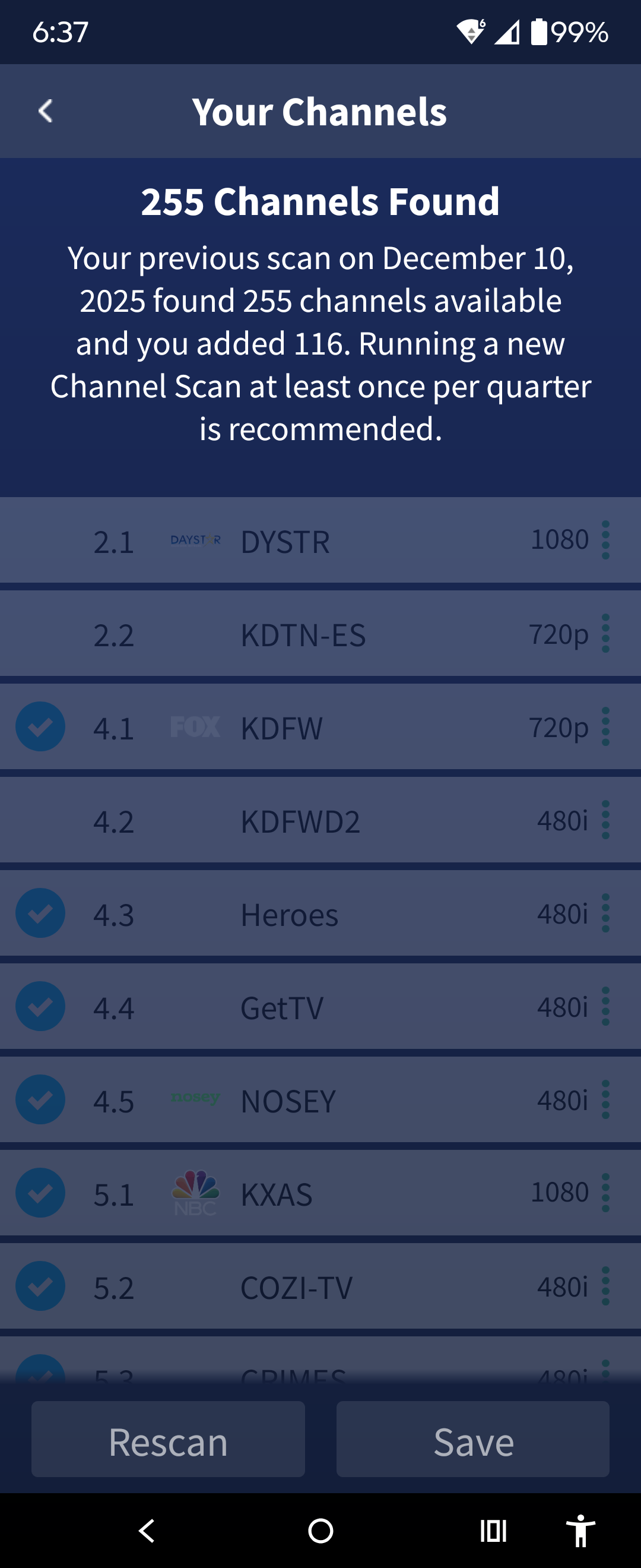
Rescan picked up 3 additional channels for KBOP 20.1-20.3 which were presumably missing PSIP information.
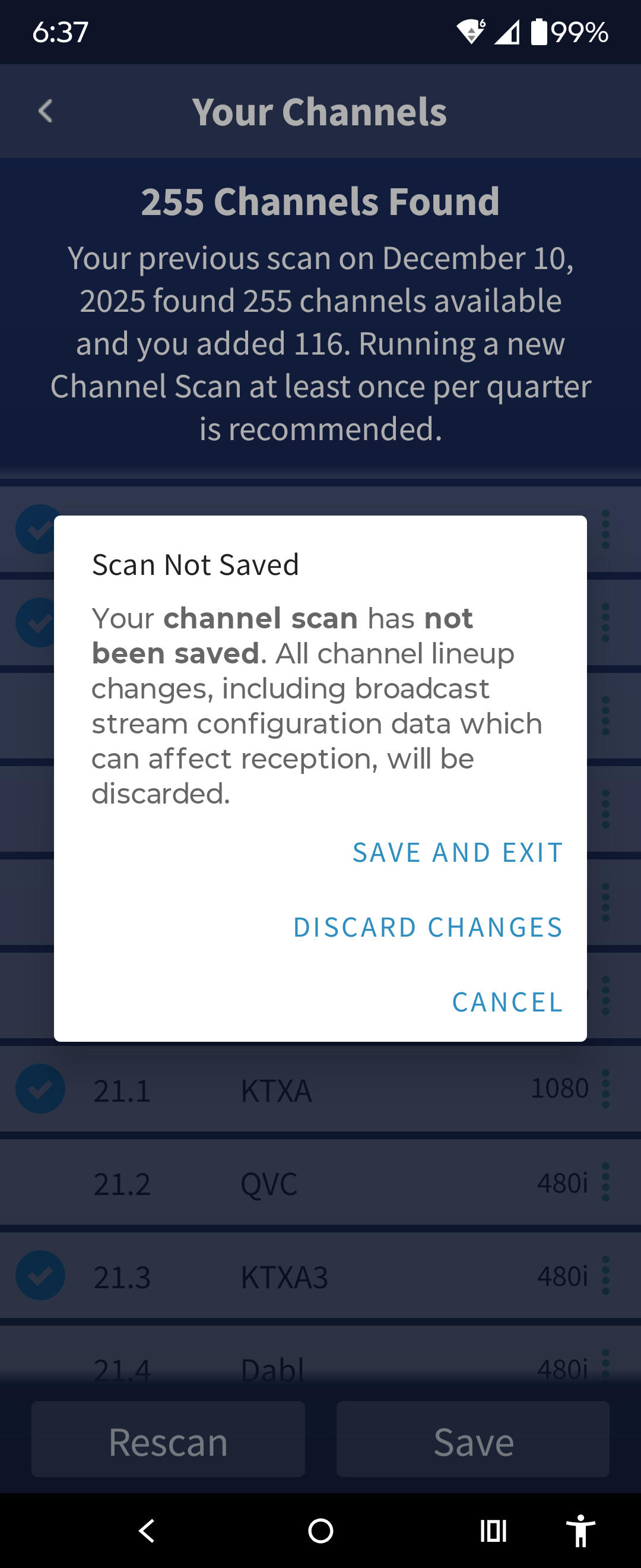
I tried to deselect the new channels and save but the screen darkens and doesn’t seem to be doing anything. Using the back button on the phone gets a warning about a scan in progress. Using the back button on the app returns to the settings screen.
- Phone the channels don’t display in the guide
- Phone the channels show selected/checked in settings
- LGTV shows channels unchecked
- Fire 4k didn’t display channels in guide
- Fire 4k settings indicated guide update 61% although the device was off for 10 hours
- Fire 4k progress resumed until complete
- Fire 4k still shows channels checked
- Phone doesn’t display channels in guide
- Phone still shows channels checked
- Phone unchecked channels and saved
- Phone channels still shows checked
At 8:30am Phone cleared cache, cleared data and uninstalled app. Reinstalled app and signed on. Received message ‘checking for firmware update’. Received message after several seconds the firmware was updated.
Phone unchecked channels and saved. Guide update x2… Complete update and channels remain checked.
11:30am Fire 4k Verified in settings that channels show checked. Unchecked channels and did rescan. Channels are now reflecting unchecked and don’t appear in guide. Phone channels no longer display checked.