This firmware is being distributed in a staged rollout over the next few weeks. A small number of customers will receive the update today, with more added to the rollout every weekday.
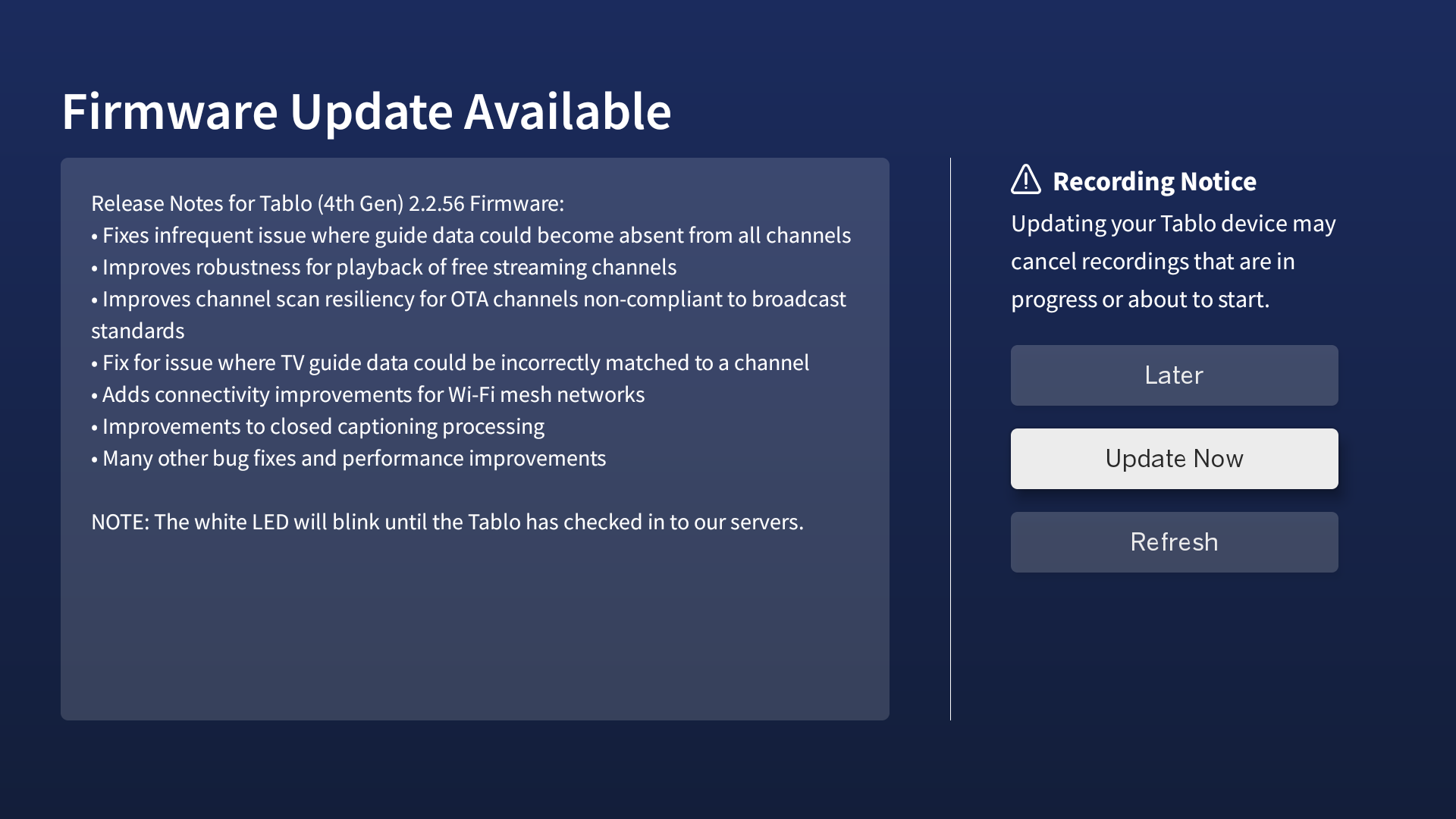
When your device is eligible for the update, a notification will pop up within your Tablo app and will look something like this:
Release Notes for Tablo (4th Gen) Firmware - 2.2.56
• Fixes infrequent issue where guide data could become absent from all channels
• Improves robustness for playback of free streaming channels
• Improves channel scan resiliency for OTA channels non-compliant to broadcast standards
• Fix for issue where TV guide data could be incorrectly matched to a channel
• Adds connectivity improvements for Wi-Fi mesh networks
• Improvements to closed captioning processing
• Many other bug fixes and performance improvements
NOTE: The white LED will blink until the Tablo has checked in to our servers
If you have trouble connecting to your Tablo after the update, wait 10 minutes, then reboot the Tablo and try again.
For additional tips and tricks on successful firmware updates, visit the Support Portal.
If you have any feedback or questions about this release, please post them below.
If you need support assistance, place a ticket and we’ll be in touch soon.
Hello! This morning I was going to watch some local news OTA, when I tried to tune to any OTA channels all I got on the screen was the error message: “Playback Failed: Cannot Open” or “Playback Failed: Cannot Decode.” Any issues with the new firmware release (2.2.56)?
Every firmware release has introduced new problems. That is because the Tablo owners are the actual testers of the releases. I have a new problem now. When I go to switch from one Tablo to another I get kicked out of the app. Never ever happened to me before this new firmware release!
Is the issue still happening today? Which streaming app/device were you seeing this on? Or were OTA channels not coming through on any apps?
Can you try to run and save a new channel scan on a different device (smartphone or tablet) to see if that fixes things?
Which streaming app/device were you seeing this on? And when you say, ‘kicked out of the app’ does it return you to the streaming platform’s home screen or is something else happening? Does it happen every time you attempt to switch between Tablos?
Darn! Mine just started working the best ever. I made sure I had the latest update last week to watch/record the big games on ABC. It drove me crazy and I finally just plugged the cable directly into my den TV. Then Sunday morning we had a power outage for an hour and after that my Tablo worked better than ever! Other than “Load error” when I delete recordings it is working great.
I have unplugged and reset Tablo and router for two months during football with no luck. Is it possible it just takes longer than unplugging for five minutes to get a good reset?
I’ll be ticked if this latest update fouls mine up again.
Hello Tablo Support,
Thank you for getting back to us so quickly. To answer your questions first: Yes, the issue persists today and post-firmware update. I use multiple Apple TV units and it’s happening on all of them (suggestive of Tablo internal issue). All OTA channels are affected, same or similar error message. Tablo streaming channels all work fine, as expected.
Troubleshooting measures taken so far:
Reset button on Tablo
Unplug Tablo, wait 30 seconds, turn back on
Ran and saved a new channel scan on my Tablo
Ran and saved a new channel scan on my smartphone
After, tried OTA channel viewing from smartphone - same error
Check Apple TV(s) for updates (none found) and also rebooted
FYI - I’ve also raised a support ticket to your team (# 464861) and I’ve noticed the following since: The Tablo tunes and DVR records OTA scheduled recordings fine, which are watchable at playback. The issue occurs only when tuning-in live OTA channels. More info: The Tablo device affected here is the 4-tuner model, NOT the 2-tuner model.
From a user perspective, it seems like the firmware affected the decoder live viewpoint of the 4-tuner Tablo model. But, it can still decode and tune-in the OTA channels for DVR recording purposes, but can not depict/decode “live” OTA viewing.
Thank you kindly for your help. Please let us know if we can assist further.
Hi Tablo Support,
Again, thanks for the quick response. I did everything in the exact order of your troubleshooting steps with no success, unfortunately.
Current Troubleshooting Summary:
My storage space is fine, currently at ~40GB free
My Auto-Delete is set to OFF but evidently makes no difference when testing (ON/OFF) as I have plenty of storage
Deleted Tablo app (with full data deletion) on Smartphone, readded - same/similar error: “Playback Failed: Cannot Open”
Attempted another channel scan; to my knowledge on an Apple device it auto-saves the results - same error when trying to view any OTA channels on smartphone
Repeated Steps 3 & 4 for my Apple TV(s) - same error
Would appreciate any other suggestions, if you have any.
Hi Tablo Support,
Please disregard my previous communication. The issue has been fully resolved by the deletion of the Tablo application and a complete channel scan, and saving the results. Previously, I was just rescanning the Guide upon reinstalling the Tablo application. Sorry for any confusion.
I want to thank you again for helping resolve the issue because I really love my Tablo!
It was happening every time but I was wondering if it was because one Tablo was on the new firmware and the other will not update it yet even though I tried a few times to find new firmware.
Also it does kick out of the Tablo app completely back to the Amazon Fire TV Home Screen.
I wanted to check my Tablo’s current firmware version, but only the software version is displayed in the Tablo’s settings. Is there a way to view the firmware version on the TV Tablo screen?
Yes, the firmware version is available to view on the Tablo screen. As Tom_Tessier posted above, go into the Tablo settings and scroll down toward the bottom. The firmware version is listed there (that is how it works on my Fire TV 4K Max).
My Tablo2Chan now has the 2.2.56 Firmware. But I’m waiting for my Tablo4Chan to prompt me to download the latest Firmware. Is there any way this can move forward sooner for me. I need the closed capt. to work well. I’m 78 and have poor hearing. SID_5087B8543F21
In a phone call to support earlier today I was unable to get this accomplished.
My Tablo Community handle is fitter79