I recently purchased a Tablo 4th Gen from Walmart, and it has worked great so far. In my area, CBS is broadcast in 1080i, and I’ve noticed poor image quality on both the Roku and iOS apps when there’s fast motion across the screen. This appears to be a combing/deinterlacing issue originating from the Tablo box itself, since it shows up on every device. I haven’t had any other problems, but watching sports is nearly unwatchable.
Hi, and welcome to the Community. Sorry for the Google answer…it first provided feedback on the Legacy device so it had to be redirected to the Gen4 device. I also removed any reference links to the Legacy device. Hope this is helpful.
The core architectural change with the 4th Generation Tablo is that, unlike legacy models, it does not transcode live TV or recordings by default. It passes the raw MPEG-2 broadcast stream straight through to your network. [2]
Because it delivers raw video, the deinterlacing task is handed off to your playback device. This means the combing and interlacing artifacts you see on your Roku and iOS devices are caused by app-level or device-level deinterlacing limitations handling raw 1080i streams, rather than the Tablo unit hardware. [1, 2]
How to Fix 1080i Motion Issues on 4th Gen Tablo
- Toggle Video Deinterlacing (iOS App): Navigate to the Settings menu inside your iOS Tablo app. Go to the Video section and look for the Video Deinterlacing toggle. Switching this setting forces the app’s software to use an alternate frame-blending method, which frequently cleans up combing lines on Apple devices. [1]
- Reinstall Streaming Apps: The 4th Generation Tablo apps handle cache and stream rendering locally. Delete the Tablo app from your Roku and iOS devices, restart the devices, and reinstall the application. This flushes out player cache glitches that degrade motion playback. [1, 2]
- Verify Local Device Memory (Roku): If your streaming device is low on available storage, its processor will drop alternating interlaced fields to prevent video buffering. Clear up space on your Roku by removing unused streaming channels to optimize its hardware decoding performance. [1]
- Hardwire the Connection: Raw MPEG-2 1080i streams require significantly more bandwidth than compressed video—often spiking around 10–15 Mbps. Connect your 4th Generation Tablo via an Ethernet cable directly to your router to prevent wireless data drops from masquerading as motion stutter. [3]
2 Likes
Thanks for the reply. I unfortunately don’t have any settings for Video Deinterlacing on either device. To my understanding this is only a feature on Apple TV devices.
On Roku isn’t everything rescaled based on the Device Type setting. And if the Roku isn’t powerful enough to handle MPEG2?
I wonder if the settings on the TV could be modified to improve or fix the issue. And, to your point about both devices exhibiting the same issue, it could be a problem with the network bandwidth between the Tablo and the streaming devices.
I don’t think there are any network or bandwidth issues. I’ve tried two different roku devices and both have the issue when there are fast moving objects on screen. I tried to change picture settings on the tv, but it didn’t seem like motion settings make much of a difference. There are still obvious combing/interlacing artifacts and it appears to be coming from the Tablo device itself.
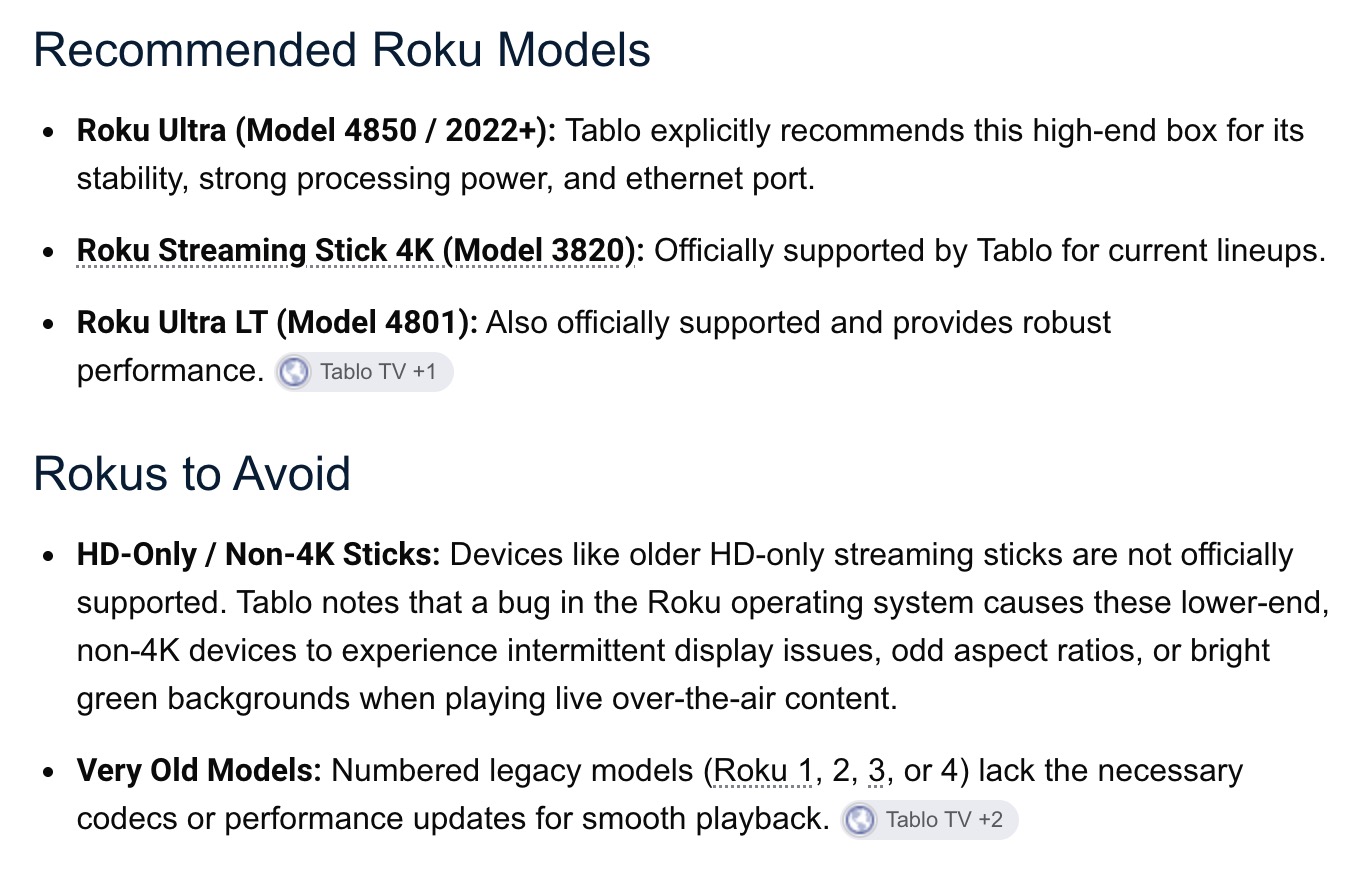
Yes, I’m using the Roku Streaming Stick 4K model 3820R2.
This is pretty basic.
Fox carries a lot of sports and broadcasts in 720P. Why would that be. The “P” stands for Progressive versus Interlaced. For Progressive all lines are painted in one pass. While Interlaced needs 2 passes to paint the lines. So fast motion like sports can be streaky for 1080i.
I understand the difference between “i” and “P” on the broadcast resolution and that 1080i is only 30fps. However, aren’t modern tuners/devices designed to deinterlace those broadcasts to smooth out the picture?
It might be a good idea for you to use your initial post in your favorite chat bot and work through the recommended testing. Make sure you ask the bot to only give you answers for the 4th Generation Tablo, because it’ll confuse answers between it and the Legacy device. This can be very helpful.
@TabloTV might also have some suggestions or articles you can try.
Interlaced has half the data per pass. So what does smooth out the picture mean when you have half the data.
I’m asking if we could have deinterlacing improvements by either the software on the Tablo box or the application running the video stream.
Researching this issue, I see the ‘Video Deinterlacing’ setting used to be on the app but may have been removed in an update.
Isn’t Roku already doing this for you? Taking everything and upscaling it to 1080p. Of course Idon’t know what low end Roku’s do.
Don’t know if it will help, but what is your recording/live tv quality set at?
You might try adjusting that either up or down.