Yesterday, the Tablo recorded 2 instances of the same show that were on 2 different channels, even though I set it up to record on only one specific channel (and I also have “do not record duplicates” selected). The evening news recorded twice. Once on the channel that I specified, and again on another local channel (both at the same time). I have been recording the evening news ever since I owned the Tablo (11 months) and this is the first time I have ever seen this.
Not a big deal having 2 copies of the same show, but I hope that this is a one-time occurrence. It is a waste of disk space having 2 copies of the same show.
Most of the major networks have what they call “sister stations” where they send overflow programming. They will sometime have simultaneous programming on both chans.
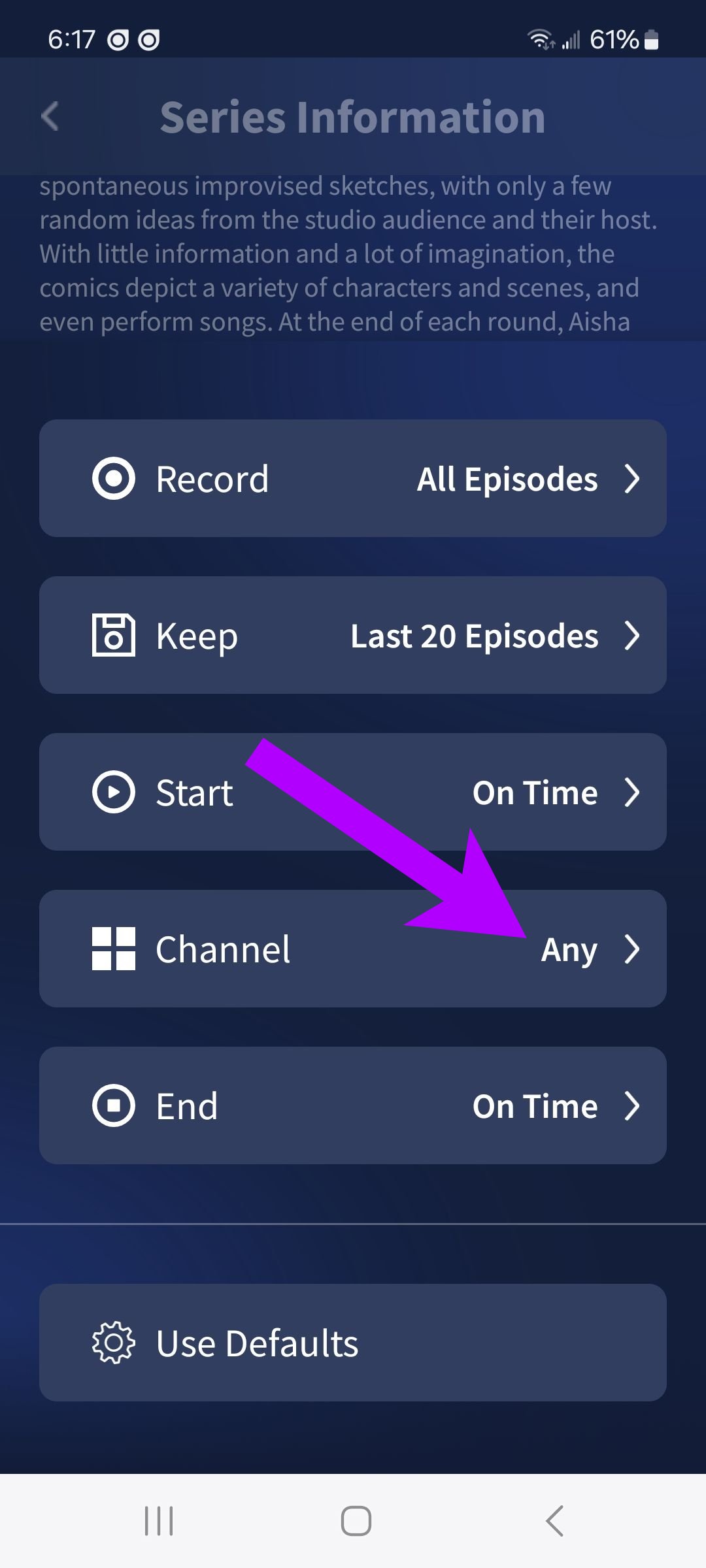
You can specify the chan to record on instead of All for that program when you set it to record.
I think you missed that in my original post, I said that I specified one specific channel to record on. (It was the national NBC evening news, and it recorded on 2 channels, one from RI, and one from CT).
I’ve seen this before and wondered the same thing - why is it happening? I think it was happening when I use the Record All option, and Tablo appeared to automatically take the liberty of recording the duplicate on the sister channel. Check that too. It hasn’t happened in a while, though.
I have StartTV on channels 5.3 and 46.3. When I select Any, it records 5.1 (a weak channel). When I click 46.3 as my channel, both 5.3 and 46.3 are highlighted. I can not click just 46.3. If I remove 5.3 from the guide, then I can select 46.3. It appears that Tablo is using the station ID and not the channel number.
My problem is the opposite. The station with the lower channel number is the one that TABLO defaults to. Unfortunately the lower channel number is weaker than the higher channel number.
I have tried removing the lower channel from my favorites and then set up recording in the higher channel. TABLO defaults the recording to the lower channel everytime.
I will try to remove the unwanted channel.
Unfortunately, I don’t have the option to pick the channel when I click on series information. It would be nice if I did.
What are you using to watch tv through? Roku? Apple?
On the Roku, when you pick series information at the top of the page, there are three options. Series recording, Recording Options, and if you have anything recorded, Manage Episodes.
If you select Recording options, you get selections. Record, Start, Stop, Keep, Channel and Use Defaults. If you select Channel, you can pick what channel you want to record the episodes from.
It should be the same in whatever app you are using.