Hi folks -
An update for the Apple TV app for 4th Generation Tablo devices is now available.
This update includes a brand new feature — Record Live — as well as a fix for playback issues for those who use Apple HomePods.
Be sure to download the new version if you don’t have automatic updates enabled.
Here’s what you can expect:
Tablo iOS/Apple TV app (4th Gen) – Update v. 2.3.0
- Adds Record Live functionality
- Adds Tablo name to main menu
- Fix for playback issues related to use with Apple HomePods
- Other smaller bug fixes and performance improvements
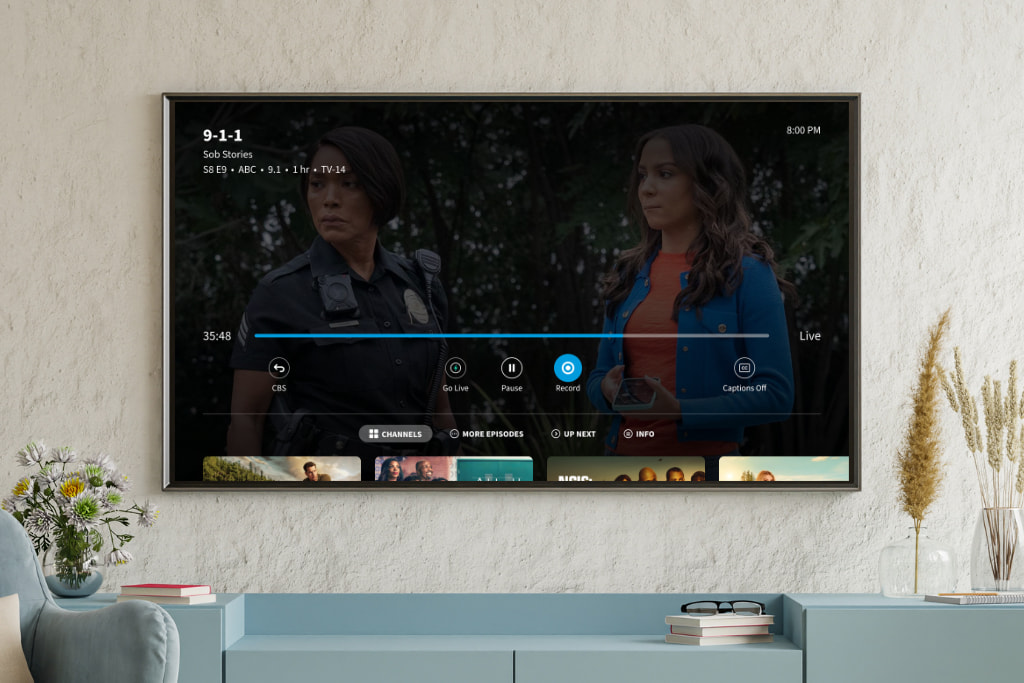
About Record Live
The new Record Live feature allows you to start recording the live TV channel you’re currently watching without returning to the guide.
Users can access the new Record Live button within the In-Player Content Tray, making it easy to start recording a live program without missing a single second.
To access the new button, simply select down ( ↓ ) on the directional pad of your Apple TV remote while you’re playing live TV.
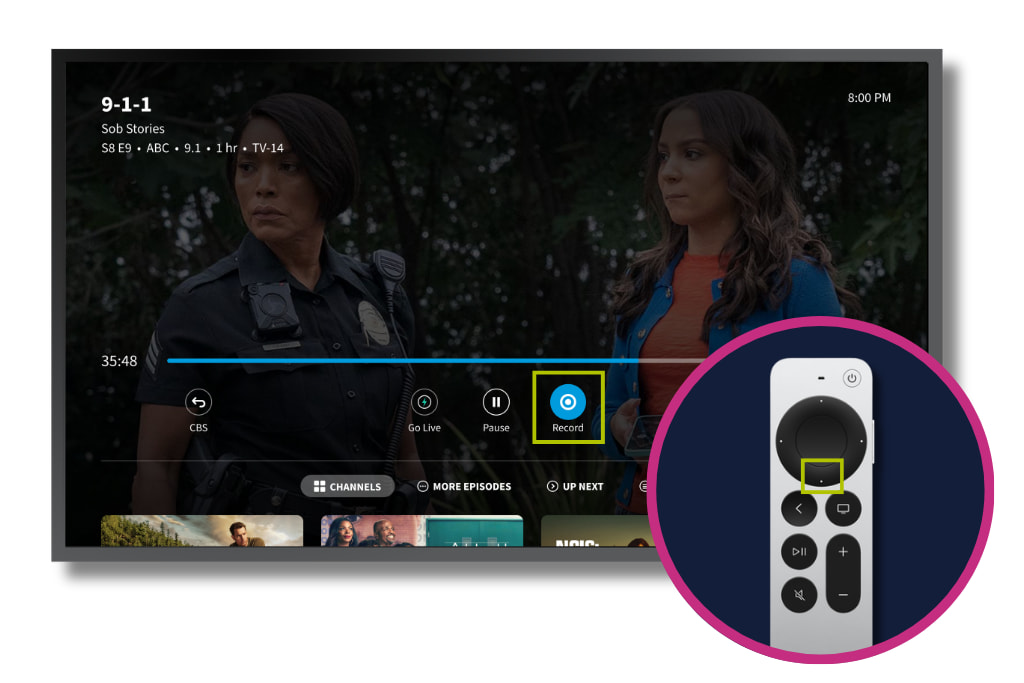
This will allow the In-Player Content Tray to appear. The RECORD button is located to the right of the PLAY/PAUSE button.
Selecting it will tell your Tablo to start a recording of the program you’re currently watching.
When the recording has begun, the button will turn orange. Selecting the button again will end the recording immediately, instead of automatically at the end of the current program.
You can read more about this new feature and how it works on the Tablo Knowledge Base.
If you have questions or encounter problems, post them below or touch base directly with support.
