So I’ve been getting a lot of problems with my tablo lately. I have troubleshooting and I think it’s something to do with the Internet. I have moved my mesh and Tablo, reset the Internet and the Tablo many times and the result was, getting playback failures, video crashes, and random pauses. So I thought the solution was connecting my Tablo to my Wi-Fi node mesh but i’m still getting the same problems!
Could I fix this and tell me why this is happening?
run a temporary Ethernet cord from your router to Tablo and see if problem goes away. Then you can decide if it is practical to connect it permanently that way,
What type of internet service do you have? I have ATT Uverse internet which is copper to the house and can only get 75mbs tops speed and my wifi router still connects okay. Sometimes it is a little slow filling in the guide data. Now I have order T-Mobile home internet to try myself. Neighbor 6 houses down from me got it and is telling me his speeds and reliability have been really good for the past year he changed from ATT. He told me is was that or go back to Comcast/Xfinity and he has the same view as I do of them LOL.
I take it that all your other devices are working nicely on your network?
More detail is needed here. Generally, the internet itself is only needed for the guide. The TV / FAST channels stream through the home network. Trying an Ethernet cable will work as a test. Information such as the device that is used to receive the Tablo stream, the distance between the Tablo and the streaming device will also be helpful. I would also try it without the mesh.
Well comparing browsing on an iPhone to continual streaming of HDTV to a full size monitor is hardly an apples to apples comparison. As several have mentioned you’ll need to roll up your sleeves to investigate this. An ethernet cord from Tablo to the router is a very valid next step just to see what the improvement is, if any. I have a 75’ ethernet cord I use when I want to temporarily connect things before I go for a final wiring scheme. My personal network policy is a try to ethernet connect any stationary devices unless its too cumbersome to run the cord. I leave WiFi for nomadic devices and those just too difficult to hard wire.
…Or I guess you could just sit here and complain and otherwise do nothing…
Yeah but my router is on the 2nd story but my tablo is on the 1st story and its pretty far that maybe powerline ethernet cant work. But I will try and the tablo should be almost Plug and Play.
You mentioned that you have a Mesh network. Does your Mesh device have an Ethernet port on it? If so and you have one of the Mesh devices near where you installed the Tablo, then just run an Ethernet cable from the Tablo to the Mesh Ethernet connection. The Tablo will think it’s hardwired. I have this exact setup and it works perfectly.
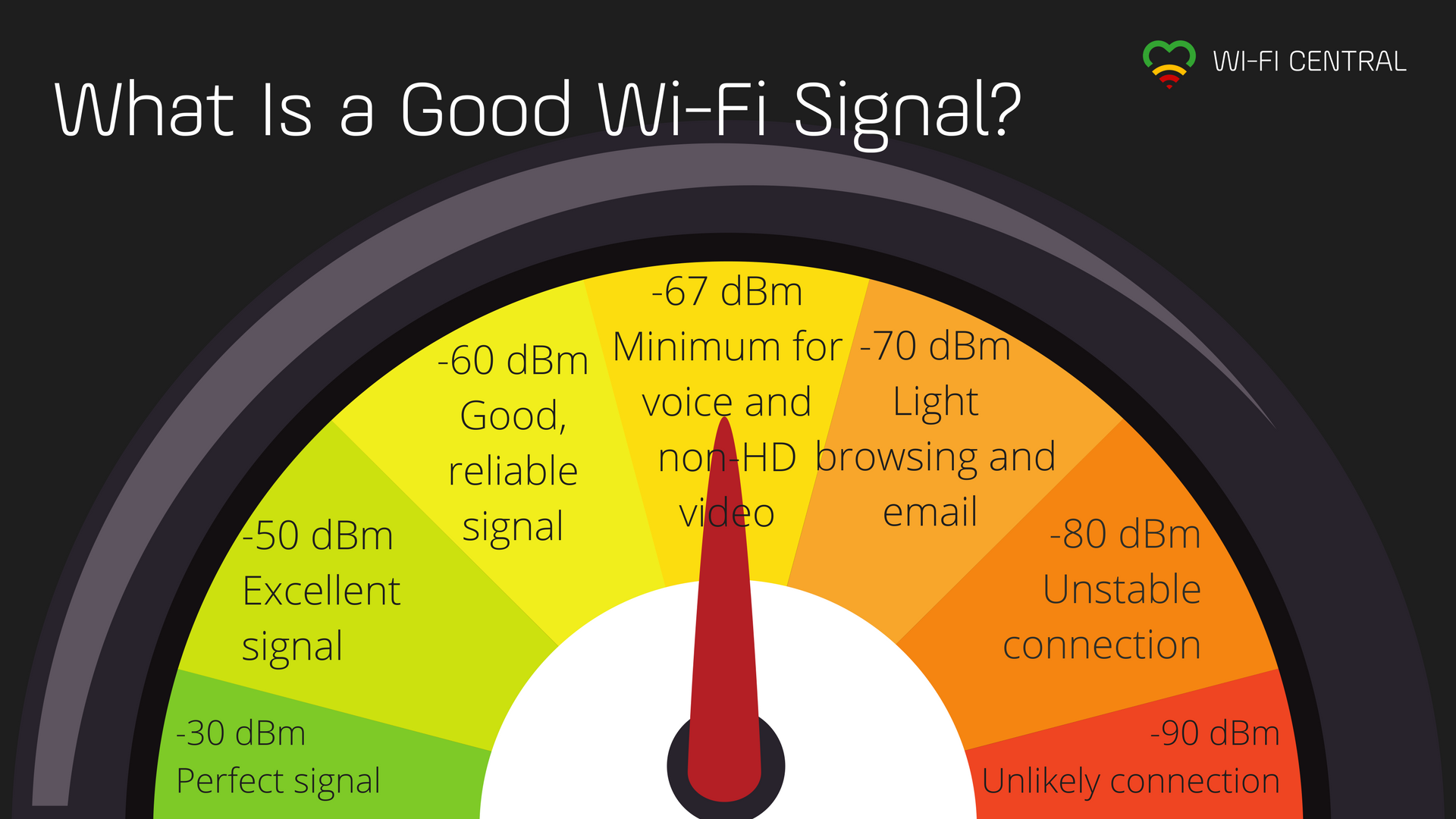
Just came across this while setting up Home Assistant and thought I’d share with the Tablo Community. This seems like a good spot for it.
What’s the best way to determine wifi signal? InSSIDer or something else? Is this info native somewhere in router or devices? I can see a lot of it in Home Assistant (but some is not accurate).
The best way would be for the Tablo to report the strength of the signal it receives from the router and for the router to report the strength of the signal it receives from the Tablo. The signal strength could be shown on the settings page of the app and on the online status page when the Tablo checks in.
As an example, my Roku reports “Excellent” signal from the router and the router shows -60 dBm from the Roku.
But I don’t expect Scripps/Nuvyyo to provide anything that useful to its users.
The thing with Tablo is… This is a client to client data transfer. When watching Live TV and Recorded shows. this does not go out the WAN port of your router, only Fast Channels do.