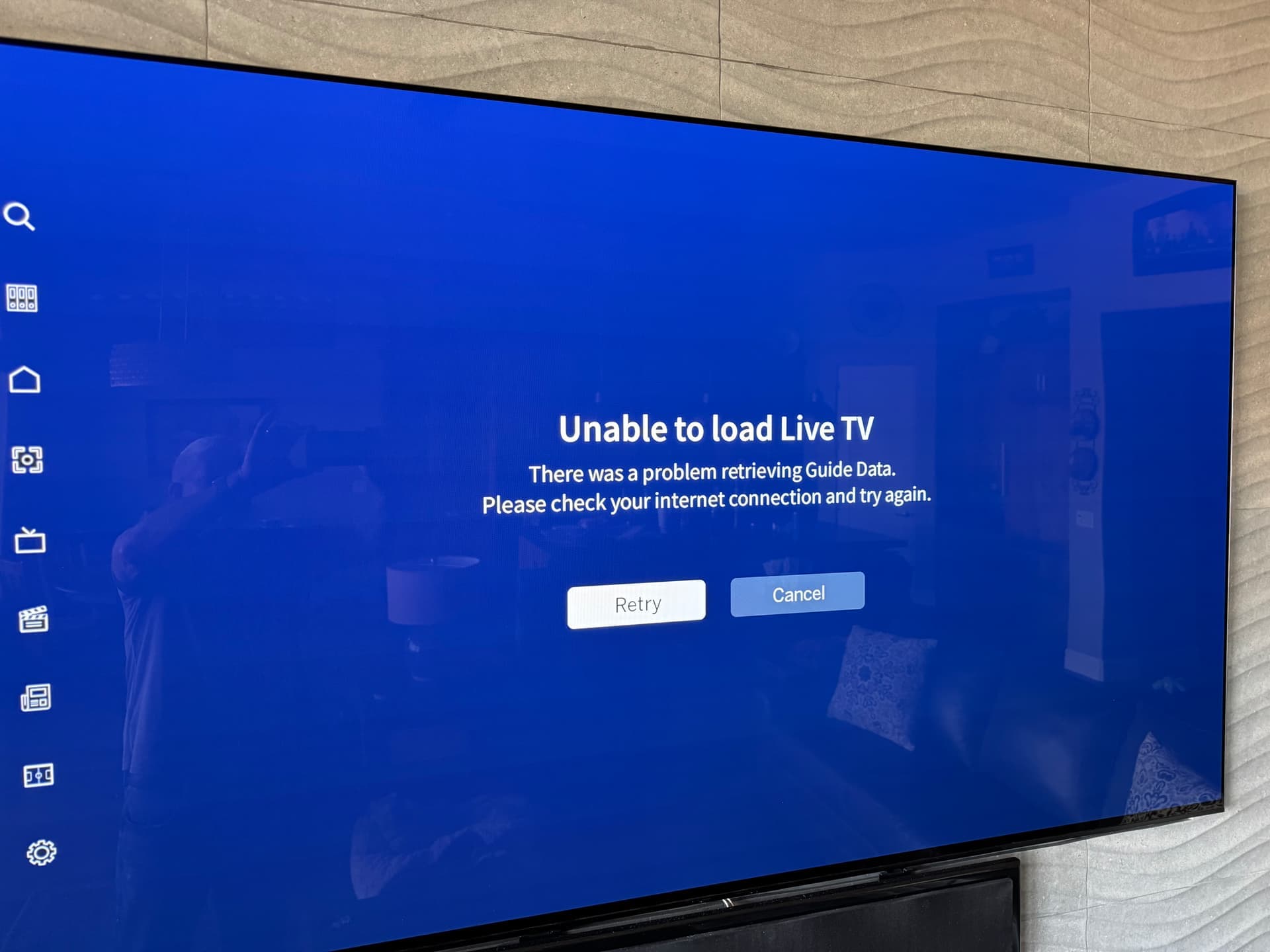
We’re investigating an issue on a subset of devices with the most recent Amazon Fire TV/Android TV update (2.0.3).
The issue causes the Live TV grid to fail to load even when retried.
UPDATE - Nov 24 - 1 pm ET
Thanks to customer reports, we were able to locate some affected devices. In testing, the fix the team worked on this morning is now behaving as expected on those previously affected devices.
We’ll be sending the update to the app store shortly and will let you all know when it’s available.
UPDATE - Nov 24 - 5 p.m. ET
The fix was submitted to the app stores earlier this afternoon. Just waiting on App Store approval.
Thanks for your patience as we work to get this corrected.
UPDATE - Nov 25 - 10 a.m. ET
Version 2.0.4 is now available for both Amazon Fire TV and Android TV devices. This update should fully resolve the Live TV loading issue for affected users.
If you’re still encountering issues, please check the version number of your app before contacting support.
I am receiving the following messages on my Google tv: Unable to load live tv. There was a problem retrieving guide data. This is only happening on this device. I have successfully been able to watch live tv on a windows computer, Google Pixel, and apple iphone. I have force stopped the app, cleared both cache and app data. I have uninstalled the app, etc. All other Internet based apps are working on the TV. Thoughts?
I’ve got the same problem. I got up yesterday and the new interface worked on my TCL tv, but by last night both the TCL and Sony wouldnt load live tv. Samsung still seems to be working as is Android phone.
Anyone have any suggestions? Ive done all the usual troubleshooting steps.
Same issue started yesterday for me too. Only one tv is affected…my Sony Google tv. All 4 of my other TV’s load live tv guide data just fine (they are not google tv’s). I have also done all of the ususal troubleshooting steps.
I just determined that there is a known bug with Google TVs and displaying the grid after an update on November 20th. From the home screen, you can scroll down until you see your favorites and then access live tv that way
Gotcha. Hopefully Tablo will fix the issue asap. Not sure if you saw, but there are other categories as you scroll down on the home screen…sports, news etc. Maybe they are within one of those
Negative as long as there is no guide data, the only way to watch the affected channels is to find them on the grid. It seems like the guide just keeps getting worse. Fortunately I still have a TIVO that has all of the correct guide info. Tablo is sure an adventure. You never what bug will be next.
Killed the guide completely on Google TV 2.0.3. “Unable to load guide data”. I can access some things from the home screen tiles, but no joy accessing the guide. Moving backwards. Sigh.
I do not find what you are talking about on my Home screen. Just New on Tablo, Trending on Tablo, live and upcoming sports, recent recordings, Upcoming network premieres all as icons to select. No Favorites to be found. Does this have to do with Update Guide now is only 29 percent?