Hi folks -
If you live on the East Coast, tonight’s Presidential Address (scheduled for 9:00 p.m. - 9:20 p.m. ET) will interrupt several prime-time programs across the big four broadcast networks. Others have been rescheduled.
Because this was just announced late yesterday, your Tablo’s TV Guide Data will most likely not reflect the changes to tonight’s programming lineup.
As such, you may need to use Tablo’s advanced recording options to extend tonight’s recordings to ensure the entirety of your program is captured.
Here are the details on the scheduling changes:
On FOX
- The season finale of The Masked Singer will still start at 8:00 p.m. ET, but will be paused between 9:00 p.m. - 9:20 p.m. to switch to the address. When it ends, the remainder of the 2-hour finale will air between 9:20 p.m. ET and 10:20 p.m. ET.
On CBS
- The special 2-hour episode of Survivor will also still start at 8:00 p.m. ET, but will be paused between 9:00 p.m. - 9:20 p.m. for the address. When it ends, the remainder of Survivor will air between 9:20 p.m. ET and 10:20 p.m. ET.
- The episode of America’s Culinary Cup originally scheduled to start at 10:00 p.m. ET will be pushed back to 10:20 p.m. ET.
ON NBC
- The episode of Chicago Fire originally scheduled to start at 9:00 p.m. ET will be pushed back to 9:20 p.m. ET.
- The episode of Chicago P.D. originally scheduled to start at 10:00 p.m. will be pushed back to 10:20 p.m. ET.
ON ABC
- The Greatest Average American and Shark Tank were supposed to air new episodes tonight. Both will be replaced with reruns.
For additional info including impacts on late night and news broadcasts, check out this article:
How to make sure your program gets recorded
If you can’t watch live, the best way to ensure you don’t miss the end of your show is to use Tablo’s advanced recording options. By adjusting the STOP time of your series or episode recording schedule, you can add up to 3 hours of additional recording time to your program.
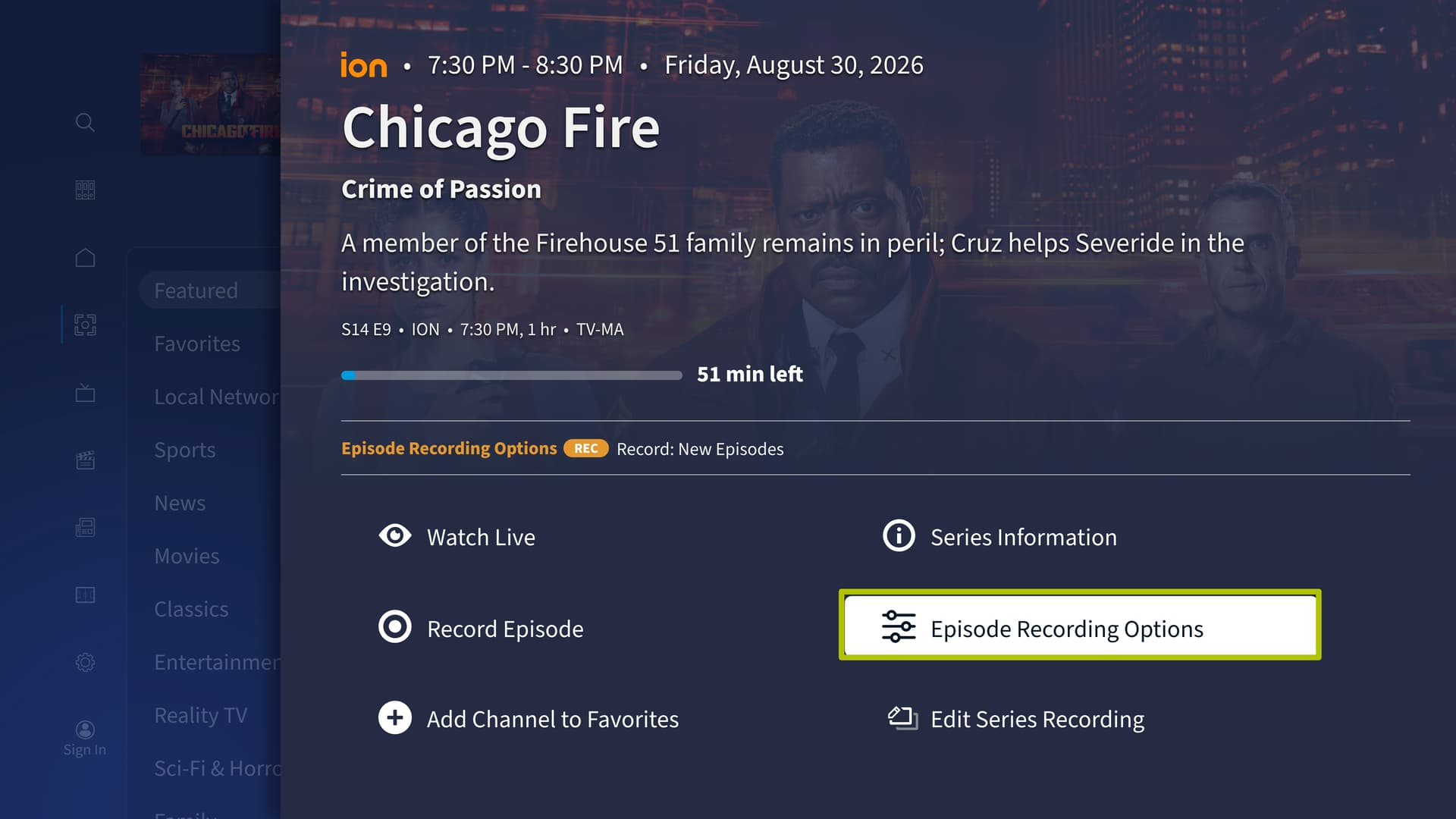
For single episode recordings, select EPISODE RECORDING OPTIONS:
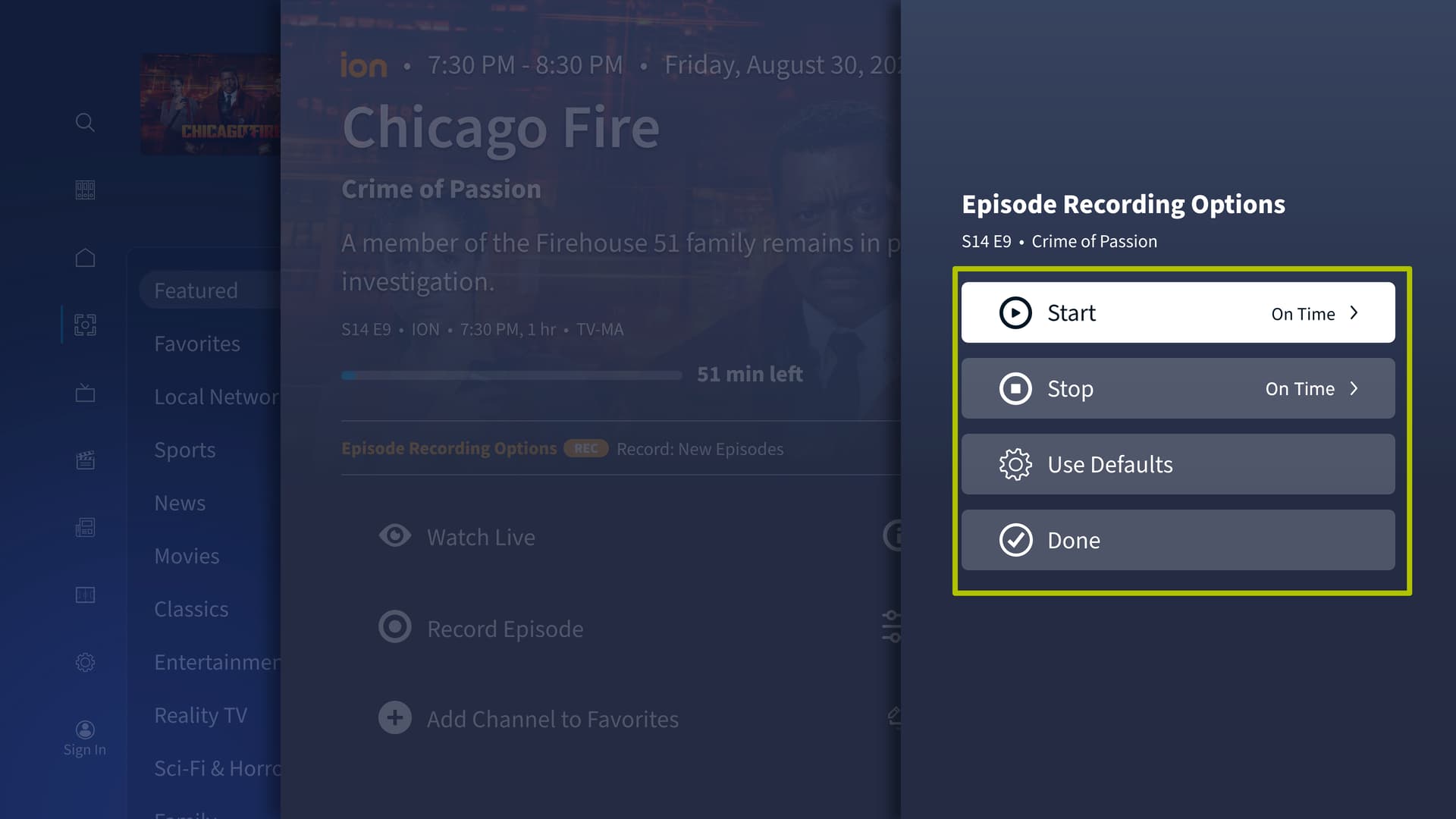
Then select STOP and choose the amount of extra time you’d like to add to your recording:
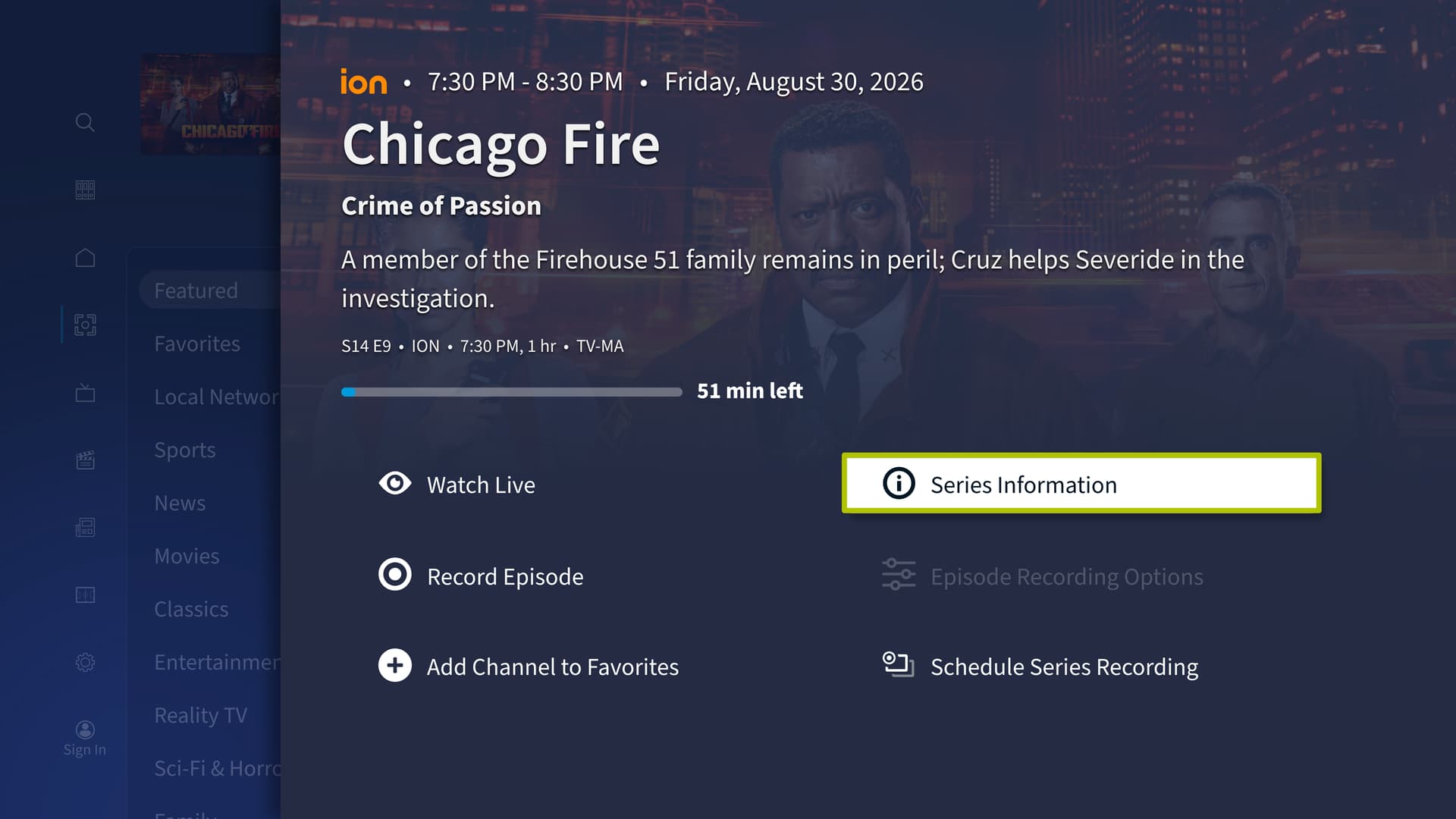
On series recordings, select SERIES INFORMATION:
Then select RECORDING OPTIONS:
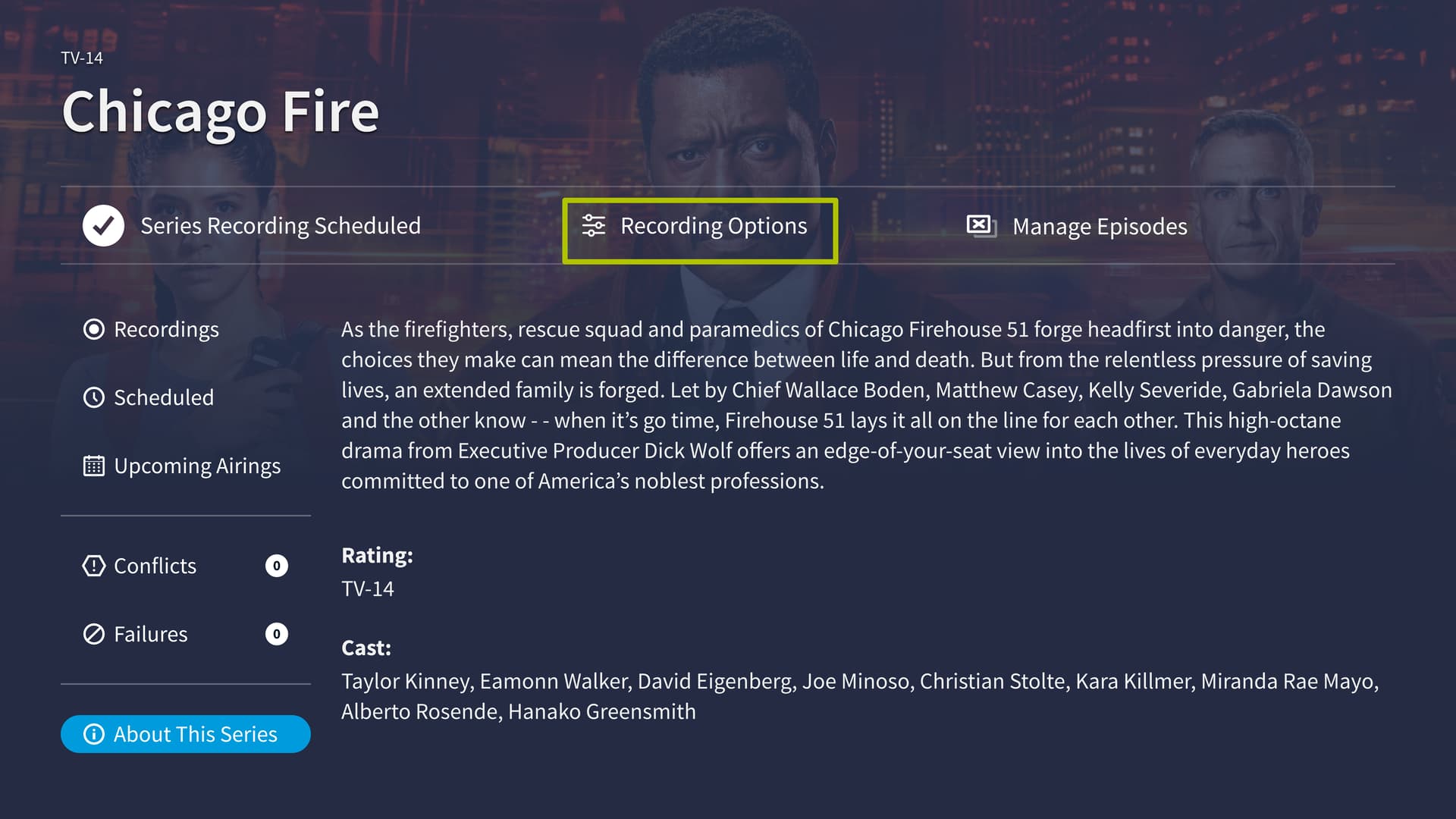
Then select STOP:
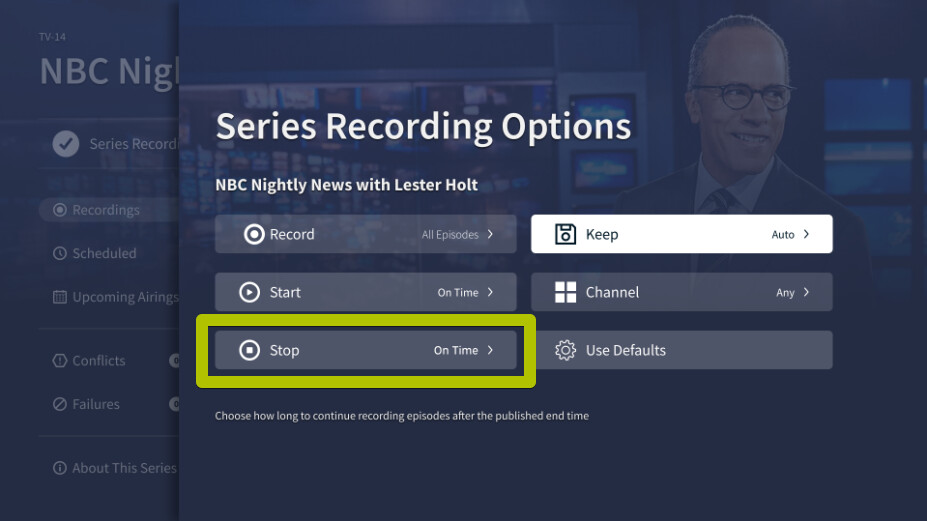
Then select the amount of extra time you’d ike to add to recordings in this series:
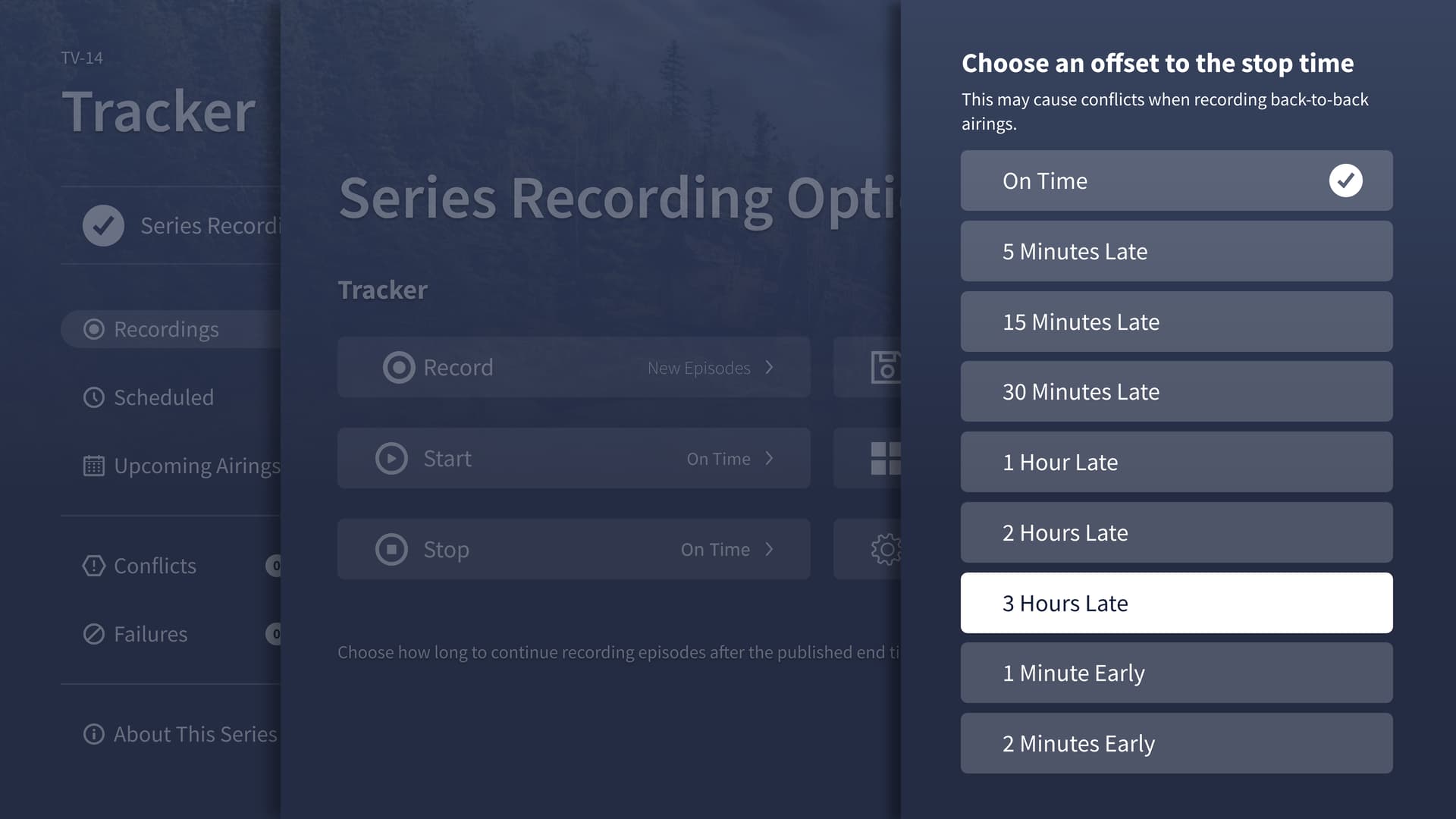
You can easily remove this setting after tonight when scheduling returns to normal.
A full tutorial is available on the Tablo Knowledge Base: https://support.tablotv.com/hc/en-us/articles/33322435438100-Advanced-Recording-Options-for-4th-Generation-Tablo-DVRs