No. I am now in contact with their support. Waiting to hear back.
Just to follow up, Tablo support replied quickly and is sending out a new unit.
4 Likes
I gave them all the information they asked me for in an email. It’s been a week now and no response.
Ever since the update, I have been getting “A Playback Error has occurred” every 10-15 minutes, sometime more frequently. It happens when playing back recorded shows, watching live tv, even watching streaming channels.
When it happens, I get “Retry or Cancel” options. It doesn’t matter if I retry or cancel, it just hangs. If I exit the app and try to restart it without waiting for about 30 seconds, the app can’t find the Tablo device. If I wait 30 seconds, the Tablo app connects and I can continue the playback at the same point with no issues until the next time it happens.
It is making the Tablo unuseable.
I think the new firmware is somehow making the playback interface crash and reboot. The Tablo itself does not crash as recording will continue without interruption.
I have tried rebooting the Tablo, ensuring I have the latest app, deleting and reinstalling the app (FireTv app) and nothing helps.
Any ideas?
Have you tried resetting the Tablo, itself, to factory specs? That can clear up some issues.
I’ve been getting that same error more since updating the 2.2.58 but nowhere near as often as you (maybe once or twice a day).
If you haven’t already, try clearing the app cache.
Beyond that, updating and/or rescanning your channels may help.
If that fails, reach out to Tablo Support.
I have done more investigation and here are some additional findings:
I tried playing back one show on my FireTv and a different one on my Phone’s Tablo app at the same time. They both stopped with a playback error at the same time, indicating the problem occurs in the Tablo device.
I left the Tablo home screen up on my FireTV with nothing selected or playing for a period of time and an error screen appeared saying it had lost connection with the Tablo service. This again shows the problem is with the Tablo device.
I wonder if there is a way to reset the Tablo device to factory settings or rollback the last firmware update?
"To perform a factory reset on your Tablo 4th Generation, hold the reset button for 7+ seconds until the blue LED blinks rapidly. Warning: This permanently wipes all of your saved recordings and recording schedules."
A factory reset won’t roll back the firmware update. While it’s possible that it may resolve the issue, @sktn77a is correct, it will wipe all of your saved recordings and schedules.
It’s up to you but we recommend contacting Tablo Support before doing it.
If there’s something gummed up in your channel listings, a channel scan and save (even if you don’t make any changes) may resolve the problem out of hand. At the very least it’s non-invasive.
They will not replace my unit cause it’s 2 years old and out of warranty even though their update caused it to fail. I’m so disappointed
1 Like
Will rolling back legacy 2.2.58 to 2.2.42 leave the new security certificate in place.
I contacted support and they sent me a new unit.
I am sorry to hear that. You might want to explore the HDHomerun. The software is not quite as good but the tuners are better, I think. Also, your show recording schedules and your recorded shows will be carried over to the new unit if you ever have to replace it. Downside is the guide subscription is 35.00 a year.
I did a factory reset as I had no other options.
I lost all my recordings, but it fixed the issue.
Of course, it was not simple. Once the reset finished, I could not scan the channels on the Tablo app on my phone - clicking the button had no effect.
I had to delete the app and redownload it. That allowed me to do the channel scan and get it working.
I’m glad the issue is resolved and I have a working Tablo again, but I’m not happy that the update caused these issues - I will avoid applying updates in the future!
1 Like
That’s interesting - I’ve never had to do that after a factory reset. Points to something, somewhere being corrupted as the original issue..
Does the 4th gen app have “TV Shows / Premiering” tab? Can’t seem to find it if it has it. Very useful for shows coming up.
Genres is also missing from TV Shows. But what is more important is that they build a more modern looking pretty app. Easy of use and functionality is less important.
1 Like
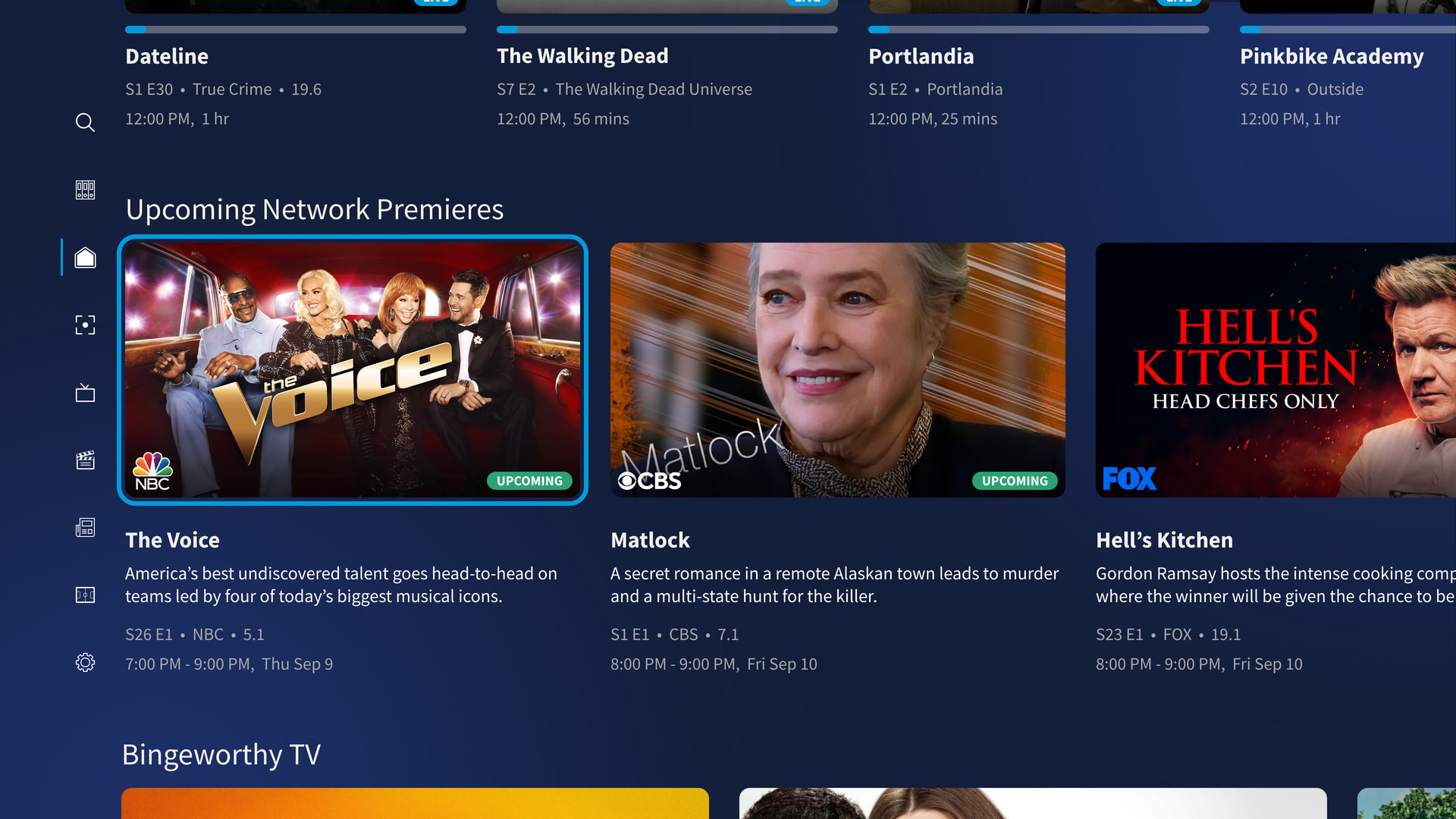
You don’t think that list from the home page is correct or matches the legacy Premiering.
Using the roku app my gen 4 list has the View S29E186 as Premiers. As well as Price is Right S54E181, Live with Kelly&Mark S4E211, etc.
What app is that? It’s not the Roku or iPad app.