Set up Abbott Elementary series recording and I see this. I tried deleting it and adding it back and it’s repeatable.
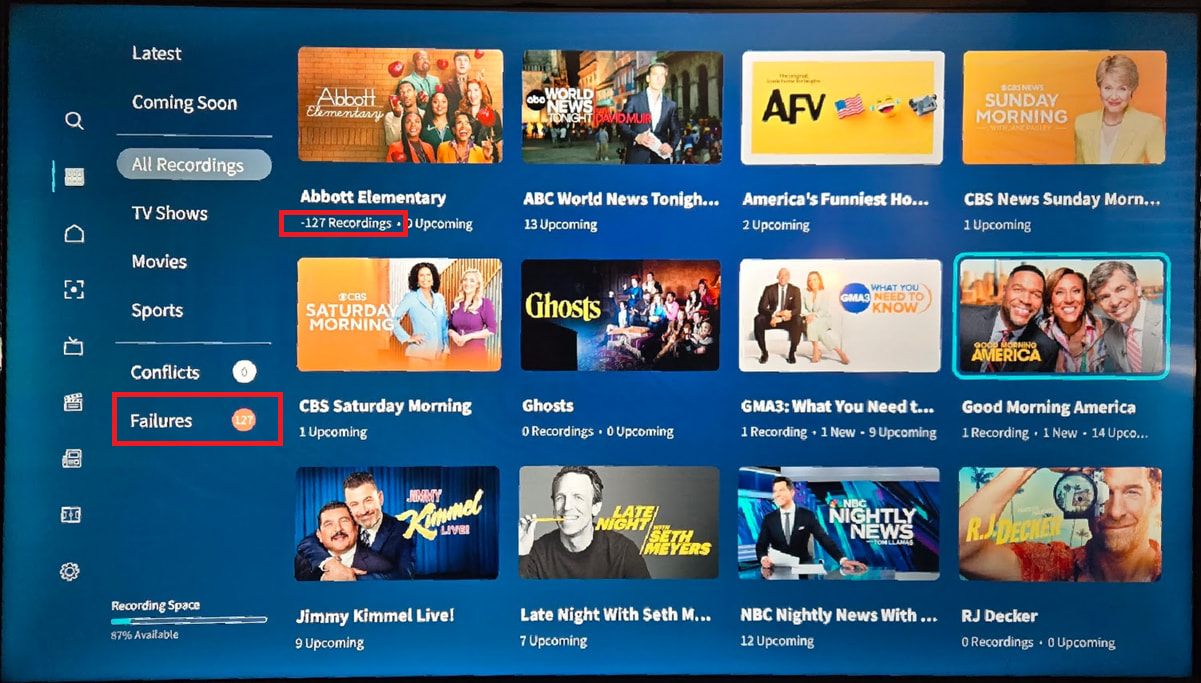
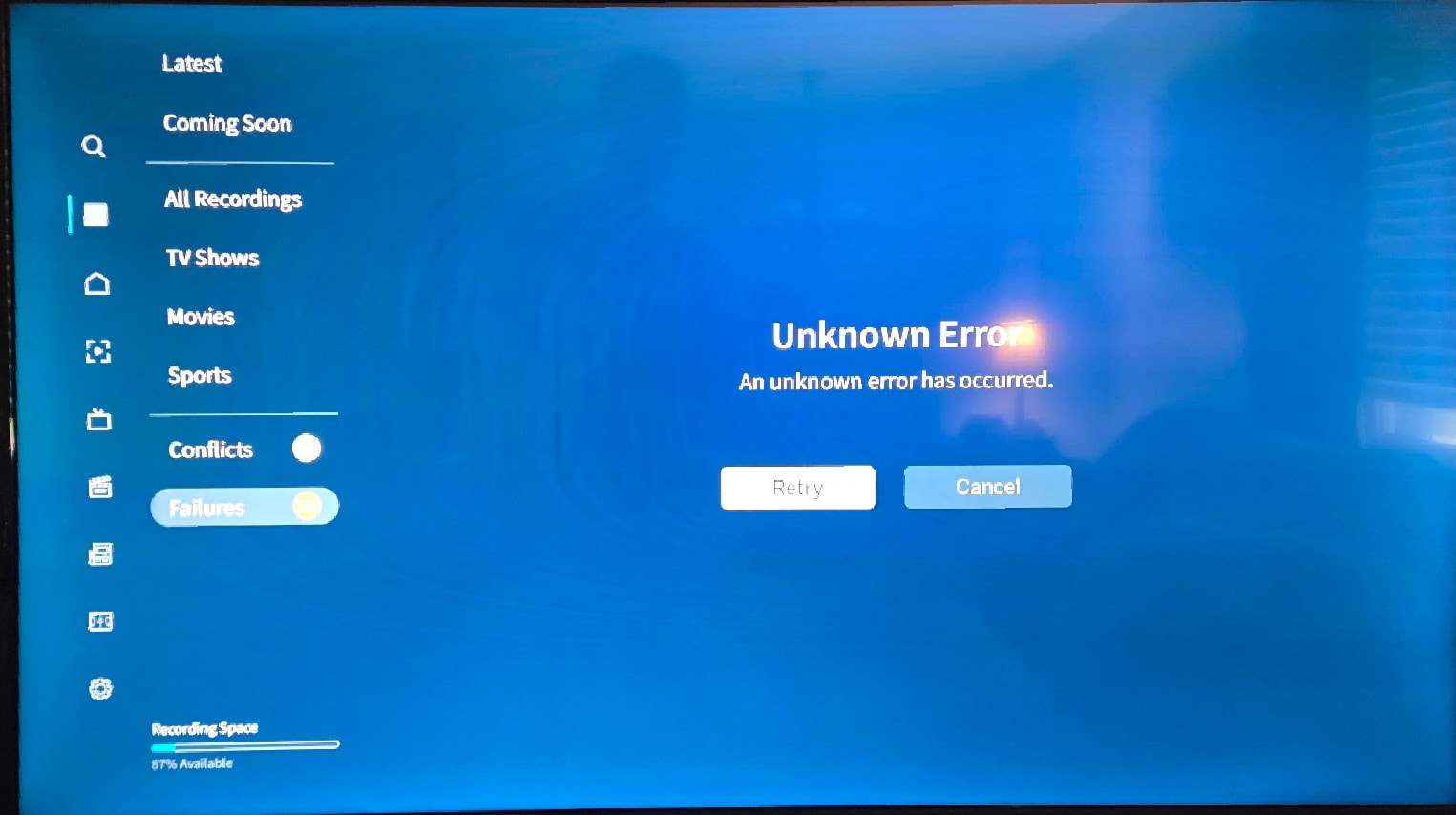
Have 2 Tablos which after having the firmware update and updating the app is showing 127 failed recording even though there are no failed recording at all.
When failed recording is selected it will show “Unknown Error” with a retry and cancel button, on retry it will just circle back.
Have no issue recording or viewing channels but just wanted to mention it in case it will be an issue when there is really a failed recording in there.
The other thing that have notice but is not exclusive to this firmware or app version is that if a recording fails, it will show it in failed recording, will not be in latest (which is good) but in the guide it still shows the yellow band as if it is being recorded and if you click will have option to stop recording.
This again is more for info as if want to start the recording again can just stop the recording and start it after if updates.
But really if a recording fails it should reset the guide and latest in library to to match that the program is not longer recording.
This is all FYI, I will not contact support as they will have you do 100 steps (a lot of repeats) and still not be able to fix the issue, unless my Tablo is complete unusable due to something only Tablo can answer.
Quick reset? NOT full factory reset. If using external storage maybe that is corrupt?
Thank you.
Found that issue and it is coming from Tablo side but it might actually be Guide data issue which may not be something Tablo can do much about.
It happens cause of a program schedule to record on Sundays which for some reason will end up showing 127 upcoming even though if you look at upcoming there usually only two maybe three actual ones.
To clear it have to remove the program then re-add it, though it happen again for the next weeks upcoming program.
As long as it doesn’t break all recording and doesn’t stop the program it has the wrong number of upcoming still records don’t have an issue with it.
Thanks again.
I guess I’m having the same issue. Interesting that we both get 127 recordings. Wonder what’s up with that.
What does this mean?
Found that issue and it is coming from Tablo side but it might actually be Guide data issue which may not be something Tablo can do much about.
It happens cause of a program schedule to record on Sundays which for some reason will end up showing 127 upcoming even though if you look at upcoming there usually only two maybe three actual ones.
Have figured out that it is a guide thing where, for some reason, it thinks that the show has -127 upcoming episodes when there might be only 1 to a few of them.
To get rid of them, you can go to upcoming in your library and stop recording off the offending program, wait a couple of second, you can see in the background on the left that the error will go to zero, then re-add your program.
That doesn’t fix it to where it won’t do it again but will make it go away for a while until it finds another program where it thinks it has upcoming in the negative.
1 Like
A side note that the 127/-127 is probably due to using a signed byte value somewhere. A byte is 0-256, but if you treat the first bit as a +/-, then you get +/- 127.