I’ve been experiencing an issue with manual recordings on my Legacy 2-Tuner Tablo (firmware 2.2.60, but pretty sure it has been happening since 2.2.58).
When another recording is ongoing, the manual recording starts correctly, I can see the tuner in use, and if I click on the channel during the recording I can even rewind back to the beginning. However, it never appears in the Recordings tab. When the recording is over, it’s completely gone, as if it never happened. No failed recording entry either.
Guide-based recordings work perfectly every time. I can record 2 guide-based fine, only manual recordings are affected.
I’m using the webapp and the iPhone app, for both of them the manual recordings do not appear in the Recordings or Failed tabs, and it happens if I schedule a manual recording on any of them.
Are you using a 4th Gen app? If so, if you go to Library on your 4th Gen app, and select the Latest category, do you see your manual recordings?
It sounds like they are missing form you web app, which would be legacy. Do any older manual recordings appear there, ones you recorded before the firmware update?
Do you have any legacy TV or streamer apps? Do you get the same problem there?
I do not use the 4th gen app. I don’t have old manual recordings from before the update and they are also missing from the iPhone and Roku apps.
Yesterday I tried to delete all the manual scheduled recordings and create new ones. So far everything works well, maybe the update from 2.2.58 to 2.2.60 broke something for the manual recordings that were scheduled in the 2.2.58 version? I will report back if I have more missing recordings in the next few days.
After a few days the scheduled recordings failed again.
I’ve installed the 4th Gen app and the recordings do not appear in the Latest category.
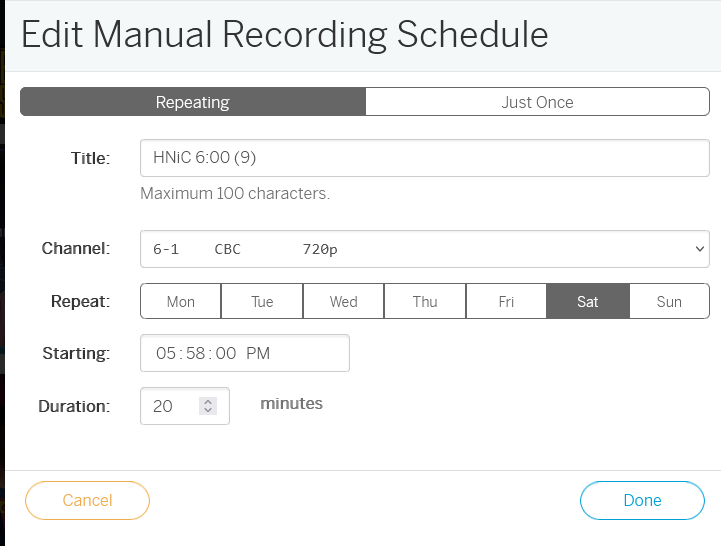
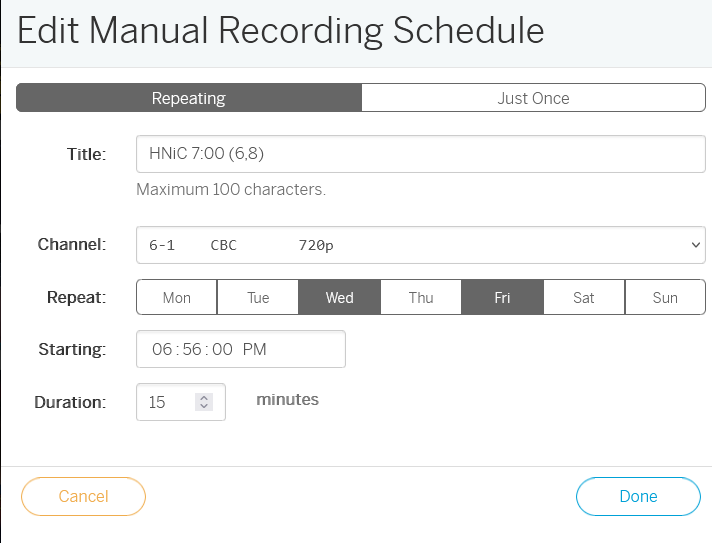
The way I set up the manual recordings is that I choose a channel and time, and I manually change the days of the week I want to record because they always change. For example, I might initially set it up for Monday and Wednesday from 6:50 PM to 7:20 PM, but then on Thursday I go back and change it to record only on Saturday and Tuesday. Sometimes I change the time too.
Even if I can see it changed in the user interface, could it be that only the initial setup is saved, and subsequent changes are not registered?
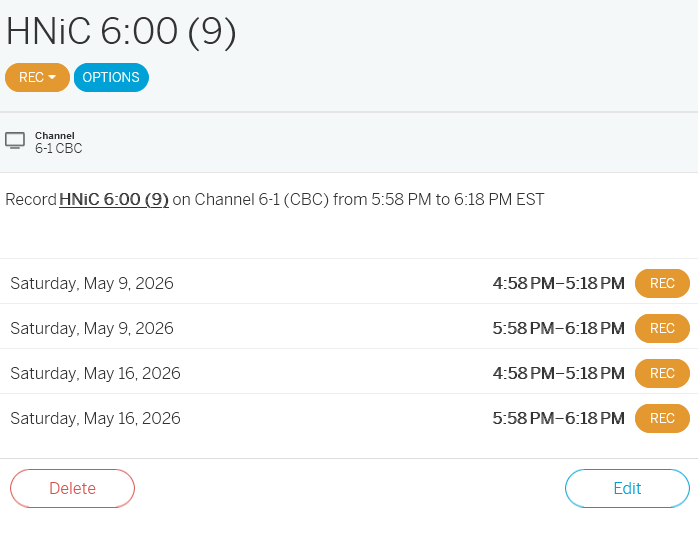
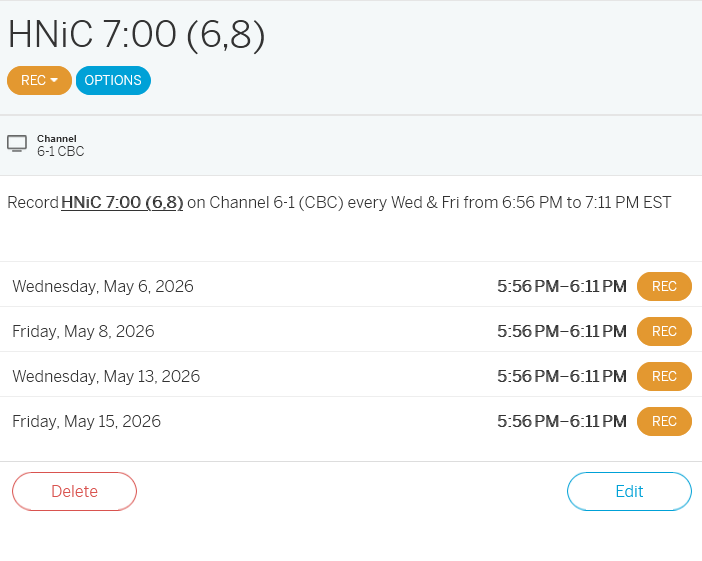
Just noticed some odd behavior: there are recordings scheduled that have a time that is 1 hour behind. I always set up my recordings using the web app on my PC. I will try editing them using only the iPhone app from now on to see if the issue comes back.
Update: it doesn’t seem to do anything using the iPhone app, now when I set up a new recording it always shows up 1 hours behind, the recording starts 1 hour early AND starts again 1 hour later at the right time, it does record because when I click on Live TV I can go back to when it started, but it never appears in the Recordings tab.