I have a Roku Streambar (9102R) setup. If the reception has disruption, it becomes very difficult to watch with the pauses and audio glitches. Frequently the app will the crash with a full Roku reboot.
Now if the show records on a station that has no issues it plays perfectly and the app works fine.
Now I know it is not the Tablo TV 4th gen itself, as I can use my iPhone iOS app and AirPlay it to my streambar. The shows that had problems play fine in terms of the audio and the pixelization doesn’t cause the show to pause, or the app to crash.
So I have a workaround where we watch the problem shows via AirPlay from my iPhone, while we wait for the Roku app to hopefully improve. Guide is also much faster on the iPhone along with actually starting the show.
Might have to try an Apple TV at some point. The 9102R streambar has been discontinued and it’s only the wireless speakers and subwoofer that has me keeping it so far. If I only had a way for the Roku satellite speakers and subwoofer to work with the Apple TV.
Roku Streambar to your TV’s HDMI ARC port and the Apple TV box to another HDMI port. Ensure HDMI-CEC is enabled in your TV settings to allow audio routing from the Apple TV to the Streambar. The Streambar acts as a soundbar while the Apple TV box acts as the input source
Streambar connected to network via wifi always selects 2.4 ghz router channel. Two faster choices:
I bought a wifi extender for that room.
With the roku recommended USB adapter I can connect the streambar to the extender with an ethernet cable. Much faster connection. Extender connects to wifi at 5 ghz.
The network extender connects to the router at 5 ghz. Streambar runs faster if it connects to extender at 2.4 ghz, and extend connects to router at 5 ghz.
Streambar runs faster with either of these setups than connecting it to router via wifi.
Is Tablo on the same network? WiFi or ethernet? Good solid antenna connection? And ys ethernet connection to your extender is same as connecting directly to your router with ethernet cable, so solid connection and not subject to wifi interference. But is your extender counted directly to your router with ethernet cable also? If your router is connected via wifi to your router and your Roku is connected to the extender with ethernet, then you will still have some issues.
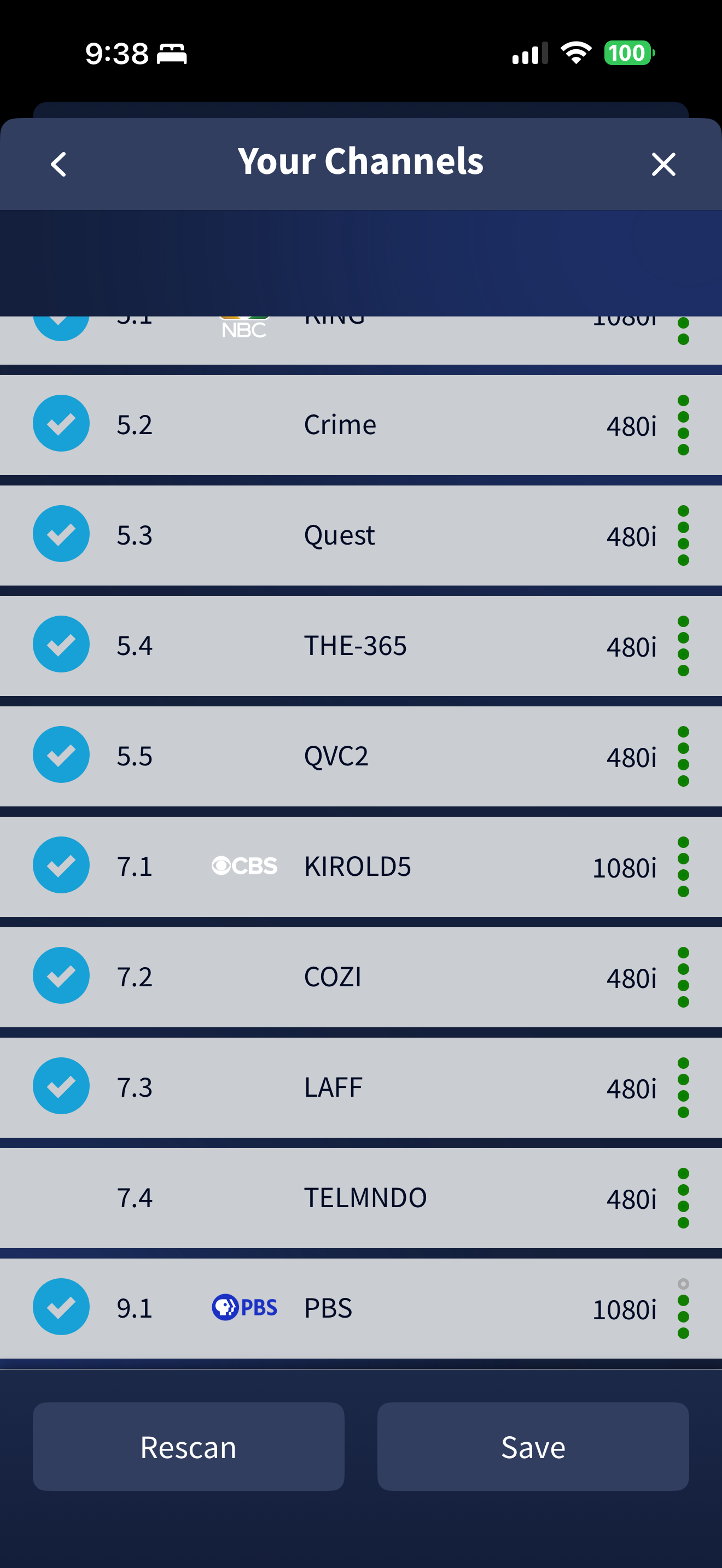
it’s a very good one on a pole above the elevation of my roof. The only station I have trouble with is CBS 7.1. Ironically the signal is strong but has freezing and pixelation. Supposedly less than 11 miles away.
Crashes the Roku but plays without crashing on my iPhone. Have cell phone 5G filter.
Other stations at the same distance are fine. Just unfortunate that the shows we wish to watch are on CBS.
What is the actual frequency your CBS 7.1 station is broadcasting on? If it’s still broadcasting on a VHF frequency, your antenna may be designed to only receive UHF frequencies. Even if your antenna does cover at least a part of the VHF spectrum it may not cover the lower numbered frequencies.
Have you tried turning the Tablo amplifier on or off depnding on your current setting to see if that makes any difference? Even though it shows 4 green dots, your signal could be on the border line of being too weak or could be to strong and it is overwhelming the tuner.
Go to Tablo Settings>Troublshooting>Audio Compatibility and if it is ON try OFF or if it is OFF try ON. This is a known issue with Roku. Has to do with the format of the OTA signal.
This means that viewers in Seattle need a UHF-compatible antenna to receive CBS 7.1 clearly.
As for the audio compatibility setting on or off, makes no difference. When watching a CBS recording on the Roku Tablo app, when the audio/video fails in the recording, the Roku crashes and reboots.
Rabbitears shows three transmitters for KIRO. Stupid Tablo is probably picking up two or three of them and selecting the weakest one. Tablo does not show which RF channel it picked. And it does not let users manually add RF channels. You could try using coax splitters or attenuators to weaken the signal and rescanning. But that risks losing other channels.
It is a shame that a product that depends so much on OTA signals has so little support for its tuners.
Tablo’s apps for Apple devices convert MPEG-2 broadcast streams to MPEG-4. That probably cleans up the signal enough so that it doesn’t crash your streambar when you airplay to it.
The irony of considering “fast” ethernet (100Mbps) to be better, but after checking I see the WiFi performance is 48Mbps. Surprising it handles all the subscription services, that I’m trying to cut the cord to, so well. Cheap enough to give it a try before I ditch it all together (well, only use it as an audio system on the HDMI ARC port and an Apple TV on another HDMI port, if I go that route it needs to be spouse friendly though).
Yeah, it’s disappointing that the Tablo TV doesn’t give more control over OTA reception. Why not provide and “advanced” menu for the scan feature? Most customers can stay in the quick select scan and those of us with the need to select different stations for the same “channel” in the advanced menu (like the presence of three 7.1 KIRO stations/towers in my area).
I’ll post my issues in that thread as well. Perhaps a residual bug for the dev team to try and eliminate.
I have to do a hard reset of my Roku every couple of days to help keep the Tablo app working well. I actually posted that in that thread a while ago about the method for the hard reset (clears the cache instead of the menu “system restart”).
With the Tablo this is a Client to Client Internal connection… So unless you’re watching FAST channels, its not going out the WAN for like regular streaming like Netflix.
I recommend checking your wireless signal in your home. Download the Free Version of InSSIDer, on your laptop. Walk around and see how your wireless splashing across your home on both bands. Anything above -73 (on both bands) is the start of low signal.
Confirming you have good wireless signal is the 1st step into right direction.