Thanks. Yes, I did kind of spit that out somewhat haphazardly.
Seriously I wanted to take screenshots and make it real nice. After I figured out how to “fix” it, time got away from me.
So I kind of did what I could – I appreciate it helped someone.
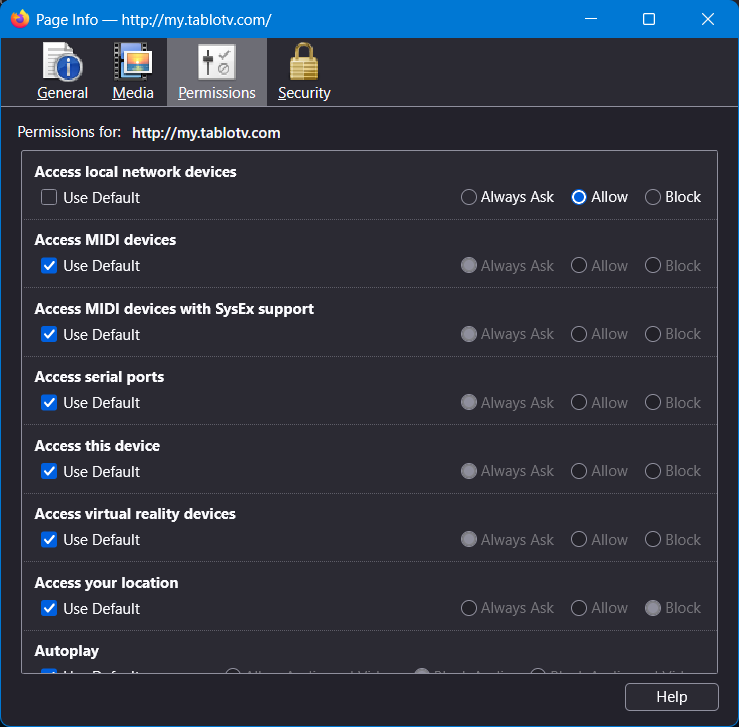
I tried this approach but nothing happens when I use CTRL+F5. I"m not clear about the changes to permissions. I unselected “default”, but do I need to select one of the other options, specifically “Allow”? Using now Firefox 153.0.4 64 bit, Linux Mint.
When I look at mine, I have Allow selected and nothing else…
Make sure you load the site first… http://my.tablotv.com/ ,then press CTRL+I
Once the change is made, you can close the Page Info window and press CTRL+F5