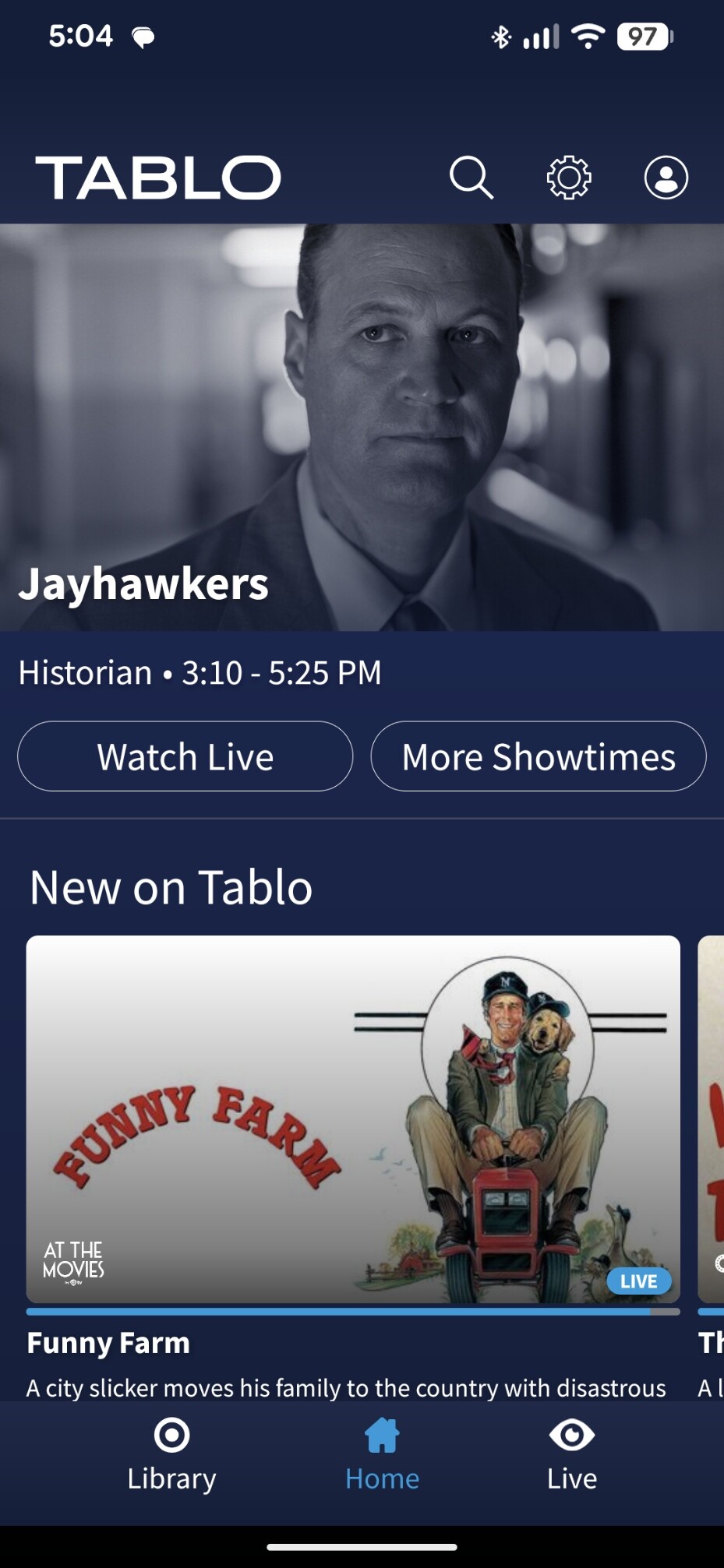
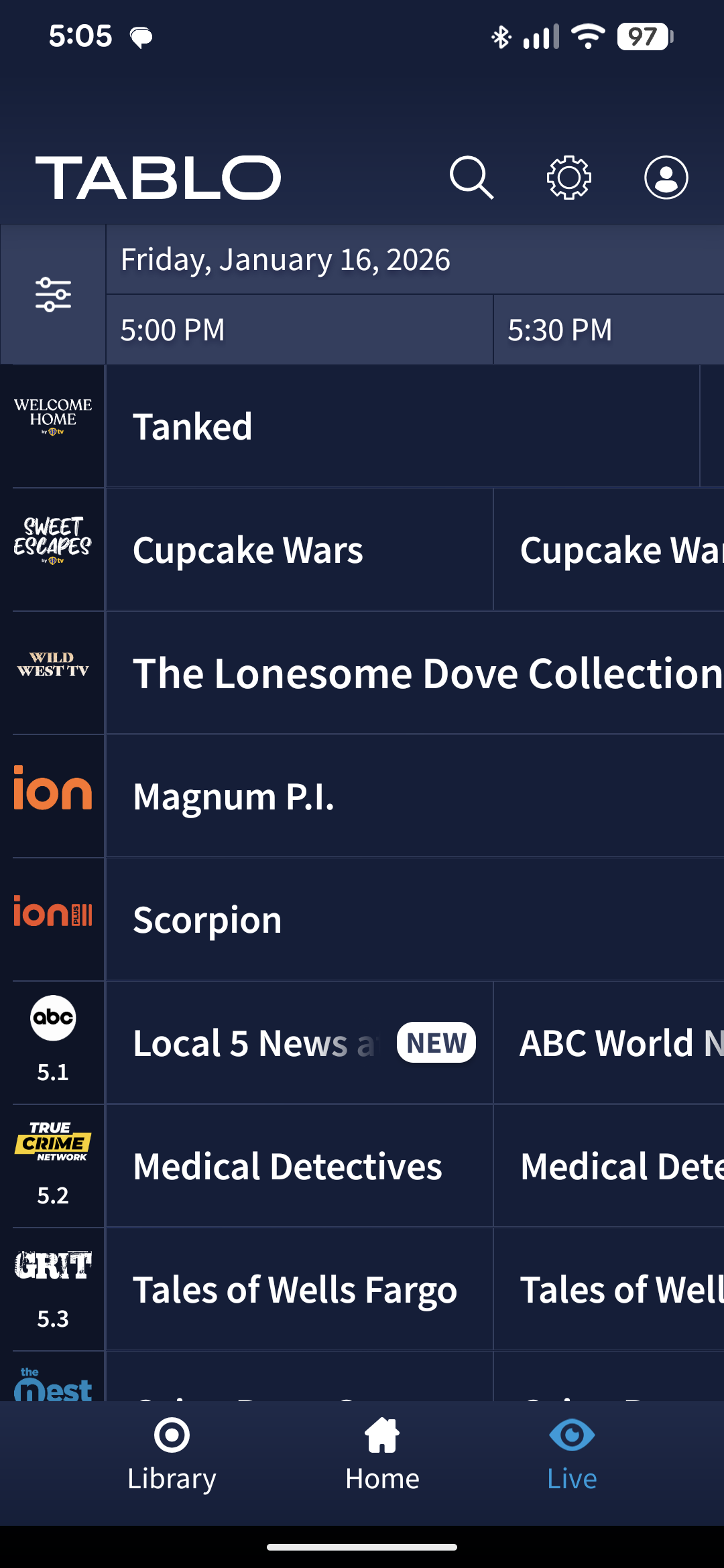
It says
From the Tablo app, navigate to any one of the following pages: LIVE , SHOW , MOVIES or SPORTS .
Uh, on this teeny tiny screen I have no such options and when I choose “live” it goes to the grid where I can see only 30 minutes at a time I have no option to choose a list of TV shows choose a show, and then choose exactly what episodes to record.
For example, on ION 36.1 on Tuesdays they play Chicago Fire reruns.
Say I want to record the episodes from 11:00am tuesday to 5:00 PM tuesday. On the legacy, I can choose those individual episodes, even see what they are about and choose which to record or not record. I go to the menu, choose TV shows, scroll to the TV show I want and pick which episodes I want.
This gen 4 phone app is really lame.
I’d love to get rid of the home screen - I don’t give a rip about trending or picked for you.
And there’s no way to choose a station to record in the future, or TV shows from a list to record. How the heck does anyone record shows that will air next week, and pick and choose which episodes? I have none of the options the how-to page shows.
I don’t care about anything at all on this screen - am looking for the ability to do what this says - but it ain’t on this page -
From the Tablo app, navigate to any one of the following pages: LIVE , SHOW , MOVIES or SPORTS .
Did you see I’m trying to use the app to figure out how to RECORD? And no, no roku.
It’s an LG tv, 2025, and I was told I could use the app on my phone to schedule recordings- nothing to do with playback.
I’ve had a gen 4 since October of 2023. The phone and tablet apps were screwed up then. Has it gotten any better - nope. I only try the android tablet app when it released to see if anything is better. The question I ask myself is how did it make past the first design review.
Yes you can use the phone app to do anything you want, but you have the limitation of seeing things on a tiny screen. In the guide you can swipe right or left across the grid to find programming. Again limited to the screen size so that’s a lot of scrolling to get to next weeks programming. You can also try the search on the top to find a specific program. This will get you to that programs page and you can set recording options from that.
IMO using the phone is only a last resort to be used when your TV blows up and you don’t have time to get a new one. And want to make sure you can record reruns of Matlock so you don’t miss any airings.
Is the LG TV a smart TV that you can load the Tablo app? if not then Roku, Fire stick or other streaming device is a better choice.
As far as giving a rip about the Home Screen, Tablo is just trying to be like the other streaming platforms like Netflix , Hulu, and the list goes on. So Deal with it or dump it if you don’t like it. Netflix just made a huge change in their home screen, I hate it but they are not going to change it for me.
It’s hard to search so something that’s new that you don’t know exists.
And if you only record from the 4 major networks + PBS why wouldn’t a user just go to the Shows “guide” and review the actual station(s). Why should a user have to swipe right and up and down when the desired information is actually available in a “guide” view.
And yes I have slingtv and they also have a useless Home" menu where the actual guide is at the bottom.
I did a search and it only showed one episode, none of the ION broadcasts.
The idea is to be able to watch TV or tonight, let my wife watch TV while I program in the shows we record. I can only find a way to record what’s displayed in the live TV screen - not in bulk like the legacy app allows. There I can find a show in the show listings click on it and choose which channels and episodes to record.
Don’t have netflix or hulu - everything we need is broadcast TV, the LG channels, Xumo and so on - no monthly subscriptions for anything other than internet.
I could tell my wife she will have to not watch TV while I try to figure out how to record things, but that won’t go over well, and I was told by several that “just use the app on your phone, you can do it all from there” - uh, yeah, ok, sure you can. This version is a big step backwards, IMO.
The problem is - their instructions do not match the app. (and poorly written)
I know Chicago Fire exists and is played on ION every Tuesday, but can’t find a way to record it or view the episode list from Tuesday and choose which to record.
I have yet to find a way to list the episodes and choose which to record. Apparently this version has done away with an episode and TV shows listing and you have to scroll through the whole live TV grid to find things. And no, if you don’t know a show exists it’s even worse.
I don’t own a tablet - have not found a need. Everything is done from a laptop - that is until Tablo abandoned their first customers. So now I’m trying to find a way to use Tablo from a phone since there’s no PC support any more.
Click on the magnifying glass icon, search for Chicago Fire and click on its picture. You could click on Record Episodes in this Series. Or you could click on Series Information and go down the list of episodes one at a time clicking on each one and then clicking Record Episode.
The Shows/Movies/Sports screens are what Tablo calls “streaming-style TV guide screens”. They have been in the “coming soon” section of the Android app page since the gen 4 was launched. Tablo on Android OS - Tablo TV
LOVE IT! Yeah, you understand - that’s how you have stayed married that long
I figured it out - no thanks to their lame, and somewhat incorrect instructions.
First, you MUST know the name of the show, the channel it will be on and the day.
Then you use the live mode, jump to that date, choose one of the episodes and then scroll down a bit and choose the “episode info” icon - bingo, the list of episodes!
LOL - that explains why the directions don’t work. Search was my first idea and first thing I tried. In my case, I tried Chicago Fire - it came up with results for tonight.
While typing a response here - I tried your method - it came up with ONE episode, that was it - and that’s what got me hung up.
So I tried YOUR method - scrolled down to the i icon for series information. I guess I didn’t know what that meant - now I know. It also pops up a list.
Thank you - you resolved a frustration tonight.
I consider it solved. Not real intuitive, but - you helped find it so IMO, it answered my question and frustration.
I will be talking to my doctor about the DBS side effects- it’s making me VERY fatigued and causing real ups and downs in a day- but the tremor is better - so sorry if it was a bit “brash” or whatever the term is.
You were just a big help.
Sorry, but that’s the article I went to at the beginning - and those tabs or choices just do not even exist.
To see Advanced Recording Features , select a series from the Shows , Movies or Sports tabs.
That’s a quote from the article I referred to at the beginning. It’s really really difficult to record shows that are out there a week without knowing an exact name - the legacy app showed you all of the upcoming TV shows, even by the station if you knew what channel they would be on - not gen 4.
There is no shows tab, movies tab or sports tab.