Bruh Man… I’ve never said Tablo wasnt without fault. If you read my 1st post… ever. @269587 can vouch for this because he posted in it… I spent a 2-3 weeks struggling with my Tablo, Roku’s, and my network.
I was on the verge is taking this ho back, plus I had my wife breathing down my neck because she had missed almost 2 weeks of her shows.
Guess what… I got it to work finally. It has been fairly solid since then. I’m on the other side of the fence where I got it work and it does work. Fun times, right?
The biggest difference between me and others is that I dug deep into my network, wireless, and Tablo device. I didn’t sit around and cry about someone “forced” me into anything. Show us on the doll where Tablo hurt you bruh man?!
It was going to work or I was going to return it. bottom line. And. I got it work.
Yes you got it to work and you can be proud of that.
However the server outages and the guide not working happens no matter if you have the max 4k or not.
By the way Bruh I just bought the FireTV stick 4k max 2nd edition so I can now document all the problems with that and verify that it works without issues or not. I’m betting there are issues.
Here is a Tablo issue I did not mention and others may have mentioned it. If I go to the guide and setup up a series recording on PBS 13.1 in my area and that is the only station I want to record the series on but I also recieve 2 other PBS stations that also contain that show guess what happens. Tablo on its own decides that wherever it sees that show it will record it. Even though in the guide I pinpointed the station.
“Pinpointed” makes it sound like you just went into the guide, clicked “record series” without making any other modifications to the series.
Because the words you used don’t tell us what exactly you did, I’m guessing you never changed the series to record on one channel only. This can be very easily done and I have to do this with ION.
Would like to see upcoming Movies on the Gen 4 Android app similar to the one on the Legacy app. I much prefer to schedule from my Android phone instead of the TV.
Channel Guide on tablet (I use samsung S8) MUST rotate to landscape. Just bought and started using 4th Gen. First thing I found within 5 minutes and its REALLY annoys me. Dumbfounded that it just isn’t designed this way. This is close to a deal breaker and its gotta be the simplest fix for Tablo to “debug.”
I’ve enjoyed Tablo for several years now. One feature of the overall design that perplexes me is the mandatory need for internet connectivity in order to view my OTA recordings or view OTA live. I’m not talking about the local home network being down (e.g. router, Wi-Fi) but outside the home issues.
Design suggestion…
Create something like an “OTA Local mode” that can be switched on, when the internet is not available, that would allow the user to view their recordings (at a minimum) and possibly live TV (I’m not sure how programmatically intertwined your live TV functionality is with the TV guide).
In my opinion
The current design that cuts a user off from their recordings during an internet disruption ( not local network failure) makes the Tablo product overly dependent on external factors.
As I understand it, The original focus of Tablo was upon OTA functionality. The integration of internet features is overshadowing that original vision (for may reasons I’m sure).
My request will allow some of that original focus on “OTA only” to be maintained.
Our product team is currently in the process of making changes to enable the 4th Generation Tablo to access over-the-air TV in the event of internet outages or server issues.
We don’t have an ETA yet but it is something our developers are working on.
Accessing OTA tv if there is an internet outage is the absolute rock bottom bare minimum.
There is no reason (outside of creepy corporate surveillance) to prevent me from watching content that is locally recorded and sitting on my own hard-drive. Any reasonably competent device should not require an internet connection to replay locally recorded content.
I haven’t anywhere in the settings that lets me edit the name or email on my account.
Once I setup the app on a phone, I cannot simply log in to my existing account when I change to a new phone. I do not want to repeat the setup every time I get a new phone or have to resort to a factory reset.
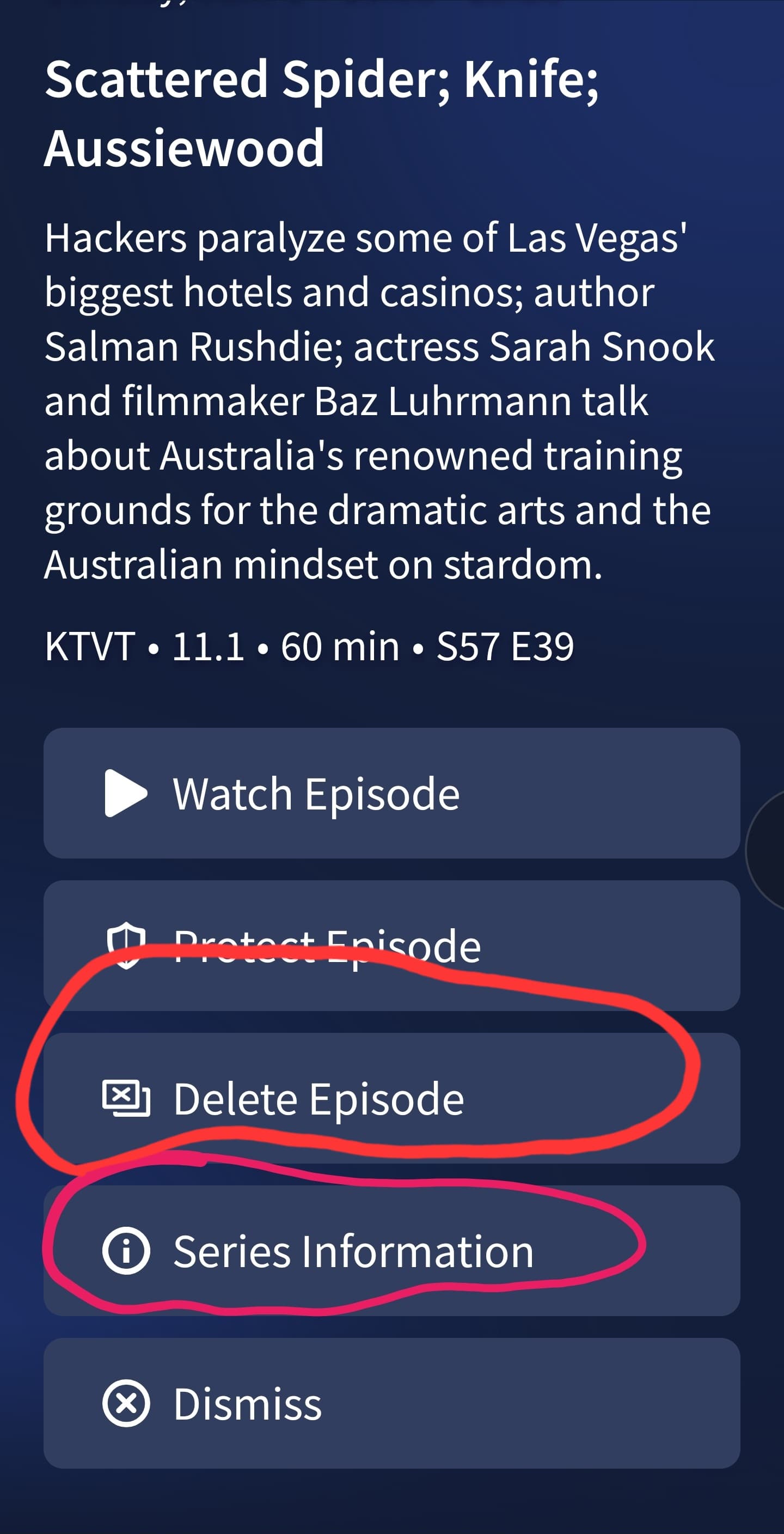
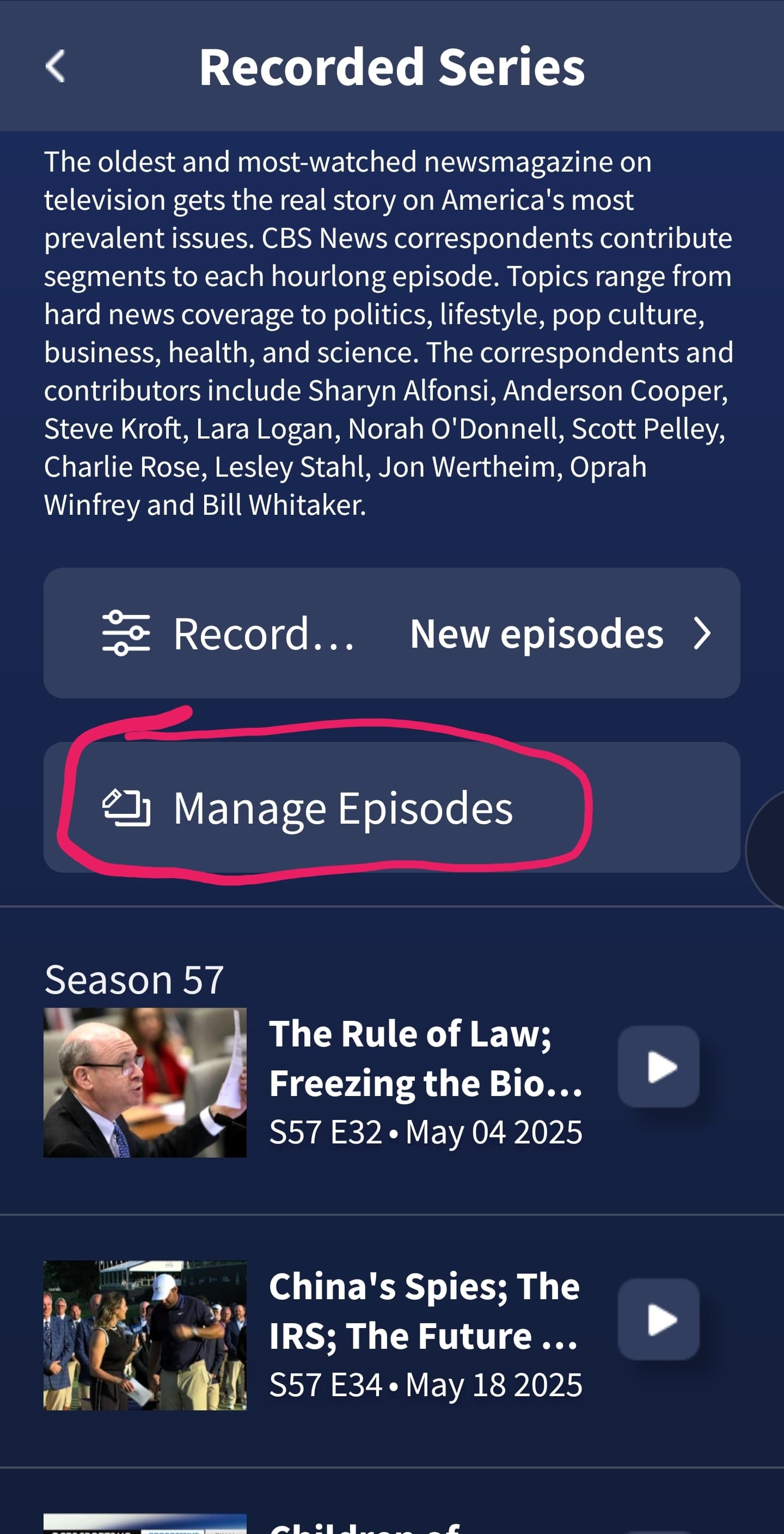
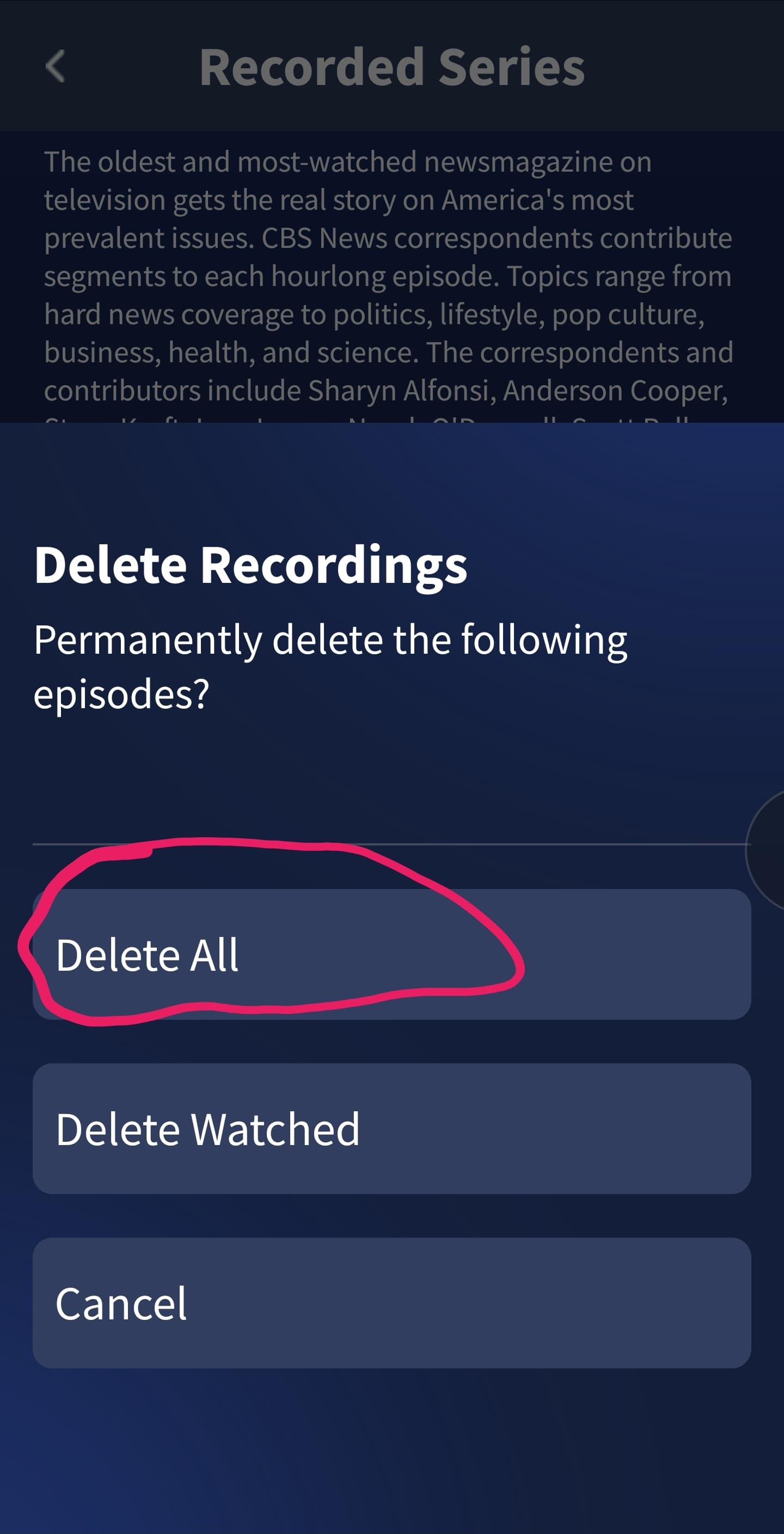
Add a setting to only keep X number of recordings to preserve disk space. Manually deleting recordings is not ideal. Need to at least be able to select each episode or all episodes delete per show.
Add option to restart a show while it is playing
Add continuous play while scrolling through the guide (small window with the current channel still playing).
I have a few suggestions I would like to post. I realise the first suggestion is already in development, but would really like to see it prioritised.
Allow offline use
Scheduled restarts
Aluminium Case
The first item is the one that is most important to me. This would allow usage during server outages or Internet outages. I realise FAST channels and guide updates would be unavailable, but live TV and recordings only need the local network, so these should continue to work.
My Tablo works quite well most of the time, but every few weeks I have to restart it due to it behaving oddly. It would be nice to be able to have an option in settings for a periodic scheduled restart that would be smart enough to perform the restart during a time when it is not recording, being used or about to start a recording.
I have seen many discussions about the unit running too hot and the work-arounds people use with fans and laptop coolers. Many devices (like routers, switches, mini-computers) use aluminium cases to solve this issue. It would be nice if Tablo offered this as an option when ordering. It would be even nicer if it could be offered as an after-marker upgrade to upgrade existing plastic case Tablos.
Implement a notification procedure to advise users of any service-impacting issues.
Retain access to recorded content when the device needs to be reset
Provide restart and reset options, selectable from the application; pressing the restart button or plugging/unplugging the device can easily lead to corruption of the Tablo database requiring a factory reset.
And of course provide core functionality for the Tablo user when servers are down
Instead of worrying about new features, make the current ones more reliable. Right now the guide has problems and Tablo says they will have the problem fixed “very soon”. Let’s see how long very soon is.