Anyone not see the timeline across the top of the Live TV grid? I updated guide several times, restarted both Roku and Tablo. Programming shows up and I am able to see details of programs but have no time window across the top of the guide.Does not show up on both 4th Gen and legacy Duo-Lite using 4th Gen firmware 2.2.57. Timeline does show up on guide using Tablo on Android phone. Sorry I could not get a picture.
I’m on standard fw v2.2.56.
Also, the servers seemed to be having issues b/c I couldn’t load my phone app. Looks okay now though. FireTV also looks good.
Thanks for the response. Everything on my Tablo status looks good. I only have Roku and phone app to check and it works on phone.
Our Roku has v15.1.4 and it shows a slightly different timeline layout. If you equate the lines of text to server height, the FireTV is 2U and the Roku is 1U, as is the Guide Options. Looks odd on the Roku.
Try restarting your TV to see if it’s a sync issue.
FireTV
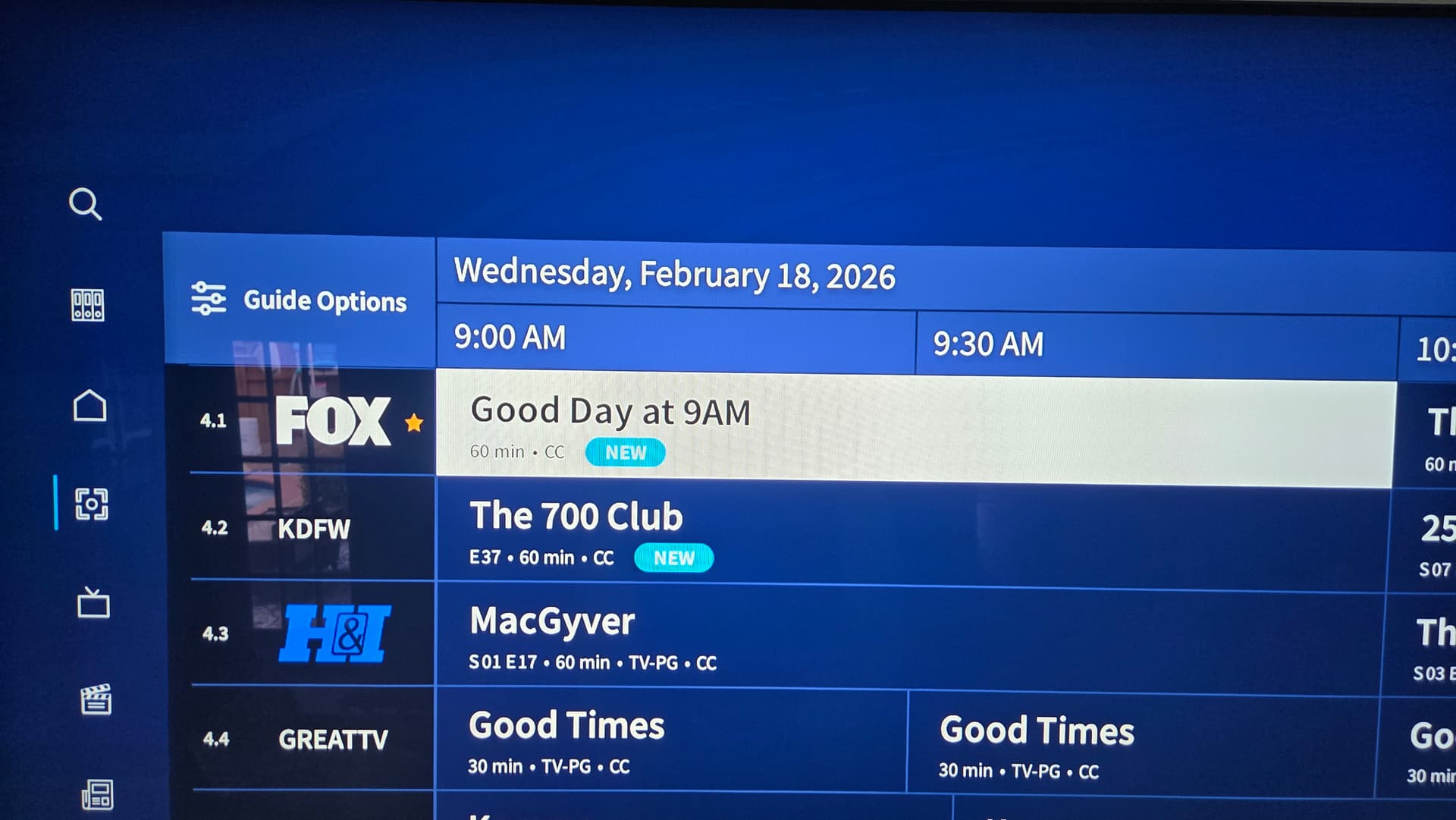
Roku
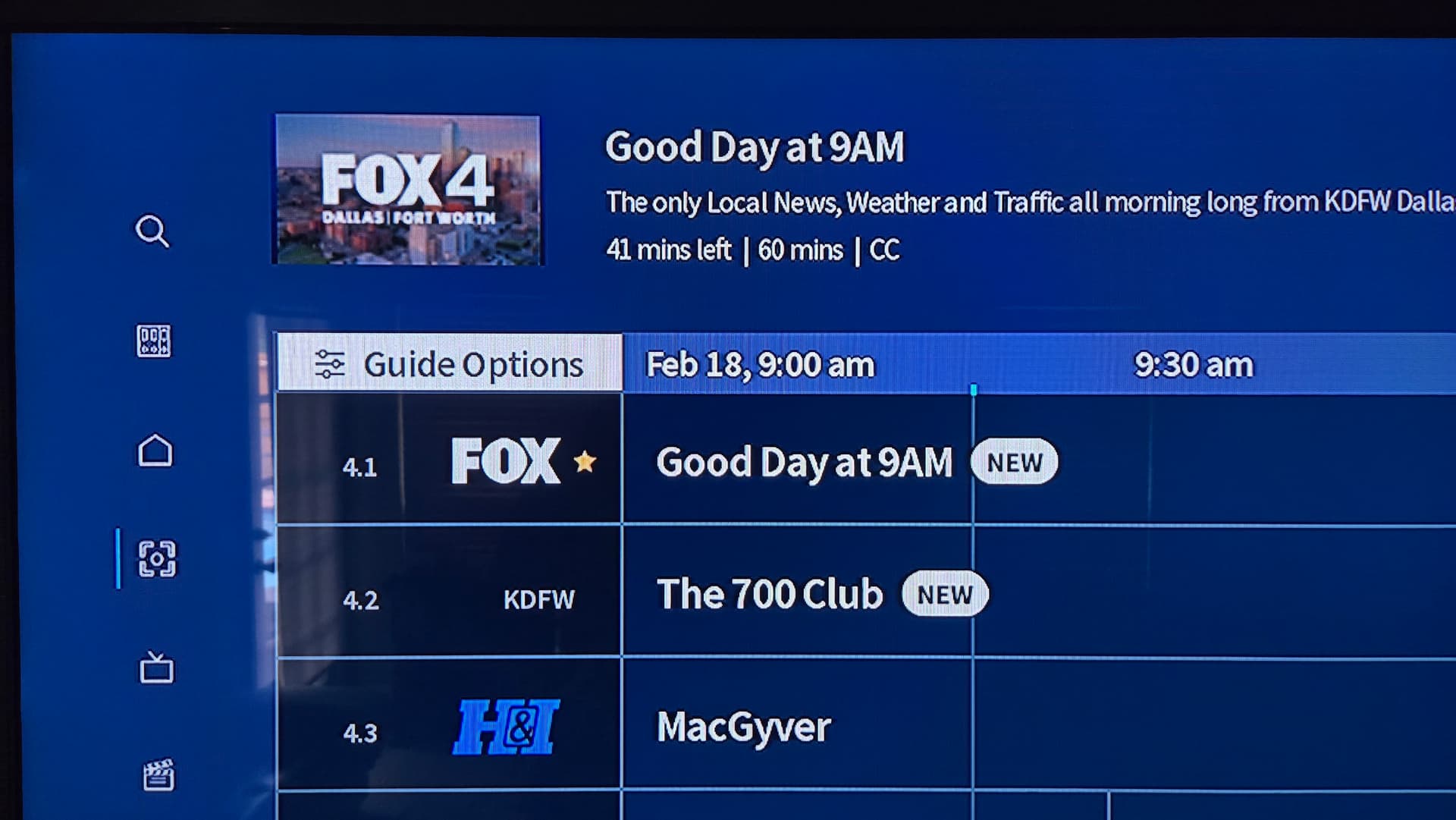
On my Roku I see only a big blank where you show Todays Date and Times
| Column 1 | Column 2 | Column 3 | Column 4 |
|---|---|---|---|
| Guide Options | |||
| Channel Data | Show Listing | Show Listing | |
| Channel Data | Show Listing | Show listing |
Channels and Guide Data is correct, I just cannot see what time the start.
Hi @Chazbury ,
Would you share with us the make and model of Roku you’re using?
Also, if you would, switch from the Category View to the Channel View, and let us know if your time bar shows up.
If you can share a pic with us, that would also be very helpful.
Roku Streaming Stick+ 3810 ver 15.x has worked flawlessly for the most part until yesterday. Tablo app is current. Did due diligence in restarting, clearing cache, etc…on Roku and Tablo’s.
Same fault on both 4th Gen and Legacy and two same model Roku.
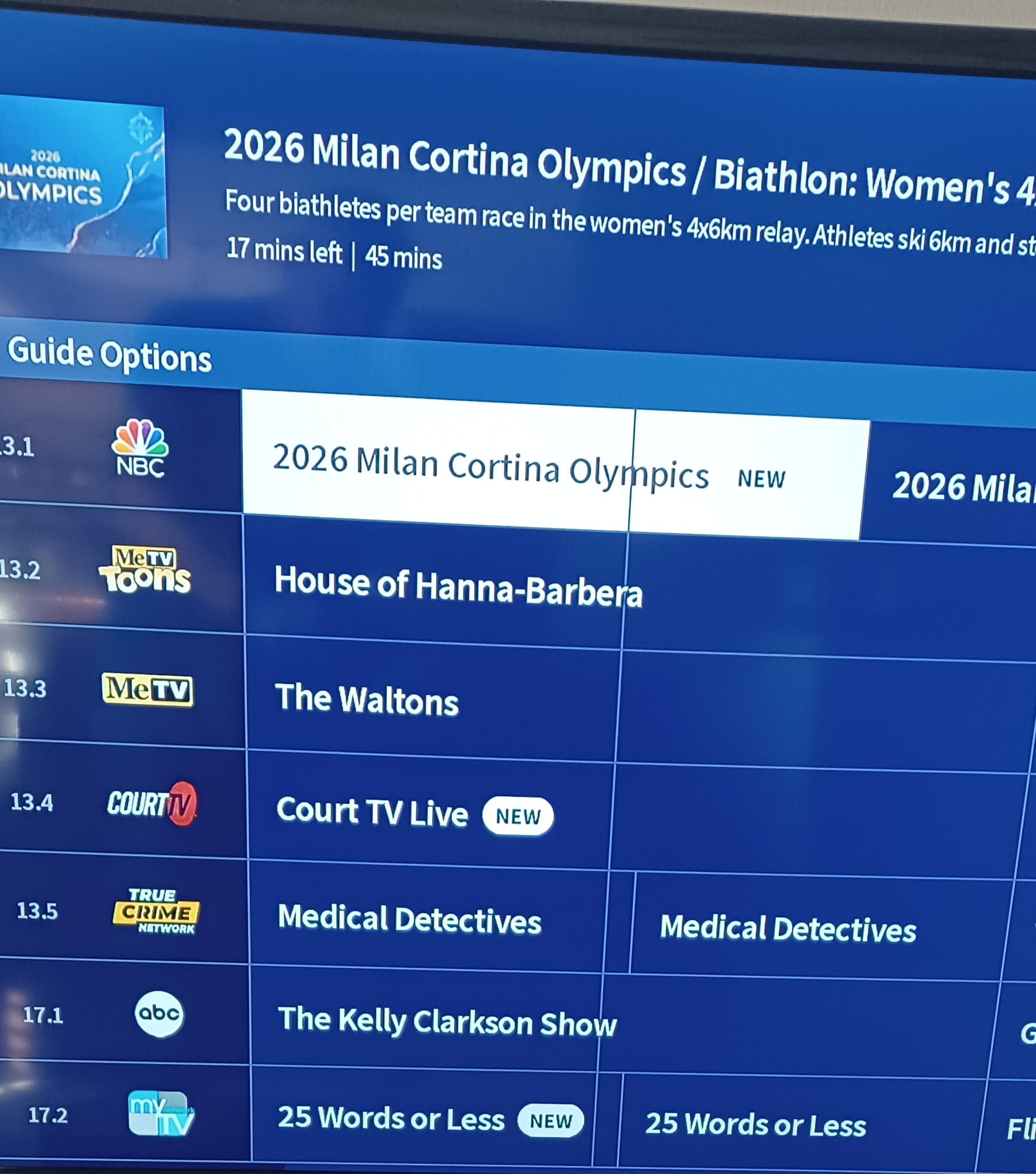
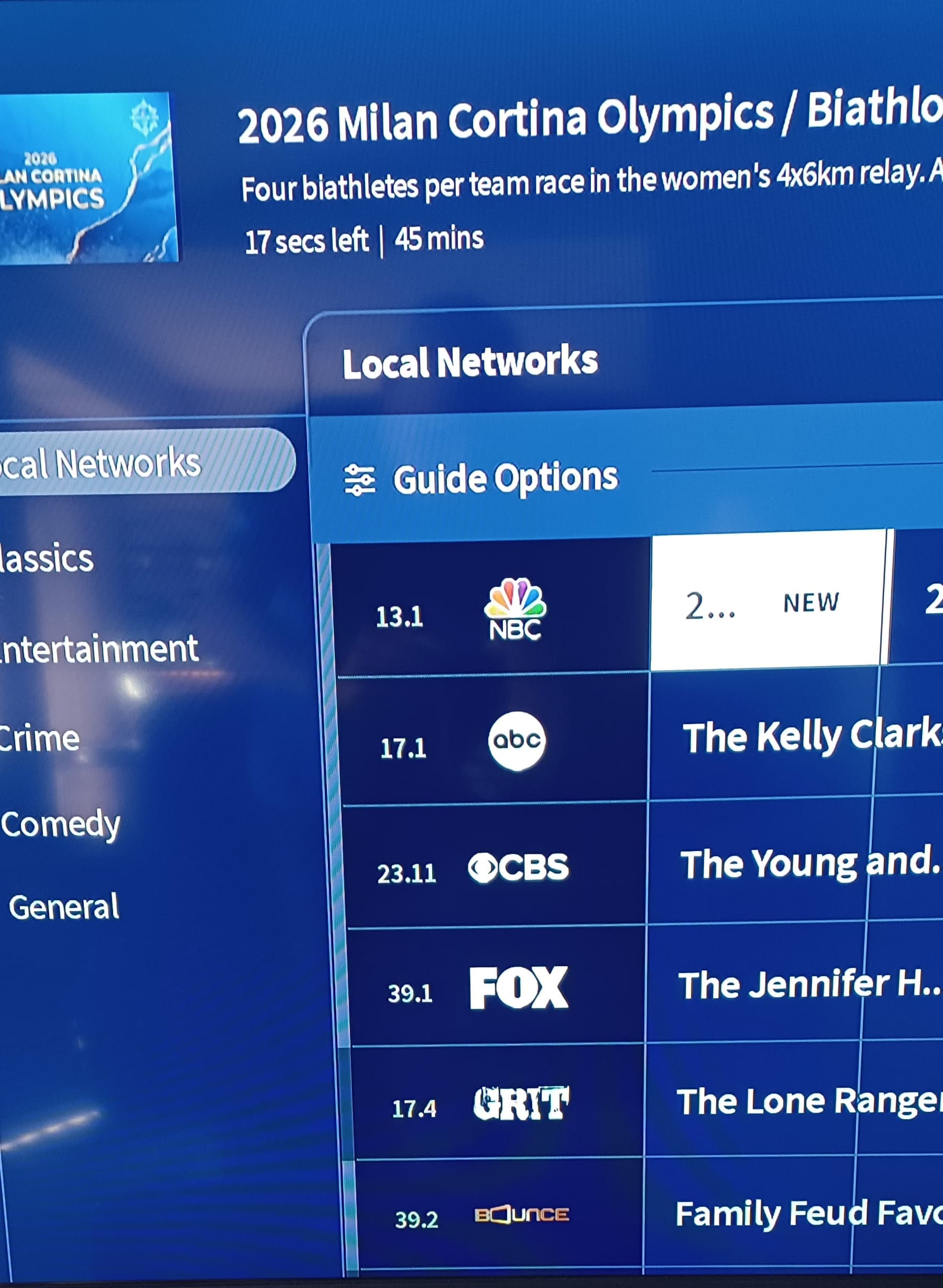
I don’t think this anything new. As the end of show time is approaching this happens. I notice in your example that there are only 17 seconds left in a 45 minute show.
Sure you have the firmware correct?
If you are in the Beta group, this should be in the “super secret” beta group category.
Zippy: Bigger picture…I see no time no matter how far I scroll right across the grid. Even through to the next day.
Paagnome: Posted on both but this was only response I got back from general posting.
What does every support representative say? Have you tried re-booting? 
Thanks!
Is that row still missing if you switch to the Channels View using the Guide Options button?
You can see by the attached pictures that the row looks like it is there but blank.
In the first picture showing Channels View there is no line for Day and Timeline.
In the second picture showing Category View you can see a “divider” splitting the space after Guide Options into two lines, but still blank and not showing Day/Timeline. Scrolling to right shows program data but not time.