I can no longer connect to my legacy Tablos (I have two) with my M1 MacBook Air running Tahoe 21.1. They both used to connect fine using Safari. There is a red X by “Tablo New” and by “Old Tablo.” When I try to connect I get “A connection to your Tablo could no be established.”
The internet works fine on other sites. I have rebooted the Tablos and my AT&T router. I have rebooted the Mac.
I have unplugged the Ethernet and pressed and released the blue reset and looked for Tablo_XXX and it doesn’t appear.
Using http://my.tablotv.com without s as address
Turned off “Limit IP Tracking” in system settings.
Turned off "Hid IP address from trackers in Safari
Does the Tablo show up in your router’s IP registration table?
Your link still works on my MacBook Pro.
Works on my Mac mini but I am running Seqouia. Have not updated yet, maybe I don’t want to? I will update and post again after.
I should mention that it’s working on my Apple TV, connected with Ethernet and it’s working in other rooms on WIFI.
Same problem. Thanks for posting. I was probably going to reboot my router, Mac, and Tablo DVR. Not so sure I’m going to do all that if it’s just a waste of time.
Talking to tech support. I’ll post if I learn anything.
Maybe try cleaning safari caches. Just checked Tablo TV working with my MacBook Pro. safari browser.
Then is the MacBook on the same network? Can you ping the puck from the MacBook? Or does this link work from the MacBook and show this information? My Status - Tablo TV

I just upgraded my Mac mini to Tahoe 26.1 and got this when trying to connect to my Legacy Tablo using Safari. Got this message: “A connection to your Tablo could not be established. Please check your internet connection.” It worked before the upgrade from Sonoma 14.somthing, So possible The Mac OS broke it. I myself rarely used that feature so I am not that upset, but it came in handy on occasion.
When I get time I might try Firefox browser…maybe that will work.
For firefox you might have to go into setting security and configure the non-https you want.
1 Like
This is the latest from Tablo Tech Support. You’re not crazy.
Hi there,
Thank you for contacting Tablo support!
We’re sorry to hear you’re having problems connecting to the Tablo app using your M1 MacBook Air.
At this time, the Legacy Tablo app is not fully compatible with the latest MacOS (Tahoe), as it is still under review with our team.
Please keep in mind that our Legacy Tablo experience is soon going to be compatible with the 4th Generation Tablo app, which does not currently support any desktop or laptop devices. Therefore it is possible that there may no longer be further updates to the desktop browser apps, including Safari on Mac.
We apologize for the inconvenience. Please feel free to stay up to date on our community forums regarding the latest software updates and announcements:
https://community.tablotv.com/
Thanks,
Ryan
Tablo Support
Monday-Sunday 8:30 AM - 2:30 AM ET
www.tablotv.com/support
Looks like the beginning of the end for the OG and Legacy UI/UX. I sure hope the beta testers are improving the Gen4 experience.
I found a work around but I’m very disappointed in Tablo for no longer supporting this feature, it was one of the main reasons I purchased Tablo.
My Mac offers the option to mirror my iPhone. I can run Tablo on my phone and watch it on my computer. I also use a free app called KeepTop to keep the iPhone window “on top” of everything else.
This isn’t a perfect solution but I can once again watch TV while working on my computer.
The Chrome-based browsers no longer work or require special settings and warnings to get them to work but Firefox still works well (at least on Windows using http://my.tablotv.com/) to access the legacy Tablo.
I haven’t tried watching Tablo on Firefox for a while but just tried it on Windows and it doesn’t play audio either on recorded shows or live TV. Says surround sound not supported by my player. I still have the Windows app and it works fine.
Interesting. I have surround sound turned off. I also use the Windows app and it works fine for me too. I’m not sure if there is an equivalent app available for the Mac.
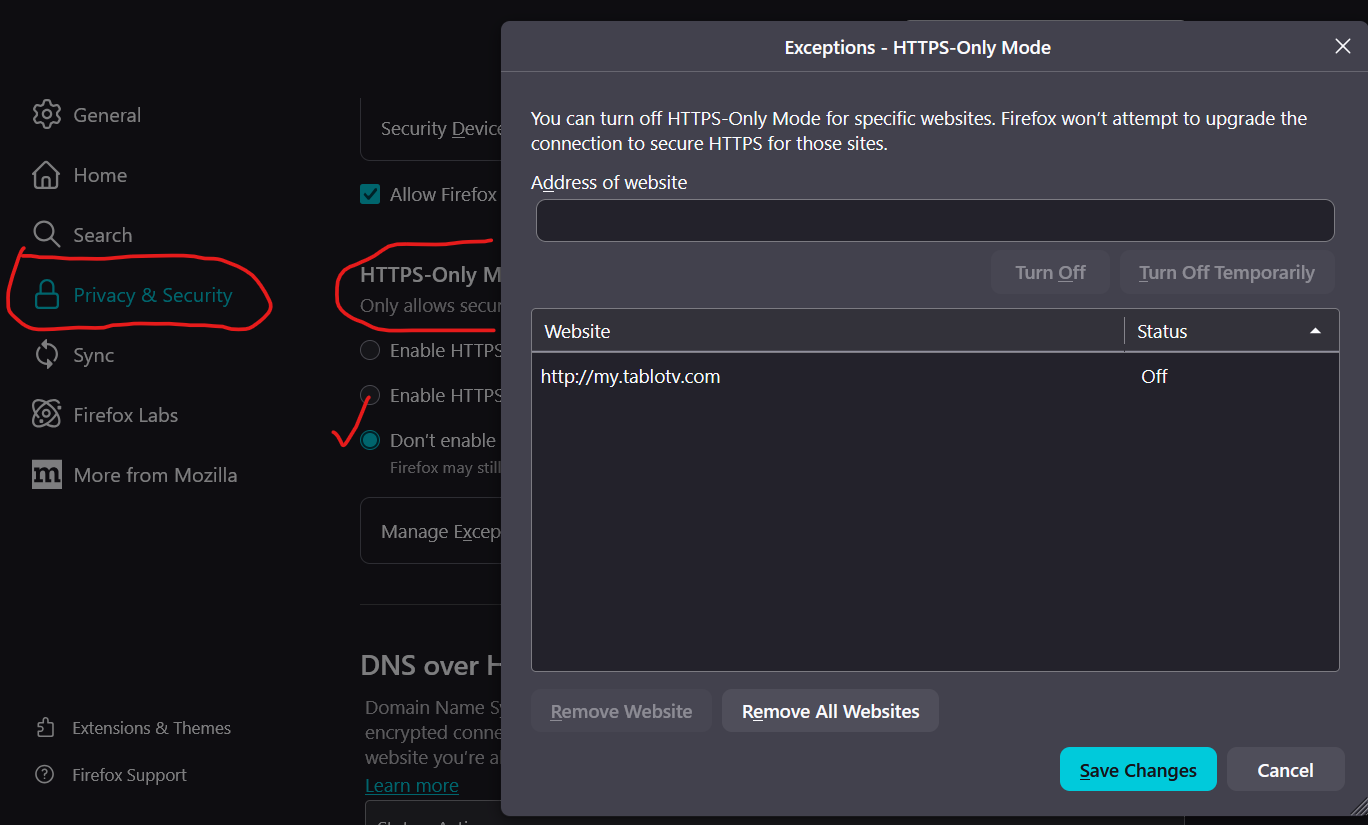
My Firefox is still working as it has been for the LEGACY Tablo. As @zippy says above, you might be able to add http://my.tablotv.com/ (without the httpS or maybe just my.tablotv.com) as an exception to your Safari Privacy and Security Settings page.
Below is the Firefox Privacy & Security settings where I explicitly disabled HTTPS-Only mode and added the link to the list of exceptions. You might be able to use HTTPS-Only mode with the exception for better security, but I haven’t tried it. I’m not sure what settings Safari allows.
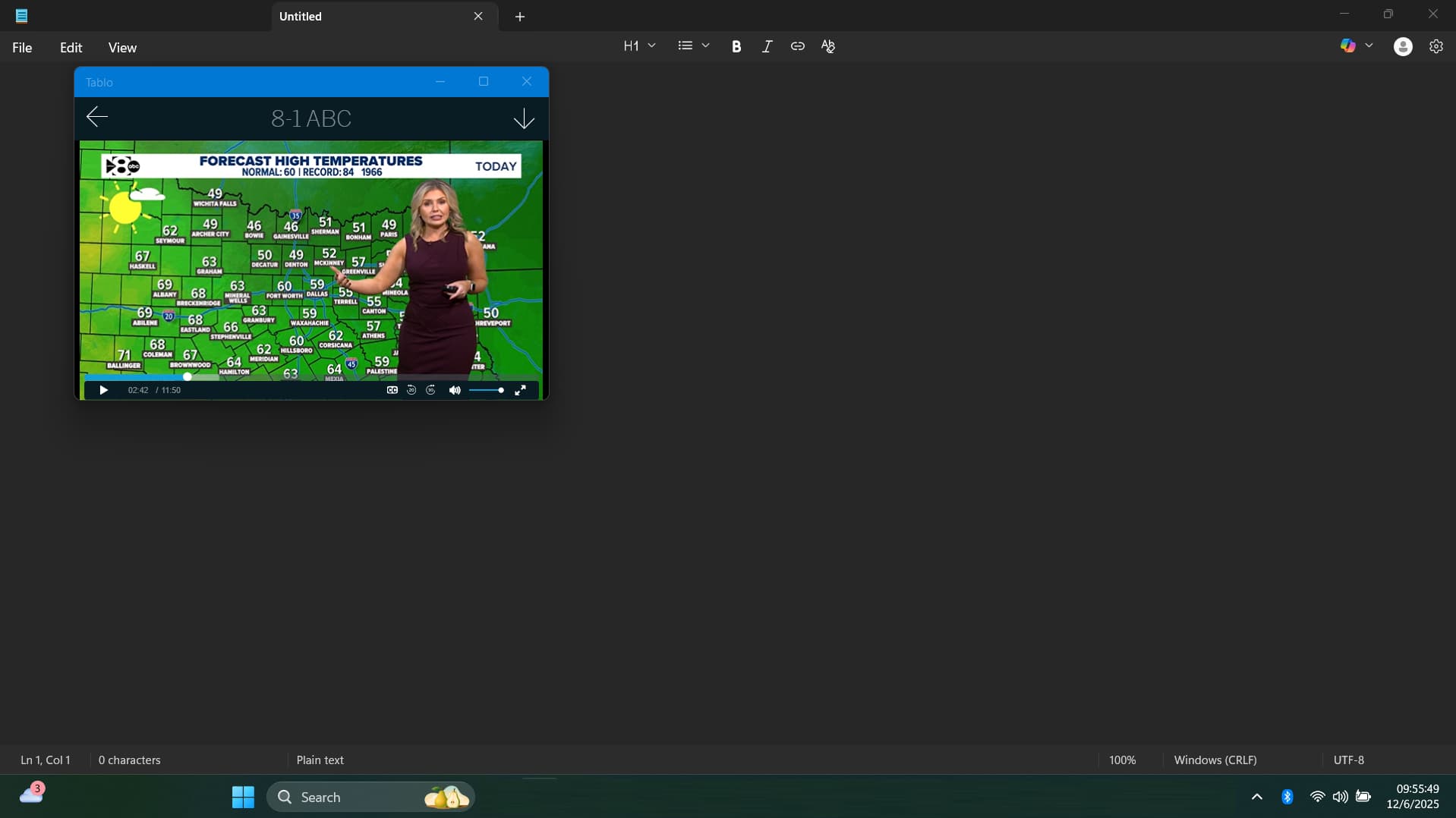
Ya, I forget about that Windows LEGACY app and it’s still working for me, too. Something like this for the Gen4 on Windows and Mac would go a long way to helping those that want to watch on their computer with a resizable window. All it needs is an “always on top” setting and it’d be even better.
I’m still puzzled why Tablo is not adding this feature or app for the Gen4, but I suspect it has to do with monitoring user’s viewing behavior.
I came here looking for reasons to get the latest gen Tablo as we have a legacy Tablo that works GREAT but won’t work with our LG Web OS TV - 55QNED82AUA. I figured maybe the latest app on the TV might work with the existing Tablo, but it won’t. And - seeing that the new/latest Tablo won’t allow a laptop with Windows 11 to interface with it - it looks to me like time to jump ship to something with broader support for TV and computers.