All of a sudden my Tablo is buffering on live and recorded on Samsung tv.
Does not do this on my Samsung phone
I’ve tried all the usual fixes posted here and am not a total techie just have basic knowledge to get myself in trouble.
Any help or advice, fixes etc?
You might first check your wifi speed on the Fire stick, then check your wifi signal near your Fire stick using InSSIDer or Wifiman to see if it’s strong enough to support your streaming. It could be that your wifi channel changed and now it’s more congested, or a nearby neighbor who’s channel changed to compete with yours.
Then again, it could also just be a temporary thing on that device.
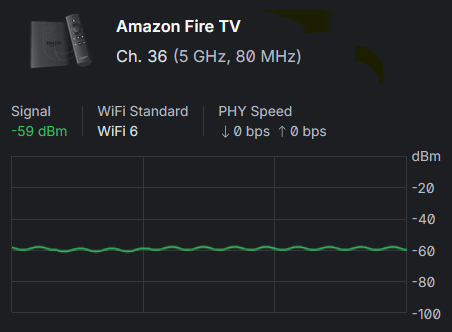
The signal at your device should be > -70dBm. Right now, mine is -59dBm and we usually don’t have any issues. You might also want to check if it’s on the 5 GHz or 2.4 GHz wifi. The former is faster at shorter distances, but the latter is stronger over longer distances but not as fast.
If OP is using an iPhone, need to install the Apple AirPort Utility from the App Store as it is the only way to see the actual signal level at the iPhone due to Apple’s proprietary tech.
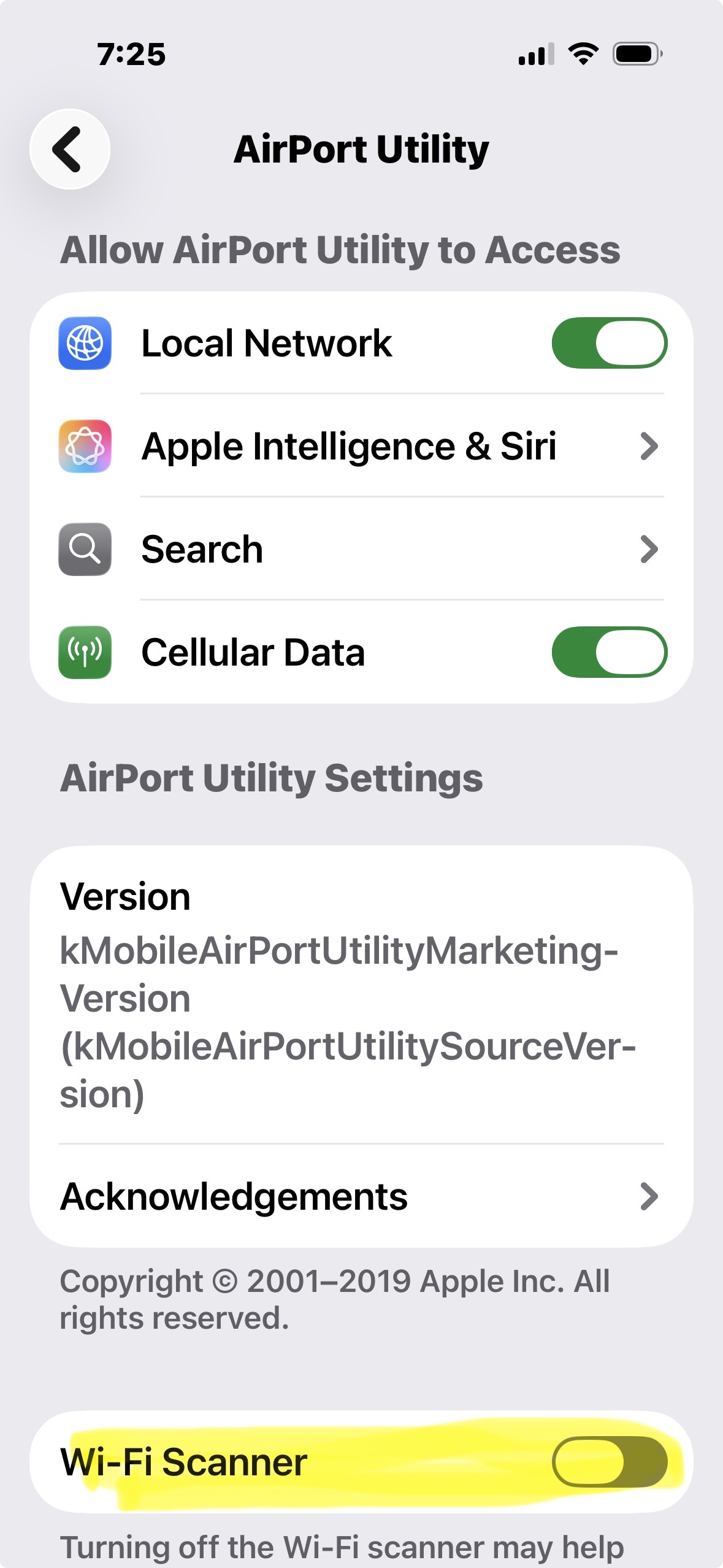
The “trick” to enabling the hidden signal level scan is to enable it in the app settings. Toggle the Wi-Fi Scanner on here …
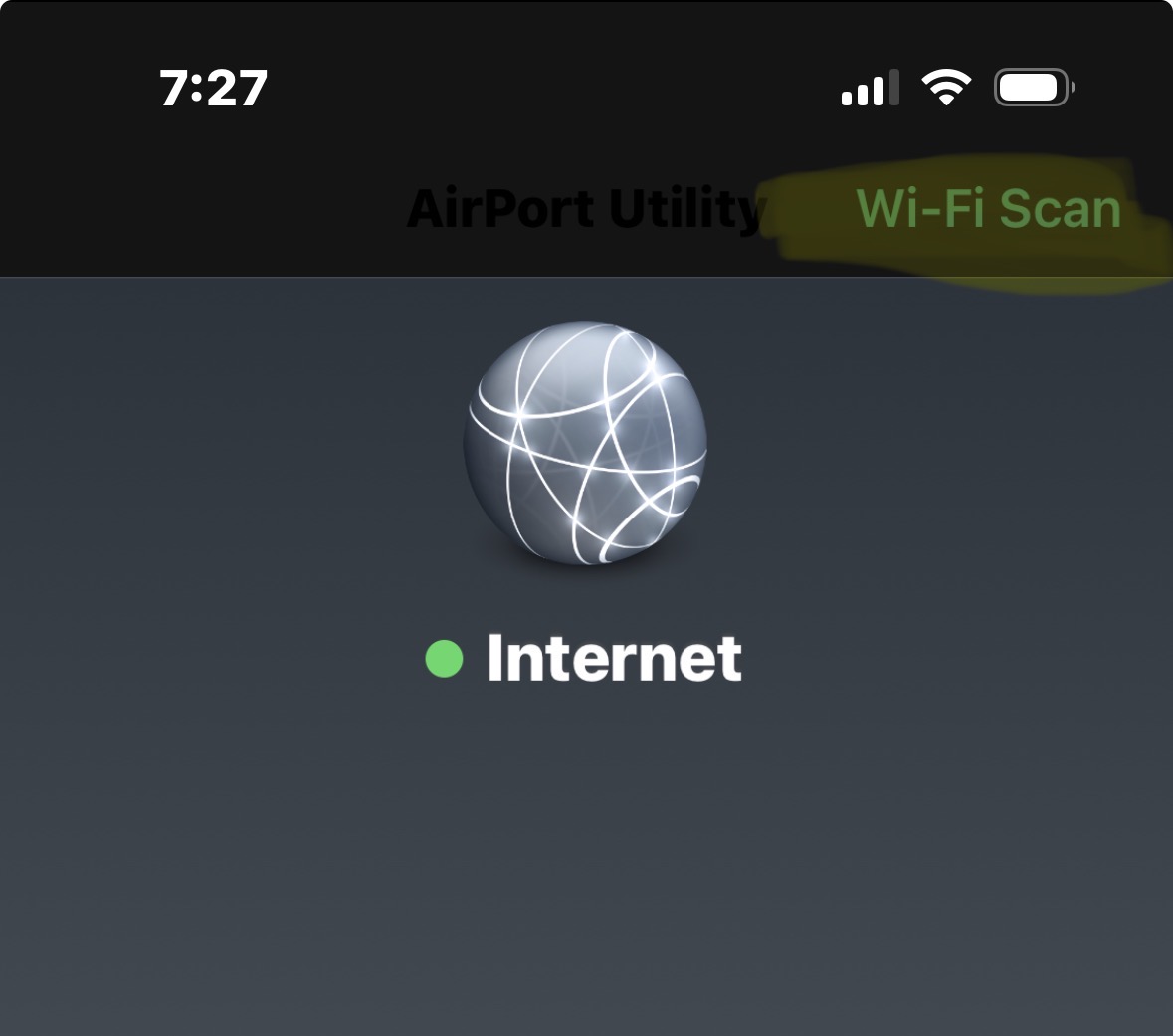
Then select it in the AirPort Utility app here …
Ignore the rest of the AirPort Utility functions.
I’m on Samsung, not Apple, but, thank you
Sorry I missed that you have a Samsung phone. I was thinking TV. My bad.
“I’ve tried all the usual fixes…”
I’ve had some success rebooting the router/gateway first. After it’s back up I power cycled the Tablo Gen4. Just unplug it and wait 10 seconds to plug it back in.
If needed I reinstalled the app on my Fire Stick 4k G2.
That’s all I have. Good luck.
1 Like
Is there any chance that you can cat 6 a cable directly to your Firestik/Samsung TV (eliminate WiFi)? Even if you have to run it across the floor (long term unacceptable of course) just to check what losing jitter and a better connection might do to your performance. WiFi is just beyond substandard compared to a direct ethernet connection. If you do that and your issues go away at least you will know what is causing the problem and then you can decide if its worth fixing long term. Only 30 minutes to check it and likely far less if you have a cable handy that will reach the TV/Firestick to the router, or a closer network switch maybe. .02
ps - When I went Cat6 to all my Firesticks it was like a different “planet” performance and no spinning circles wise.